Author: rory-admin

  • Distance Learning and The Ways We as a Technology Leader Think It Can Be Improved

    Distance Learning and The Ways We as a Technology Leader Think It Can Be Improved

    For many of us back to school has arrived, although it’s in a way that is drastically different than we’re used to. Technology is making it possible for schools and colleges across the country to teach children and adults from their homes as the global pandemic continues to .

    Primary schools and colleges have some of the same hurdles and v some that are drastically different, but this article will be mostly aimed at parents finding themselves in the position of navigating virtual learning with their children.

    The success of distance learning is intricately tied to both having access to the technology required and being instructed on how to use it properly.

    Access to the technology needed has been woefully inadequate thus far for many schools. Chromebooks, often the computer of choice for schools both for their ease or use and because they’re inexpensive, have been in high demand and production has not been able to keep up.

    However, if you’re a parent waiting on a Chromebook from your school and you have access to other technology such as a laptop you no longer use, know that it will work just fine for distance learning. The device of choice does not HAVE to be a Chromebook and forgoing receiving a device in a time when many schools don’t have adequate stock may help free one up for a family who will otherwise not have access to a computer.

    If you have the means to purchase a new device for your student(s) the following minimum specifications are what we’re recommending.

    • 250 GB hard drive or higher
    • 4 GB RAM or higher
    • 2.0 GHz Intel or AMD processor
    • Windows 10 or MAC OS 10.10 or later
    • Microsoft Edge, Firefox 48 or later
    • Safari 11 or later
    • Anti-virus program (updated regularly)
    • Computer microphone and speakers
    • Web Camera

    Once you have your device it’s time to begin preparing it for the distance learning school year ahead. Every state and district will have their own suite of software and websites they’re recommending and using to conduct classes. One constant we’ve seen so far is in the continued use of Zoom as the meeting software du jour.

    We’ve written a few times on the safety of Zoom (you can view those articles here & ), general good password hygiene is still at the forefront of operating all the accounts you may have to juggle during a distance learning situation.

    I think we’ll find it’s up to schools and local governments to close the divide on distance learning, making it as accessible as possible across the board and providing the flexibility needed for families.

    “Teachers in two separate surveys estimated that only about 60% of their students were regularly participating or engaging in distance learning. (Individual district reports of daily “attendance” varied widely, as districts defined the term so differently.)

    Two-thirds to three-quarters of teachers said their students were less engaged during remote instruction than before the pandemic, and that engagement declined even further over the course of the semester.

    A survey of teenagers in late March found that most were in contact with their teachers less than daily, with a quarter saying they were in contact less than once a week.” –  Chalkbeat.

    Engagement will be a challenging hurdle for most schools and it’s one technology can address if tackled in the right way. As this quote illustrates attendance is a sore point and many parents are finding it difficult to impossible to juggle both work and the complexities that come with distance learning. Improvements in the technologies used to deliver the educational experience to students as well as flexible options for parents is crucial for beginning to solve this dilemma.

    We all have a desire for a time when we can get back to normal and kids can get back to school, but by not preparing ahead of time for a lasting remote learning situation many districts are left cobbling together different technologies in the hope of providing a cohesive learning experience.

    We need educational programs that are custom tailored to a remote learning situation, and these may not resemble the traditional in school paradigm we’re so used to as much as we want it to.

    Moving forward it will be imperative that we find the right ratio of both serving the educational needs of the children in our country during this immensely difficult time and allowing for grace when things do not go as we plan.

    Looking for more to read? We suggest these tech articles from the last week.

    This article was powered by Valley TechLogic, an IT provider in Atwater, CA. You can find more information at https://www.valleytechlogic.com/ or on Facebook at https://www.facebook.com/valleytechlogic/ . Follow us on Twitter at https://x.com/valleytechlogic.

    Looking for IT Services in Fresno, Modesto, Stockton, Ceres, Atwater, Merced, Visalia or Lodi? We cover all these areas and more!

  • 3 Reasons You Want to Offer Cyber Security Training to Your Employees

    3 Reasons You Want to Offer Cyber Security Training to Your Employees

    Our blog is no stranger to the topic of cyber security. We’ve covered recent breaches, malware, and easy things you can do to stay safe on the internet and keep your devices free of viruses.

    But what about the human element? It’s estimated that 90% of data breaches are caused by human error. We know that sounds high and you may be thinking how that can be possible.

    How hacking works
    Credit to xkcd.

    We’re all aware of the trope of the genius hacker who can hack someone’s machine without them knowing AND without them doing anything on their side. For the most part this is just not true. There are ways for them to access your machine undetected by you, but most of the time you will be involved in some way

    An example would be a sneaky malware attached to innocuous looking file (like an executable disguised as a PDF that looks like it’s coming from a coworker or friend whose email they spoofed). Examples like this are exactly how most bad actors are getting into the victim’s system.

    What’s worse, they may not act right away. They may wait weeks or months gathers as much data as possible before striking, so they don’t just take YOU down but your business as well.

    Another way is shown in the above comic, if a data breach happens on a site you frequent they will have your credentials for that site. The hacker will then go on to try those credentials on other sites such as email providers and banking websites.

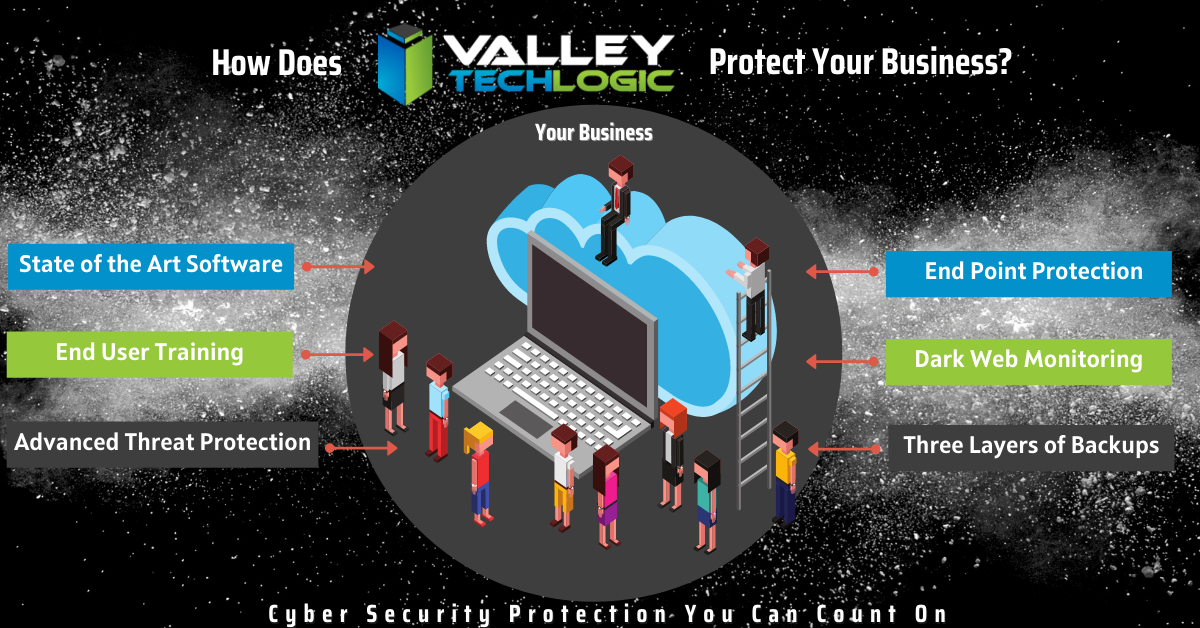
    This is why cyber security training is so important, you can have the best software in place to try to mitigate the human element, but bad actors will always be doing their very best to thwart that software. Having your team prepared properly is the only way to fully protect you and your business from a cyber-attack.

    That training will cover topics such as good password hygiene (vary your passwords!) or how to use 2 factor authentication as just two examples. Some cyber security training providers will even conduct simulated phishing attempts so you can see first hand how easy it is to fall victim to one and how to avoid it.

    To sum it up here are the 3 reasons we think cyber security training is a great idea.

    1. It protects your business. Your employees will make the right choices if they receive a sketchy email or link to download something (such as forwarding it to your IT team instead of clicking on it).
    2. It will make the software and programs you have in place for cyber security already more effective if your employees know how to properly use them (instead of possibly ignoring or even bypassing them).
    3. It will allow you and your employees to stay up to date on recent or emerging threats so if there is something out there that is hard to avoid, you will know how to handle it.

    You may be wondering where to go for cyber security training, and to be honest the best place to start is your IT Team. They should be taking the time to explain the systems they’re putting in place and how to use them in layman’s terms for you and your team.

    We even create free resources for our clients such as our one page cyber security checklist (found here).

    Your IT Team may even have a recommendation for the best online training you and your employees can attend. Two that we have personally worked with are ID Agent and Breach Secure Now. They both offer online training and even dark web monitoring.

    In whatever way you go about it making cyber security training a necessary element in your business is taking a proactive stance against cyber-attacks.

    Looking for more to read? We suggest these tech articles from the last week.

    This article was powered by Valley TechLogic, an IT provider in Atwater, CA. You can find more information at https://www.valleytechlogic.com/ or on Facebook at https://www.facebook.com/valleytechlogic/ . Follow us on Twitter at https://x.com/valleytechlogic.

    Looking for IT Services in Fresno, Modesto, Stockton, Ceres, Atwater, Merced, Visalia or Lodi? We cover all these areas and more!

  • Taxes & Technology – What Can Help Your Business RIGHT Now

    Taxes & Technology – What Can Help Your Business RIGHT Now

    To say this year has had a lot of twists and turns is an understatement, and for many that includes financial hurdles they couldn’t have foreseen.

    Today we want to cover the topic of business loans that are available for companies struggling in in the onslaught of this current pandemic, as well as tax solutions that will help lighten the load of the business purchases you still need to make even as the current situation rages on.

    Now you may be saying to yourself, aren’t you a technology company? Why are you talking about taxes?

    While this may be true, as a business ourselves AND one that helps businesses of all shapes and sizes, we felt we could offer a new perspective on this topic that you maybe hadn’t considered. As well as our own unique input on how we’re putting these tips into practice.

    Besides that, technology is linked to many different systems, including the financial system. Unless you’re a stickler for mailing things in, it’s hard to argue against the quickness and convenience of electronic filing in most cases as an example.

    With that said let’s start with our initial topic of discussion, PPP funds. PPP or the Paycheck Protection Program has been in the news a lot recently, but what does it cover? And how does it compare to the EIDL (Economic Injury Disaster Loan)?

    PPP vs EIDL Chart

    As you can see from our chart, they have different benefits and downsides, and it’s hard to say at first glance what may be right for your business. In either case you’ll probably be adding to the liquidity of your business which will probably help you continue to fund other day to day necessities, including your technology budget. For more information on PPP click here, the Small Business Association will always have the most up to date information on this topic.

    The deadline for applying for PPP is August 8th, so you must hurry if you want to apply for it. While an extension might happen (it did before) why risk it?

    There are also talks in the works by Congress of an additional bill that would forgive PPP loans less than $150k automatically without documentation (basically turning them into grants). You can learn more about this proposed addition to the CARES act here. For many businesses this could make a massive difference in their ability to stay afloat in these difficult times.

    Aside from that if you are planning on a technology upgrade soon, we have a tax tip that may save you thousands on those purchases.

    Every year businesses across the country take advantage of a certain tax deduction called Section 179. To put it briefly, Section 179 allows you to deduct business related expenses of tangible property and equipment. This can include new computers and servers that will allow you to run your business more effectively.

    For example, if you’re still trying to get your at-home work force up and running then it may make sense to furnish those employees with company laptops. They will be significantly safer than using their own devices and it may help them do their jobs much more effectively.

    Or perhaps you need a server you can use as a private cloud so you can conduct your business from home, Section 179 can help with that purchase too. At the end of the year those savings can be lost, or you can reap the benefits of getting your necessary purchases at a significant discount after the tax savings.

    We have updated our Section 179 Guide for 2020, you can learn more here. As always, work with your attorney or accountant when trying to take advantage of these beneficial programs for your business, they will have the best method for applying them to your situation.

    Looking for more to read? We suggest these tech articles from the last week.

    This article was powered by Valley TechLogic, an IT provider in Atwater, CA. You can find more information at https://www.valleytechlogic.com/ or on Facebook at https://www.facebook.com/valleytechlogic/ . Follow us on Twitter at https://x.com/valleytechlogic.

    Looking for IT Services in Fresno, Modesto, Stockton, Ceres, Atwater, Merced, Visalia or Lodi? We cover all these areas and more!

     

  • QSnatch Malware and the Safety of Network Attached Storage (NAS)

    QSnatch Malware and the Safety of Network Attached Storage (NAS)

    The QSnatch malware was first detected in October of last year, the goal of it appears to be in most cases to grab the credentials of the Network Attached Storage (NAS) it infects. It was also determined it has the capability to download further instructions from online servers, making it an extremely versatile malware.

    In October it was reported that 7000 devices had been infected with this malware, however recently it was confirmed by CISA that in June of 2020 that had jumped to 62,000 devices, making it clear this malware is now being used more prolifically. We also have learned more about its capabilities. That includes:

    • Credential scraper
    • SSH Backdoor – This allows the hacker to execute code on the device
    • Exfiltration – When run it allows QSnatch to steal a predetermined list of files
    • CGI Password Logger – This allows the malware to install a fake version of your device’s login page, allowing them to steal your credentials
    • Webshell functionality for remote access

    That seems like a scary list of abilities and makes it clear that enacting security measures in all your devices but especially those that contain important data is imperative.

    If you already use NAS you probably know the benefits, but for those that don’t or are considering it here is what’s beneficial about employing NAS devices in your organization:

    1. More storage space, in most cases NAS devices are used instead of or in addition to regular servers.
    2. Private cloud, a NAS device can be used to have a private cloud network in your business or even your home.
    3. Media Servers, there are many NAS devices especially aimed as functioning as a media server.
    4. Automated backups, a NAS device can function as your backup device or in addition to your primary backup device for more redundancy.
    5. Lower costs, NAS devices tend to be much cheaper than traditional servers.

    This is just a small list of the benefits but as with most devices there are specific measures required to keep them safe from a cyber-attack. This includes having a good plan for password security in your business – a hacker getting the password to one of these devices may be handing them the keys to the kingdom.

    Also, as the name implies this is “network” attached storage, so you must have a secure network in place. You also want to make sure you’re regularly updating the firmware for this and any other devices you use.

    Network attached storage devices are an excellent option for many businesses, as long as the proper protocols are followed to keep it safe.

    Looking for more to read? We suggest these tech articles from the last week.

    This article was powered by Valley TechLogic, an IT provider in Atwater, CA. You can find more information at https://www.valleytechlogic.com/ or on Facebook at https://www.facebook.com/valleytechlogic/ . Follow us on Twitter at https://x.com/valleytechlogic.

    Looking for IT Services in Fresno, Modesto, Stockton, Ceres, Atwater, Merced, Visalia or Lodi? We cover all these areas and more!
  • This Malware is on Fire – Literally

    This Malware is on Fire – Literally

    There is a new malware out there that can trick your phones power brick into catching on fire.

    Cellphones and fires are not a new phenomenon, we all remember the debacle that was the Samsung Note 7. Due to the so called “aggressive” battery design, phones worldwide were exploding. This led to a swift recall and caused quite a dent in their public image.

    However, the fires being started right now are at no fault to the manufacturers and not tied to a single brand. A recently discovered malware being called by the lab that discovered it “BadPower” is causing cellphone power bricks across various brands to start on fire.

    Melted Cellphone
    An example of one of the affected phones. Attribution Nathanial Stern via Flickr

    It works by tricking the adapter into sending more electricity to the phone then it can handle, which over time will melt the internal components and start a fire. Xuanwu labs tested the BadPower malware with 35 different power bricks and they discovered 18 of those were vulnerable to the attack.

    What’s even worse, if your phone fell victim to this attack there would be no external signs that it was happening, your power brick would just start on fire.

    As with many things the solution to this problem is a firmware update provided by your cellphone manufacturer and this is yet another solid reminder to always keep the software on your devices updated.

    Cellphones are not the only things vulnerable to attacks that may damage hardware. While most malware on computers is directed at stealing information, it’s technically possible for a malware to cause your personal computer to overheat, thereby damaging its CPU.

    We may be entering a new age of malicious malware that’s aimed purely at destruction and not of the financial kind that we’re accustomed to.

    In this case the best defense is a good offense, and if you’re a business located in the Central Valley, Valley Techlogic would love to be your strategic partner in protecting your business. Reach out today for a free cyber security assessment, in less than 30 minutes over the phone we can give you a place to start.

    If you’re not ready for the assessment, we also have our free one-page cyber security checklist that was recently updated for 2020. We think it’s a great resource for your business.

    Looking for more to read? We suggest these tech articles from the last week.

    This article was powered by Valley TechLogic, an IT provider in Atwater, CA. You can find more information at https://www.valleytechlogic.com/ or on Facebook at https://www.facebook.com/valleytechlogic/ . Follow us on Twitter at https://x.com/valleytechlogic.

    Looking for IT Services in Fresno, Modesto, Stockton, Ceres, Atwater, Merced, Visalia or Lodi? We cover all these areas and more!

     

  • Are Home Routers Safe?

    Are Home Routers Safe?

    We’re talked about router safety before, but are routers marketed to home users safe in general?

    Germany’s Fraunhofer Institute for Communication (FKIE) recently conducted a study on 127 routers from 7 different brands and the results were shocking.

    They found that 46 hadn’t had an update in over a year, and that many routers are affected by hundreds of known vulnerabilities.

    Many routers are powered by Linux, which releases security patches and updates throughout the year, but vendors are just not applying them. What’s worse is many routers are being shipped with known vulnerabilities and firmware updates that do not address them.

    With so many working from home using an unsafe router is one more risk that you shouldn’t have to take, especially with a brand-new router. As we mentioned in our last article on the topic, similarly to other technical products routers do reach an end of life period. However, this is typically not for at least 3 years.

    So which router brands performed the best in the study? They found that ASUS and Netgear routers performed better than other brands in the home market. There is also the option of going for a pro router which may have more features and better access to updates.

    Ubiquiti routers are one option in the pro market that we recommend. You’ll have the ability to customize quality of service rules which lets you prioritize certain kinds of traffic, like streaming video over HTTP downloads. Or it’s possible to have a guest networks so you can have a segregated LAN for guests, children or even your security cameras.

    It’s also possible to have site to site VPN, so you can access your office computer securely from home without using a third-party VPN or remote desktop service, it’s just router to router.

    There may be a sharp learning curve however when trying to implement these things yourself but updating the firmware shouldn’t be a different experience from what you’re used to from home routers.

    In general router brands need to do a much better job of securing their routers against vulnerabilities, both known and unknown – but there’s especially no excuse to leave known vulnerabilities unchecked.

    If you need assistance or have questions about routers or other technical topics, feel free to reach out! Our knowledgeable techs would be more than happy to answer your questions.

    Looking for more to read? We suggest these tech articles from the last week.

    This article was powered by Valley TechLogic, an IT provider in Atwater, CA. You can find more information at https://www.valleytechlogic.com/ or on Facebook at https://www.facebook.com/valleytechlogic/ . Follow us on Twitter at https://x.com/valleytechlogic.

    Looking for IT Services in Fresno, Modesto, Stockton, Ceres, Atwater, Merced, Visalia or Lodi? We cover all these areas and more!
  • Our Top 3 Picks for Password Managers

    Our Top 3 Picks for Password Managers

    The topic of 2 factor authentication (2FA) comes up A LOT. You’re probably already aware a password manager is the easiest place to start and will even make using your devices more convenient. However, this space is so loaded with choices now you may not know where to start.

    We’ve written a lot about what makes for a good password but what should you look for in a password manager?

    It depends on what your goal is. All password managers will help you with password safety, things like not re-using passwords and having stronger passwords because you won’t have dozens to remember.

    Some password managers only store your database locally, meaning it’s only on your own machine. The benefit of this is you’re in charge of your own security. The downside is if the device is lost or compromised, your database may be lost as well.

    There are also cloud storage password managers, meaning the password manager company will store your password database for you. We think for most users this is the better choice, however you are trusting your data to that company.

    So, what are our picks for password managers that are convenient to use but also have a good track record?

    1. LastPassThis is no brainer; we use this one! It’s free, straightforward, and compatible with many different browsers – even across Mac, Windows and Linux. They also offer 1 GB of secure document storage, meaning everything you need securely store will also be conveniently at your fingertips.
    2. 1Password1Password is a great mobile option. It began as an Apple centric product but has since branched out to include iOS, Android, Windows and ChromeOS. An extra bonus feature is it can act as an authentication app for programs like Google Authenticator. We also like its travel mode option, which allows you to delete sensitive data with one click while you travel and then restore it when you’re back home.
    3. DashlaneOur final pick is Dashlane. Dashlane is the newest of this bunch but they have a lot of slick features, including Dark Web reporting. The free version is somewhat limited but if you pay a low cost of $4.99 a month you unlock a host of features, including a free VPN and the ability to sync between devices. They also let you choose whether you want to store your database on your device or locally.

    One more thing, while your browser can somewhat perform as a password manager, that’s really not what it’s meant for. Browsers focus most of their development on being a better browser, not being a better password manager. Also the passwords they generate are not much better than “password” or “123456” (the most popular passwords 7 years running).

    Storing your passwords in a secure password manager is one of the best and easiest ways to improve your security online, so no matter which password manager you go with you’re making the smart choice.

    Looking for more to read? We suggest these tech articles from the last week.

    This article was powered by Valley TechLogic, an IT provider in Atwater, CA. You can find more information at https://www.valleytechlogic.com/ or on Facebook at https://www.facebook.com/valleytechlogic/ . Follow us on Twitter at https://x.com/valleytechlogic.

    Looking for IT Services in Fresno, Modesto, Stockton, Ceres, Atwater, Merced, Visalia or Lodi? We cover all these areas and more!

  • The Threat You Might Not Have Heard of – Stalkerware.

    The Threat You Might Not Have Heard of – Stalkerware.

    We’ve all heard of ransomware and malware at this point, but there’s one that may be flying under the radar. I’m talking about stalkerware.

    Stalkerware is a type of software or application designed to monitor or secretly record you on your devices. The phrase was coined because it was often used by spouses or other intimate partners who want to secretly spy on their partners.

    While in some cases it may be deliberately installed, there are variations of this now that are more insidious. Applications that can detect your GPS location even in the background, as well as applications aimed at parents looking to track their children’s devices that collect more data than they’re supposed to are two notable examples.

    In either variation they’re definitely a violation of the user’s privacy. The Google Play Store (for Android phones) and Apple App Store (for iOS phones) both prohibit applications aimed at tracking your loved ones use without their knowledge or consent, but so many things are added daily it’s inevitable some will slip through.

    On the other end, applications you install on purpose that collect data they shouldn’t is also a major problem. The data they’re collecting is often sold to third parties who then use it to market to you on websites you frequent.

    Most of us are aware the free websites and applications we use on the internet are not really “free”. The cost is being inundated with sales ads, but ads specifically targeted to you by data you didn’t know was being extracted by your computer or phone is a violation none of us would willingly sign up for.

    We’re left questioning how much privacy we can really expect on the internet, and what is needed to protect that privacy. Much more is required of our governments and legislatures to ensure that the private details of our lives aren’t sold to the highest bidder.

    One high profile example going on right now is over the popular phone application TikTok. TikTok was recently banned in India due to privacy concerns, which the company vehemently denies.

    It’s our recommendation that you vet the software, websites and applications you download or visit thoroughly, as well as uninstalling any not currently in use. While this won’t completely mitigate the risk of stalkerware, it may help minimize the damage.

    Looking for more to read? We suggest these tech articles from the last week.

    This article was powered by Valley TechLogic, an IT provider in Atwater, CA. You can find more information at https://www.valleytechlogic.com/ or on Facebook at https://www.facebook.com/valleytechlogic/ . Follow us on Twitter at https://x.com/valleytechlogic.

    Looking for IT Services in Fresno, Modesto, Stockton, Ceres, Atwater, Merced, Visalia or Lodi? We cover all these areas and more!

  • Returning to the Office? Here’s What You Need to Know.

    Returning to the Office? Here’s What You Need to Know.

    The last few months have been hectic to say the least. A global pandemic has forced us to reconsider our office norms, when working from home became a necessity rather than a rare occurrence – prior to the pandemic only 1.3% of job postings on ZipRecruiter specified working from home.

    The numbers vary but it’s estimated upwards of 50% of the knowledge-based workforce is working from home right now. Tech workers have had to scramble to adjust their security measures to cover employees on their home networks. In some cases, it still hasn’t been enough (Hacking against corporations surges as employees take computers home – Reuters.)

    Now, as many cities and states begin to open, you may be wondering if it’s time to get back to the office. Here’s our steps for doing it smartly and safely.

    • Evaluating devices that have been used at home thoroughly before introducing them back to the work network. Whether it’s their office device or a home device they normally use at work, you want to make sure it won’t function as a Trojan horse to your organization, inviting malware and/or viruses into your office.
    • Make sure these devices are also updated with any software patches and updates that may have been missed while working from home. You want to make sure they have been fully patched when they return to your network.
    • Consider requesting that everyone update their credentials and re-enforcing any efforts into enabling 2 Factor Authentication(2FA). Employees working from home may have let their work machines be used by family members, or otherwise have left these devices unattended in areas where they may have been accessed by others.
      When returning to work we think it’s a good idea to also have a fresh start when it comes to passwords and other credentials, and if you haven’t been already consider requiring 2FA on work devices and work accounts.
    • Finally, we’ll all have to consider germs going forward and for the considerable future. It’s a good idea to have a plan in place for disinfecting these devices safely and consistently.

    This doesn’t cover everything necessary for returning to work safely, but it’s my hope it gives you a place to start when it comes to the technology side of things.

    Whether you’re returning to work or are still working from home, Valley Techlogic can assist you with these topics and more. Feel free to reach out, our brilliant tech team would be happy to assist you.

    This article was powered by Valley TechLogic, an IT provider in Atwater, CA. You can find more information at https://www.valleytechlogic.com/ or on Facebook at https://www.facebook.com/valleytechlogic/ . Follow us on Twitter at https://x.com/valleytechlogic.

    Looking for IT Services in Fresno, Modesto, Stockton, Ceres, Atwater, Merced, Visalia or Lodi? We cover all these areas and more!
  • Routers and Their Safety – How to Easily Improve Your Network

    Routers and Their Safety – How to Easily Improve Your Network

    It was recently reported by ZDnet (https://www.zdnet.com/article/unpatched-vulnerability-identified-in-79-netgear-router-models/) that 79 Netgear routers from as far back at 2007 and across 758 different firmware versions had an unpatched vulnerability that would let a hacker take over the device remotely.

    We rely on routers as our literal gateway to the internet – so how can you be sure the one you’re using is safe? Also, how can you keep it that way?

    As the above article has shown one of the ways is just to be cognizant of news regarding the devices you use. An emergency patch was issued, and a more permanent patch is planned for later this month. Even if you normally shy away from the nitty gritty technical aspects of any news cycle it’s a good idea to keep an eye out for news regarding your specific devices.

    It’s always a good idea to keep up to date on patches for all your devices. In the case of routers these normally come in the form of firmware updates.

    This may seem intimidating but here are the steps for making sure your routers firmware is up to date.

    1. Type your routers IP address into the search bar of your preferred web browser to access it’s web portal. It’s usually on the box or even on the router itself, it can also be found here (https://whatsmyrouterip.com).
    2. Enter your username and password. If this is your first-time logging in again the information can usually be found on the router itself. This is also a good time to change the password!
    3. Locate the firmware or update tab. The location may vary depending on which model router you have, referring to the instructions of your router is probably a good idea.
    4. Go to your router manufacture’s website to find the firmware update file. You can usually find it by searching for your routers model on their site.
    5. Download the update and apply it through the router’s web portal. Again, the router’s web portal is found by it’s IP address.
    6. Reboot the router to ensure the update is applied.

    By following these steps, you can be sure your router has the most up to date software version and is the most protected from bugs and malware.

    What if you can’t find a firmware update for your router? If it’s a newer model there may not be one out yet, however if your router is on the older side it may have reached it’s end of life. Every brand is different, Cisco for example has a policy of supporting routers on the software side for 3 years and the hardware side for 5 years.

    Most technical companies will provide advance notice if they have a product reaching end of life. It’s a good idea to keep track of this information for all your devices, as a device that’s not receiving regular updates may be less safe to use on the internet.

    This article was powered by Valley TechLogic, an IT provider in Atwater, CA. You can find more information at https://www.valleytechlogic.com/ or on Facebook at https://www.facebook.com/valleytechlogic/ . Follow us on Twitter at https://x.com/valleytechlogic.

    Looking for IT Services in Fresno, Modesto, Stockton, Ceres, Atwater, Merced, Visalia or Lodi? We cover all these areas and more!