What comes to mind when it comes to viruses and malware and how they infect a device?
Most of us think of someone accidentally downloading an infected program from an email or website, which we’re sorry to say doesn’t always end in the much maligned and feared .exe. These days executable files with malware can take the guise of an image, PDF, and more.
Unfortunately, now users can be infected by malware or a virus without clicking on anything at all. A zero-click exploit can compromise a device without any action from its owner. While most malware is spread through social engineering attacks (tricking a user via email or on a webpage) zero-click exploits make use of existing vulnerabilities found on operating systems.
So far these attacks have been mostly affecting mobile devices, with Apple having to release its third update recently aimed at addressing a zero-click spyware campaign that’s been launched to specifically target iMessage users in Russia. The attack dubbed “Operation Triangulation” affected a wide range of Apple devices including iPhones, iPads, Mac OS devices and even Apple TV.
This type of attack was actually discovered when the iPhone of a journalist in Azerbaijani in 2020 received a silent command to open the Apple Music app. From there, the app connected to a malicious server and downloaded spyware onto the phone, which remained on the phone for 17 months collecting data silently in the background.
The spyware in this instance was placed and developed by the NSO Group, which is an Israeli based security firm that sells technology to governments and law enforcement agencies. While the company says they’re developing this software as a way to address terrorism and curb crime, it has been misused by the government agencies who contract it in the past. Human rights groups have been critical of the NSO group for the violation of privacy this type of software poses.
While most of these attacks have been aimed at Apple devices in particular, the NSO group also developed a version that exploited WhatsApp on Android devices. Both Android and Apple have been quick to patch these vulnerabilities as they are discovered.
While in a different category, these attacks have a similarity to “zero-day” attacks which is when bad actors discover a vulnerability in a specific system and utilize it to gain access or enact malicious activity against the devices that are targeted. It’s referred to as “zero-day” because the product merchant has had zero days to deal with the issue when it’s discovered. The difference between a zero-day attack and a zero-click attack though is with zero-day attacks there’s typically some action that’s needed on behalf of the device owner.
With zero-click attacks, no action is needed and these attacks can happen completely silently and with no warning.
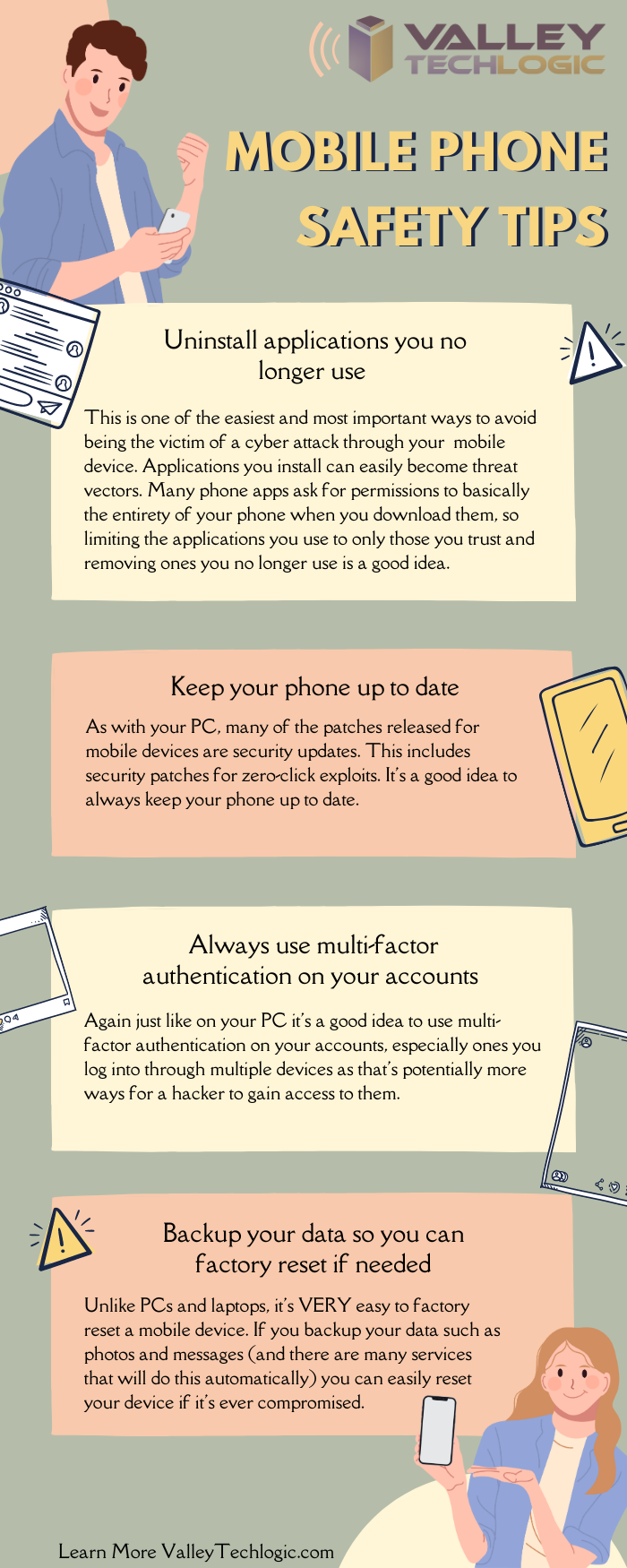
So how do you avoid something that sounds at first glance, pretty unavoidable? There are some mobile device hygiene habits that, while not making your phone completely impervious will drastically decrease your risk of falling victim to zero-click attack.
When it comes to zero-click or zero-day the truth is cyber attacks can happen quickly and with little to no warning. As a business owner, your risk is multiplied by the number of devices you must maintain and secure in your office. That’s where Valley Technlogic can help.
We are experts in the field of cyber security, we even wrote the book on it (claim a free copy today!) or reach out for a free consultation to learn how we can help mitigate these types of attacks on your business.
Looking for more to read? We suggest these other articles from our site.
-
Zero trust or zero effort, how does your businesses security stack measure up?
-
The US has declared a $10 million dollar bounty for more information on this ransomware
-
AWS vs Azure, what is your best option when choosing a cloud platform?
-
When a data breach leads to jail time for an ex-CEO, and why you should take data security seriously in 2023
This article was powered by Valley Techlogic, an IT service provider in Atwater, CA. You can find more information at https://www.valleytechlogic.com/ or on Facebook at https://www.facebook.com/valleytechlogic/ . Follow us on Twitter at https://x.com/valleytechlogic.