Author: rory-admin

  • The No-Headache Way to Create a Written Information Security Plan (WISP)

    The No-Headache Way to Create a Written Information Security Plan (WISP)

    If you’re a CPA firm, financial professional, or any SMB that handles sensitive client data, creating a Written Information Security Plan (WISP) is not optional. It’s a critical part of staying compliant with federal and state regulations and protecting your clients’ trust. But if the idea of drafting one sounds overwhelming, you’re not alone.

    First of all, what is a WISP and why do you need one?

    A WISP is a formal document that outlines how your business safeguards sensitive data, including personal information, tax records, payroll data, or anything that could be used for identity theft or fraud.

    Key Reasons You Need a WISP:

    • Compliance – Regulations like the FTC Safeguards Rule, GLBA, and California’s data privacy laws require a WISP for many businesses.
    • Risk Reduction – It forces you to identify vulnerabilities before a breach happens.
    • Client Confidence – Client’s trust businesses that take data security seriously.
    • Incident Response Readiness – A WISP outlines who does what if something goes wrong.

    Step 1: Identify What Data You’re Protecting (and the People in Charge of Protecting It)

    Start with the following:

    • Identify your Data Security Coordinator (DSC) and Public Information Officer (PIO), they will oversee your WISP implementation.
    • What types of sensitive data do you collect? (Tax records, SSNs, bank info, etc.)
    • Where is it stored? (Local servers, cloud services, employee laptops?)
    • Who has access to it? (Employees, contractors, vendors?)

    Step 2: Assess the Risks

    Once you know what you’re protecting and who is overseeing that protection, identify how that data could be compromised. Common risks include:

    • Phishing attacks or social engineering
    • Ransomware or malware infections
    • Lost or stolen devices
    • Weak or shared passwords
    • Unpatched software

    Step 3: Define Your Security Policies

    This is the “meat” of the WISP. Your plan should spell out:

    • Access controls – Who can access what data and how access is granted/revoked.
    • Password & MFA (Multi-Factor Authentication) requirements – Strong password policies, multi-factor authentication required for all users.
    • Data encryption – For data at rest and in transit.
    • Remote work & BYOD (Bring Your Own Device) policies – How employees can safely access company resources offsite.
    • Backup & recovery – How often backups are performed, where they are stored, and who can restore them.
    • Vendor management – How you vet third-party providers who handle your data.

    Step 4: Train Your Team

    Even the best WISP fails if your employees aren’t on board. Run regular cybersecurity training on:

    • Phishing recognition
    • Safe password habits
    • Proper handling of client data
    • Reporting suspicious activity

    When employees understand the “why” behind security, they become your strongest defense. This will also help you update and implement your Employee Code of Conduct (a necessary WISP component).

    Step 5: Test, Monitor, and Update Regularly

    A WISP is not a “set it and forget it” document.

    • Schedule annual reviews (or more often if you experience major changes like a cyber incident or new regulations).
    • Perform exercises to test your incident response plan.
    • Keep policies up to date with evolving threats.

    How We Can Help

    We know your priority is running your business, not getting buried in compliance paperwork. Here’s how we make WISP implementation painless:

    • Customized WISP Templates – No generic documents, we tailor them to your industry and size.
    • Ongoing Monitoring & Support – Continuous protection, so your WISP stays relevant.
    • Employee Training & Simulated Phishing – Build a security-aware culture and ensure compliance across the board (and document these goals in your Employee Code of Conduct).

    Building a WISP doesn’t have to be stressful or time-consuming, especially with a trusted partner like Valley Techlogic. Learn more today with our step-by-step roadmap on WISP preparedness here and book a free WISP consultation.

    Looking for more to read? We suggest these other articles from our site.

    This article was powered by Valley Techlogic, leading provider of trouble free IT services for businesses in California including Merced, Fresno, Stockton & More. You can find more information at https://www.valleytechlogic.com/ or on Facebook at https://www.facebook.com/valleytechlogic/ . Follow us on X at https://x.com/valleytechlogic and LinkedIn at https://www.linkedin.com/company/valley-techlogic-inc/.

  • Children and online safety, how the issue with Roblox highlights the need for more oversight into online services aimed at kids

    Children and online safety, how the issue with Roblox highlights the need for more oversight into online services aimed at kids

    With over a billion registered users (and 380 million active users as of 2024), Roblox propelled itself into the internet zeitgeist in 2006. Its blocky figures and endless options when it came to users customizing games and worlds to fit their imagination was particularly enticing to its core user base which is mostly comprised of children and teens.

    The game has faced controversy in the past, particularly with it’s paid-for currency system “Robux” with a class action lawsuit settled for $10 million in the form of refunds for users that felt ripped off by the online purchases made in the game and many instances of parents noticing their children had made purchases without their consent. Which to be clear is not the fault of the company but highlights the “pay to play” nature of some online platforms even those with a younger user base.

    However, they’ve been in the news recently for much darker allegations. It’s come to light that there are issues with the online platforms moderation when it comes to conversations being had with underaged users and the adults that also frequent the platform.

    Multiple lawsuits have been filed in multiple states alleging Roblox did not go far enough when it comes to protecting its underaged users from predators, with many instances coming to light of an adult engaging with a child online and luring that child to a real-life location where they were harmed.

    Concerned parents want to know what steps are being taken to ensure their children are not being “groomed” in a game that they believed was a safe space and child centric. The company has responded by denying the allegations but also announcing several new features aimed at combating “child endangerment conversations”. This includes using AI to verify conversations for malfeasance and doing more to verify users ages and separate or restrict conversations between adult and underage users.

    It is a mistake, in our opinion, to believe that any online space does not require a parent’s consistent oversight. YouTube’s platform for kids dubbed appropriately “YouTube Kids” made news for the creepy videos that proliferated channels hidden amongst benign children’s programming such as streams of Peppa Pig.

    TikTok, SnapChat and Facebook have also faced lawsuits over not protecting children from predators or having “addictive designs” that kept teens in particular looped into negative cycles involving self-harm or extreme content.

    We don’t believe there’s any online platform where a child should be left unattended, but there are steps you can take to make the internet safer for your children (after all, in today’s digital world avoiding it is difficult to impossible).

    Here are four practical steps parents can take to help protect their children online:

    1. Set Clear Rules and Expectations
      Establish age-appropriate guidelines for internet use. This can include setting screen time limits, deciding which apps and websites are allowed, and agreeing on times when devices must be put away (e.g., during meals or bedtime). Having open conversations about why these rules exist makes kids more likely to follow them.
    1. Use Parental Controls and Privacy Settings
      Take advantage of built-in parental controls on devices, browsers, and apps. These can help block inappropriate content, set time limits, and monitor activity. Make sure your child’s social media accounts are set to private, and review app permissions so personal information isn’t overshared.
    1. Teach Safe Online Behavior
      Educate children about not sharing personal details (like home address, school name, or phone number), being cautious about online friendships, and never meeting strangers in person. Encourage them to think critically about what they post, remind them that once something is online, it’s hard to fully remove.
    1. Stay Involved and Encourage Communication
      Keep an open line of communication so your child feels comfortable coming to you if they encounter something suspicious, scary, or uncomfortable online. Show interest in the games, apps, or websites they use, and when possible, spend time exploring the digital world together.

    At Valley Techlogic we believe in making the online world a safer place, including for the businesses we support and our clients. We will be posting free Back-To-School online safety tips on our Facebook and LinkedIn profiles for the month of September.

    If you’re California local and looking for IT support for your business, you can also learn more about our services through a free consultation today.

    Looking for more to read? We suggest these other articles from our site.

    This article was powered by Valley Techlogic, leading provider of trouble free IT services for businesses in California including Merced, Fresno, Stockton & More. You can find more information at https://www.valleytechlogic.com/ or on Facebook at https://www.facebook.com/valleytechlogic/ . Follow us on X at https://x.com/valleytechlogic and LinkedIn at https://www.linkedin.com/company/valley-techlogic-inc/.

  • Planning a tech refresh ahead of the Windows 10 support ending? Here are our six best strategies

    Planning a tech refresh ahead of the Windows 10 support ending? Here are our six best strategies

    Microsoft officially announced that support for Windows 10 will end on October 14, 2025. While that may sound far away, businesses that rely on Windows 10 across their devices need to start planning now. Waiting until the last minute can mean rushed decisions, unexpected costs, and potential downtime, which is something no organization wants.

    At Valley Techlogic, we’ve helped countless Central Valley businesses through smooth technology transitions, and we know how important it is to plan ahead. If your company is still running Windows 10, here are our six best strategies for preparing your tech refresh.

    1. Take Inventory of Your Current Environment

    Start by identifying which machines are still running Windows 10 and which may already be compatible with Windows 11. This step helps you avoid unnecessary purchases and ensures you only upgrade what’s needed. An inventory audit can also uncover outdated hardware, unsupported software, or security gaps.

    1. Evaluate Hardware Readiness

    Not every device that runs Windows 10 will support Windows 11. Requirements like TPM 2.0 and specific processor generations may prevent older PCs from upgrading. If your business has hardware that won’t make the cut, it’s best to plan replacements now, rather than scrambling in 2025.

    1. Budget and Phase Your Refresh

    Replacing or upgrading multiple devices at once can be expensive. By starting early, you can phase in new equipment over time, spreading out costs and minimizing disruption.

    1. Consider Cloud and Virtualization Options

    For some businesses, moving workloads to the cloud or implementing virtual desktops can reduce reliance on on-site hardware. Utilizing a service like Windows 365 (a cloud PC option) could be a more cost-effective solution than replacing every PC.

    1. Strengthen Security Along the Way

    End of support also means no more security updates from Microsoft. That makes staying on Windows 10 after October 2025 a serious risk. As you refresh your devices, it’s also a good time to review your company’s cyber security landscape, from endpoint protection and email security to backups and multi-factor authentication.

    1. Partner With an IT Provider for a Smooth Transition

    Technology refreshes are complex, especially when tied to a major operating system change. An experienced partner like Valley Techlogic can guide you through the process, ensuring you select the right devices, configure them correctly, and migrate your data without downtime.

    Don’t Wait Until October. The sooner you start planning your Windows 10 exit, the smoother your business will transition. Whether it’s a phased rollout of new PCs, upgrading to Windows 11, or exploring cloud options, Valley Techlogic can help your business stay secure, productive, and ahead of the curve.

    Are you ready to start your tech refresh plan? Contact Valley Techlogic for a free consultation today and let’s make your upgrade stress-free.

    Looking for more to read? We suggest these other articles from our site.

    This article was powered by Valley Techlogic, leading provider of trouble free IT services for businesses in California including Merced, Fresno, Stockton & More. You can find more information at https://www.valleytechlogic.com/ or on Facebook at https://www.facebook.com/valleytechlogic/ . Follow us on X at https://x.com/valleytechlogic and LinkedIn at https://www.linkedin.com/company/valley-techlogic-inc/.

  • 2.5 Billion Gmail users at risk after database leak exposes pertinent account information

    2.5 Billion Gmail users at risk after database leak exposes pertinent account information

    It was recently revealed that Google’s Salesforce database was breached, exposing data for over 2.5 billion users at the time of reporting.

    Initially it was being reported that the leak would primarily effect only their business users as the data found in Salesforce mostly pertains to those accounts. However that was quickly dispelled as Gmail users reported increased attacks against their accounts, with some users reporting they even received a call from alleged Google employees notifying them of the breach of their account.

    We want to make it clear that no password data was leaked in this data breach (at least at the time of writing) instead the data is being used to increase the effectiveness of phishing attacks leveled at Gmail users. One example of the attacks that are occurring includes users being told to initiate an account reset wherein the bad actor intercepts the password and locks the original user out.

    Another attack being initiated is what Google calls “dangling bucket takeover” where the attacker essentially has access to a link connected to the users Google storage and uses it to hijack their account. Google outlines the four ways you can protect against this kind of attack in the page linked.

    While company based accounts might be the most prime targets – and this goes for phishing in general – that doesn’t mean individual users are safe. Spear phishing, a popular variant of phishing that involves researching and gaining access to user accounts outside of their prime target such as an employees close to the company lead, could be a motivator for the current rise in attacks related to this breach. They would then use those accounts to increase the legitimacy of phishing attempts leveled at the primary target (by sending messages as the compromised user).

    It is paramount in 2025 that users practice good safety hygiene when it comes to their online data, especially in an age where the onslaught of data breach news can feel overwhelming and increase a sense of helplessness. Even though data breaches are not rare, users can still protect themselves in the following ways:

    1. Enable Two-Factor Authentication (2FA)
    • Turn on Google 2-Step Verification.
    • Use an authenticator app (Google Authenticator, Authy, or similar) instead of SMS, since text messages can be intercepted.
    • For even stronger protection, consider a hardware security key (e.g., YubiKey).
    1. Use a Strong, Unique Password
    • Avoid reusing passwords across multiple sites.
    • Use a password manager (Bitwarden, 1Password, LastPass, etc.) to generate and store long, random passwords.
    • Change your password immediately if you suspect any compromise.
    1. Regularly Review Account Activity
    • Check Gmail’s “Last account activity” (bottom right of inbox) for unusual logins.
    • Review the Google Account Security page to see devices that have accessed your account.
    • Remove old or unused devices and apps with account access.
    1. Be Proactive Against Phishing
    • Always verify the sender’s address before clicking links.
    • Hover over links to confirm they point to legitimate Google domains.
    • Turn on Gmail’s Enhanced Safe Browsing in account security settings for extra phishing protection.

    Email remains the number one entry point for cyberattacks, from phishing scams to ransomware. At Valley Techlogic, we take a proactive approach to keeping your inbox safe. Our team helps businesses implement advanced spam filtering, real-time threat detection, and encryption to safeguard sensitive communications.

    Beyond just tools, we provide continuous monitoring, security awareness training, and rapid response in the event of a breach. With Valley Techlogic as your partner, you can rest easy knowing your organization’s most critical communication channel is protected. Learn more today with a consultation.

    Looking for more to read? We suggest these other articles from our site.

    This article was powered by Valley Techlogic, leading provider of trouble free IT services for businesses in California including Merced, Fresno, Stockton & More. You can find more information at https://www.valleytechlogic.com/ or on Facebook at https://www.facebook.com/valleytechlogic/ . Follow us on X at https://x.com/valleytechlogic and LinkedIn at https://www.linkedin.com/company/valley-techlogic-inc/.
  • Chat GTP-5 is here, and opinions are mixed, we talk new features and why some users say 4 was the better version

    Chat GTP-5 is here, and opinions are mixed, we talk new features and why some users say 4 was the better version

    We reported on ChatGTP-5, code named Project Strawberry at the time, nearly one year ago today. The reported update was supposed to boost reasoning capacity and begin the transition of introducing self-learning to AI versus requiring vast swaths of data scrubbed from the internet (a distinction likely aimed to combat the obvious problems when you randomly collect data from unknowing and many times unwilling sources).

    With a potentially industry changing copyright lawsuit filed just this week, the race to set AI apart as a distinct tool separate from the data it was built on is in full swing and as usual OpenAI’s ChatGPT product is leading the charge.

    New features include the ability to handle text ,images, voice and video all within a single conversation, so there’s no longer a need to switch between text chats and chats when you would like to analyze files. It’s also being reported so far that the answers users are receiving are more accurate, especially for technical questions and that it can now answer with much greater detail.

    Although it should be noted some of this improved reasoning is locked behind a paywall, with free users receiving the “basic” version of the model or ChatGPT-5 mini as dubbed by OpenAI themselves. Plus users will receive an improved version with one caveat, when load is high the company has said all users will only have access to the mini version to keep services afloat.

    It’s not all sunshine and rainbows however, some users aren’t thrilled with the update and have even requested the ability to return to Chat-GPT4. Common complaints are that Chat-GPT5 is much slower than 4 was and there is more frequent crashing (whether it be within the client itself or ChatGPT crashing user’s browser tabs).

    There have also been complaints that the model is more patronizing now, with users receiving praise for every query and even changing the personality or directly requesting it to leave the compliments out is outright is mostly ignored by the model at the time of reporting.

    We aren’t sure what the outcome of a successful copyright lawsuit will mean for the future of AI but as a technology provider we suspect it will stick around in some capacity regardless of the success or failure of ongoing litigation. While the creative uses for AI such as image generation may be more at play the key functionality for businesses as a means of increasing productivity are what we like to focus on. Here are three ways you can utilize AI in your business today:

    1. Inbox & customer-support copilot
      What it does: summarizes long threads, drafts tailored replies, and suggests next steps so you clear the queue quicker.
      Try this prompt (paste an email thread under it):
      “Summarize this thread in 3 bullets, list the customer’s main concern, and draft a friendly 120-word reply that (a) acknowledges the issue, (b) proposes a solution, and (c) offers a next step. Keep it on-brand: helpful, concise, no jargon.”
      Pro tip: Save a few tone/style notes once and reuse them for consistent replies.
    2. SOPs, checklists, and onboarding in minutes
      What it does: turns rough notes into step-by-step procedures, checklists, and quick-start guides for new hires.
      Try this prompt (paste your messy process notes):
      “Turn this into a clear SOP with: purpose, prerequisites, step-by-step actions (numbered), decision points, common pitfalls, and a 5-question quiz to confirm understanding. Make it skimmable.”
      Pro tip: Ask for a one-page version and a printable checklist for the wall.
    3. Spreadsheet/data sidekick (Excel/Sheets)
      What it does: writes formulas, cleans lists, and gives quick insights so you stop hunting Stack Overflow.
      Try this prompt (describe your sheet):
      “I have columns: Date, Lead Source, Deal Size, Status. Give me (1) a formula to count won deals per month, (2) a chart I should make and why, and (3) three insights I can present in one sentence each.”
      Pro tip: Paste a few sample rows so it can generate formulas that fit your exact layout.

    Ready to turn AI into real productivity? At Valley Techlogic, we can help you plug Chat GPT-5 into the tools you already use, Microsoft 365/Teams, Outlook, SharePoint (or Google Workspace so it drafts emails, turns rough notes into SOPs, and tames spreadsheets right where work happens. Learn more today with a consultation.

    Looking for more to read? We suggest these other articles from our site.

    This article was powered by Valley Techlogic, leading provider of trouble free IT services for businesses in California including Merced, Fresno, Stockton & More. You can find more information at https://www.valleytechlogic.com/ or on Facebook at https://www.facebook.com/valleytechlogic/ . Follow us on X at https://x.com/valleytechlogic and LinkedIn at https://www.linkedin.com/company/valley-techlogic-inc/.

  • What is a reply all “email storm” and how can you prevent it?

    What is a reply all “email storm” and how can you prevent it?

    In 2016 the UK’s National Health Service (NHS) experienced an email storm that crashed their email system and resulted in snowball effect of 168 million emails being sent in a short period of time.

    The cause? A new IT contractor for the company sent out a test email company-wide (the NHS employs 1.2 million people and 840 thousand of them received the test email). Many of them replied to it, wondering why they were receiving such an email using the “reply all” function and it snowballed from there into an email chain of epic proportions, an email storm.

    This email storm crashed their system and angered their employees. What they may not have known is that email storms have been occurring practically since email became the de facto method of communication for businesses around the world. The first one reported by major news and nicknamed “Bedlam” experienced by Microsoft occurred in 1997 resulted in 23 million emails sent in 7 hours, much less than the one experienced by the NHS but the amount of data generated by that storm (an estimated 295 gigabytes) was significant for the time period and the event was highly disruptive.

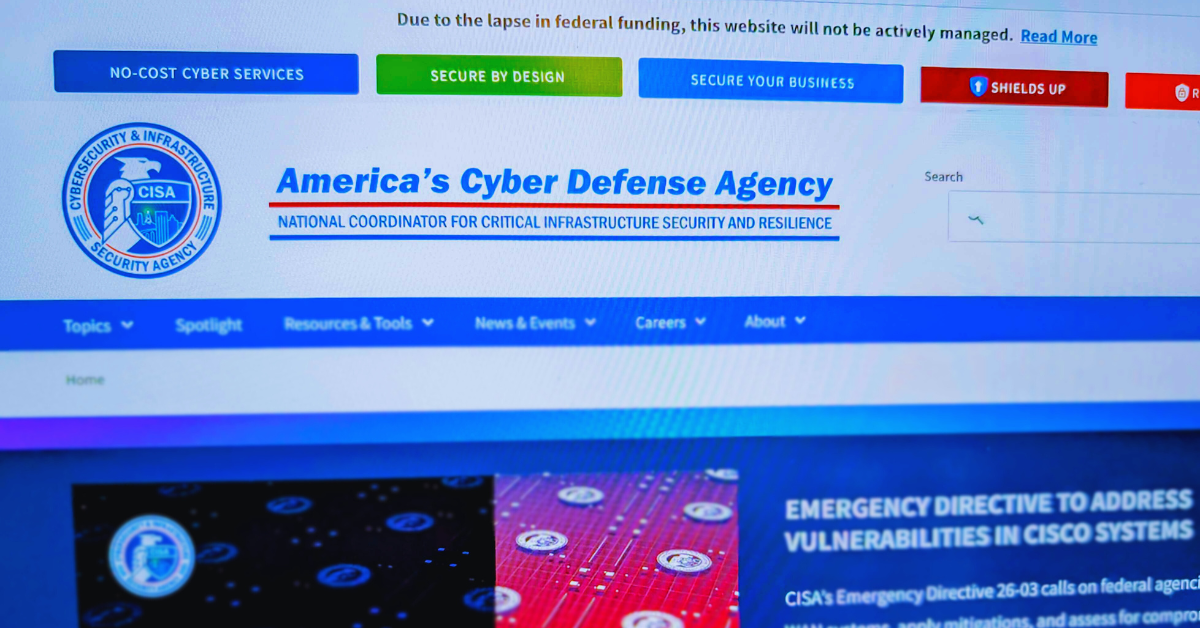
    Email storms have even hit US government entities like the state department and NASA, the latter of which practically led to the re-institution of the Cybersecurity and Infrastructure Security Agency (CISA) after it’s funding was cut by DOGE.

    So, you may be wondering, what does this have to do with you and your business? Well hopefully we’ve made it clear that email storms can happen to anyone, really at any time, and that they’re highly disruptive. The data generated by large email storms is not significantly different than the data generated by DDoS (Dedicated Denial of Service) attacks although it’s almost always an unintentional consequence of an employee or contractor sending a simple email company wide. What can you do as a business owner to prevent this from happening?

    1. Limit “Reply All” Permissions
    • What to do: Use email settings to restrict who can use the “Reply All” function, especially in large distribution lists.
    • Why it helps: Prevents unnecessary mass replies that trigger storms, especially when someone replies to hundreds or thousands of recipients.
    1. Use BCC for Large Email Lists
    • What to do: Add recipients to the BCC (blind carbon copy) field instead of the “To” or “CC” fields.
    • Why it helps: If people can’t see who else received the email, they can’t reply to everyone, avoiding the risk of a chain reaction.
    1. Implement Group Email Safeguards
    • What to do: Configure email servers (like Microsoft Exchange or Google Workspace) to throttle or block emails sent to large groups when too many replies occur in a short time.
    • Why it helps: Automated tools can detect a storm and shut it down before it escalates.

    While these common sense strategies can be enacted by anyone, managing email is a tricky topic overall. From setup to protections against spam or phishing, having a technology provider like Valley Techlogic can help you strategically create email policies that work and keep your business safe. Learn more today through a consultation.

    Looking for more to read? We suggest these other articles from our site.

    This article was powered by Valley Techlogic, leading provider of trouble free IT services for businesses in California including Merced, Fresno, Stockton & More. You can find more information at https://www.valleytechlogic.com/ or on Facebook at https://www.facebook.com/valleytechlogic/ . Follow us on X at https://x.com/valleytechlogic and LinkedIn at https://www.linkedin.com/company/valley-techlogic-inc/.

  • Not ready for Windows 11? Microsoft has announced it’s possible to get free security updates for Windows 10 for a year – but there’s a catch

    Not ready for Windows 11? Microsoft has announced it’s possible to get free security updates for Windows 10 for a year – but there’s a catch

    Microsoft’s end-of-support date for Windows 10 is fast approaching: October 14th, 2025. After this date, regular security updates for Windows 10 will stop, leaving devices potentially exposed to cyber threats.

    But there’s new information that gives businesses a little breathing room. Microsoft has announced that it will offer free security updates for Windows 10 users for one additional year, providing some temporary relief for those not ready to migrate to Windows 11. However, before you put your upgrade plans on pause, you need to understand the catch.

    Historically, when Microsoft ends support for an operating system, businesses must either upgrade to a newer version or pay for Extended Security Updates (ESUs) to keep receiving critical patches. With this announcement, Microsoft is giving users a 12-month extension of free ESUs, allowing them to continue receiving vital security updates through October 2026.

    This is particularly helpful for organizations that:

    • Rely on legacy applications that don’t play well with Windows 11
    • Have hardware not yet compatible with the new OS
    • Need extra time to budget, plan, and test a smooth transition

    However, there is a catch for redeeming the free offer, you need to do one of the following steps:

    • Pay $30 in local currency.
    • Use Windows Backup to sync your settings to the cloud.
    • Redeem 1,000 Microsoft Rewards points.

    So this offer is only free if you utilize Windows Backup or have Microsoft points to redeem, otherwise it’s $30 which is still less than the $61 per user that was originally reported by Microsoft (and us).

    Also, while this free security patch extension buys time, it is not a long-term solution. Once the grace period ends, businesses will need to:

    • Upgrade to Windows 11 or beyond
    • Pay for extended security updates beyond the free year
    • Risk running unsupported devices that are vulnerable to cyberattacks

    It’s also important to note that Microsoft has not promised feature updates or full support during this period, only essential security patches. Outdated software and hardware may still experience compatibility and performance issues, leaving businesses at a disadvantage compared to those who make the switch sooner.

    Microsoft’s free Windows 10 security updates for an extra year are a welcome reprieve, but they’re not a permanent fix. The safest, most cost-effective path forward is to start planning your Windows 11 migration now, rather than waiting for the clock to run out. Contact Valley Techlogic today to schedule your Windows 11 readiness assessment and avoid the risks of running unsupported systems.

    Looking for more to read? We suggest these other articles from our site.

    This article was powered by Valley Techlogic, leading provider of trouble free IT services for businesses in California including Merced, Fresno, Stockton & More. You can find more information at https://www.valleytechlogic.com/ or on Facebook at https://www.facebook.com/valleytechlogic/ . Follow us on X at https://x.com/valleytechlogic and LinkedIn at https://www.linkedin.com/company/valley-techlogic-inc/.

  • 5 Smart Data Retention Policies and 3 Data Saving Pitfalls Costing Your Business Money

    5 Smart Data Retention Policies and 3 Data Saving Pitfalls Costing Your Business Money

    In today’s digital business landscape, how you manage your data is just as important as how you collect or store it. For small businesses, having a smart data retention policy isn’t just about staying organized, it’s about staying compliant, secure, and efficient.

    Whether you’re holding on to customer records, invoices, employee files, or emails, you need a clear plan for how long that data stays on your systems and what happens when it reaches the end of its lifecycle. Retaining everything “just in case” or deleting too soon can create legal headaches, security risks, or operational confusion.

    Let’s explore five data retention policies small businesses should implement, and three common mistakes you should absolutely avoid.

    ✅ 5 Smart Data Retention Policies to Implement

    1. Retention by Data Type

    Not all data is created equal. Treat it that way.

    Set different retention periods based on the type of data you’re storing:

      • Financial records may need to be kept for 7+ years (IRS rules).
      • Customer data may have different lifespans depending on usage and consent.
      • HR and employee records often follow labor law guidelines.
      • Emails may only need to be stored for 1–3 years unless tied to legal or financial records.

    Classifying data by type ensures your business is both legally compliant and operationally efficient.

    1. Automatic Archiving

    Out of sight, but not out of reach.

    Instead of deleting data prematurely, implement archiving policies that automatically move older, inactive data to secure long-term storage. This keeps your active systems clean and performing well, while still giving you access to historical data when needed.

    Modern cloud services and document management platforms often offer built-in archiving features, use them to your advantage.

    1. End-of-Life Deletion Protocols

    When data has outlived its purpose or retention period, it’s time to say goodbye — securely. Have a documented process for data deletion:

    • Use secure wipe methods to prevent recovery.
    • Maintain deletion logs for compliance.
    • Be especially cautious with personally identifiable information (PII) and health data.

    Deleting outdated data reduces your risk surface in the event of a data breach and helps you stay on the right side of data privacy regulations.

    1. Regular Audits

    Your business isn’t static, and your data policy shouldn’t be either. Review your retention practices annually to:

    • Stay aligned with evolving regulations.
    • Remove outdated systems or redundant storage.
    • Confirm your team is following protocols.

    Audits help identify gaps and keep your policy relevant.

    1. Employee Training

    Even the best policies can fall apart without employee buy-in. Train your staff on:

      • What data to retain or delete.
      • How to handle sensitive information.
      • Recognizing phishing or security threats that target stored data.

    Make data management part of your onboarding and annual training. It’s easier to maintain compliance when everyone’s on the same page.

    ❌ 3 Common Data Retention Practices to Avoid

    1. Keeping Everything “Just in Case”

    This is one of the most common — and risky — habits. Over-retaining data can:

      • Expose your business in a breach.
      • Increase legal discovery risks.
      • Cost more in storage and management.

    If you don’t need it and aren’t required to keep it then securely dispose of it.

    1. One-Size-Fits-All Retention Periods

    What works for one type of data might be a liability for another.

    Using a blanket policy for all files or records could lead to unintentional violations of compliance laws or operational inefficiencies. Customize your retention schedules by category and jurisdiction.

    1. No Defined Ownership of Data Management

    When no one is responsible, no one is accountable.

    Every small business should assign someone (or a team) to oversee data retention. This ensures policies are applied consistently and gives your staff a go-to resource when questions arise.

    Small businesses face growing data responsibilities, but they don’t have to face them alone. With the right retention policies in place, you can protect your business, reduce clutter, and maintain compliance without wasting valuable time or resources.

    At Valley Techlogic, we help small businesses build smart, secure, and scalable data strategies, including customized retention policies that align with your industry’s regulations and your company’s workflow. Need help building your retention roadmap? Contact us today to schedule a consultation with our team.

    Looking for more to read? We suggest these other articles from our site.

    This article was powered by Valley Techlogic, leading provider of trouble free IT services for businesses in California including Merced, Fresno, Stockton & More. You can find more information at https://www.valleytechlogic.com/ or on Facebook at https://www.facebook.com/valleytechlogic/ . Follow us on X at https://x.com/valleytechlogic and LinkedIn at https://www.linkedin.com/company/valley-techlogic-inc/.

  • McDonald’s AI “McHire” platform was breached, allowing for the potential exposure of 64 million applicants private data

    McDonald’s AI “McHire” platform was breached, allowing for the potential exposure of 64 million applicants private data

    For employers, sorting through applications is ordinarily a tedious but necessary part of the hiring process. Enter AI, with artificial intelligence employers can now have AI tools sort candidates based on specific prompt criteria, shortening the time it takes to sort through dozens or even hundreds of applications and propelling the most worthy candidates to the top of the list for human review.

    Or at least, that was the idea. However recently for McDonald’s that idea backfired with a simple mistake, a security flaw in their AI hiring platform dubbed “McHire” or McHire.com allowed attackers to access the logs of any user in the system simply by using the account and username “123456”.

    This allowed access to an administrator account for Paradox.ai, the vendor behind the creation of the McDonald’s AI hiring platform, and the ability to query “Olivia”. Olivia is is the chatbot potential applicants would chat with as they submitted their application.

    The data they were able to access included applicants’ names, emails, addresses and phone numbers. In total there were 64 million records accessible in the system at the time the breach occurred.

    Luckily, the security flaw was discovered by researchers instead of true bad actors. The breakdown of how it was discovered can be found on the blog by security researchers Ian Carroll and Sam Curry. We have reported on their research before when they discovered a major flaw with Kia and other car brand manufacturers allowing for remote access to vehicles (even while they’re actively being driven).

    It’s a sharp reminder that just because AI solutions may make things easier, doesn’t mean that best practices are automatically being followed. The human review is still an important component when deploying any system that will gather large amounts of PII (Personally Identifiable Information) and it’s important to know the rules and restrictions you must follow when collecting that data for your business.

    Below are three rules we recommend following when collecting PII in your business:

    1. Collect Only What’s Necessary (Data Minimization)

    Only gather the PII that is absolutely essential for the purpose at hand. Avoid collecting excess or sensitive data unless it is required. This reduces risk in the event of a data breach and shows respect for user privacy.

    1. Clearly Inform and Obtain Consent

    Be transparent about what data is being collected, why it’s needed, how it will be used, and with whom it might be shared. Always obtain informed consent before collecting any PII, especially for sensitive data like health, financial, or biometric information.

    1. Protect the Data with Strong Security Measures

    Use up-to-date encryption, access controls, and secure storage practices to protect PII from unauthorized access, loss, or misuse. Regularly audit systems and train employees on proper data handling procedures.

    These rules not only build trust with users but also help ensure compliance with regulations like GDPR, CCPA, HIPAA, CMMC and more. If compliance or data protection is a concern for your business, Valley Techlogic can be your go-to partner in creating secure data collection and safeguarding practices alongside deploying industry leading cyber security preventions within your business. Reach out today to learn more.

    Looking for more to read? We suggest these other articles from our site.

    This article was powered by Valley Techlogic, leading provider of trouble free IT services for businesses in California including Merced, Fresno, Stockton & More. You can find more information at https://www.valleytechlogic.com/ or on Facebook at https://www.facebook.com/valleytechlogic/ . Follow us on X at https://x.com/valleytechlogic and LinkedIn at https://www.linkedin.com/company/valley-techlogic-inc/.

  • Hacking group Scattered Spider is making waves for disrupting retailers and corporate America despite recent arrests

    Hacking group Scattered Spider is making waves for disrupting retailers and corporate America despite recent arrests

    Scattered Spider, otherwise known as UNC3944 gained notoriety during the infamous attack on MGM (which we reported in in 2023) which was estimated to have cost the company around $100 million dollars. The group has kept up its momentum while targeting financial institutions in particular such as PNC Financial Group, Synchrony Financial, Truist Bank and more.

    It’s estimated the cost of cyber crime has risen to $793 billion per month with groups like Scattered Spider contributing to this bottom line. The group has also been in the news for its unusual makeup, with most arrests being teenagers to young adults. This is not the hardened group of long-time professional hackers most people think of when they think of breaches on this scale.

    A set of recent arrests were made of two 19-year-old men, a 17-year-old boy and a 20-year-old woman in the UK, with the bad actors being charged with blackmail, money laundering and ties to a criminal organization as of writing. One of the alleged leaders of the group, 23-year-old Tyler Buchanan, was also arrested in May of this year and has been extradited to California to face charges where he faces up to 47 years behind bars.

    Ransomware/Malware-as-a-service (RAAS/MAAS) becoming more ubiquitous means that someone doesn’t even have to be extremely tech savvy to pull a cyber attack, expanding the reach of bad actors looking for financial gain from attacks on anyone convenient. It has never been more true than it is now in 2025 that no one is safe from cyber threats. Your business Isn’t too small or too remote to be a target.

    The group has also focused on tactics that are more social engineering than directly technical, with phishing being a primary driver as we saw in the MGM attack. Here are 5 ways hacking groups like Scattered Spider are pulling off cyber attacks:

    1. Social Engineering and Impersonation

    Scattered Spider is notorious for tricking employees into giving up credentials. They often:

    • Impersonate IT or help desk personnel
    • Call or message employees to reset passwords or approve MFA prompts
    • Use public info (like LinkedIn profiles) to craft believable stories
    1. SIM Swapping

    They hijack a victim’s mobile number by convincing the phone carrier to transfer it to a SIM card they control. Once they do this, they can:

    • Bypass MFA (multi-factor authentication)
    • Receive SMS-based codes for password resets
    1. Exploiting Identity & Access Management (IAM) Systems

    They target systems like Okta or Microsoft Azure AD to escalate privileges and gain access across an organization. Once inside:

    • They move laterally across systems
    • Create persistent backdoors
    1. Abusing Remote Access Tools

    Scattered Spider leverages legitimate tools like:

    • Remote desktop software
    • VPNs and virtual desktop infrastructure (VDI)
      They often enter using stolen credentials and hide in plain sight by mimicking normal user activity.
    1. Ransomware Deployment & Data Theft

    After gaining sufficient access, they:

    • Exfiltrate sensitive data
    • Deploy ransomware (often in partnership with ransomware-as-a-service groups like ALPHV/BlackCat)
    • Threaten double extortion: demanding payment to both unlock systems and not leak data

    At Valley Techlogic, we help businesses of all sizes stay protected against advanced threats from hacking groups like Scattered Spider by combining proactive cybersecurity strategies with enterprise-grade tools. Our team monitors for suspicious activity, implements strong identity and access controls, and trains your staff to recognize social engineering attempts, closing the gaps these groups exploit. With layered protection and rapid response capabilities, we keep your systems secure and your data safe. Get started with a Valley Techlogic service plan today to protect your business from future threats.

    Looking for more to read? We suggest these other articles from our site.

    This article was powered by Valley Techlogic, leading provider of trouble free IT services for businesses in California including Merced, Fresno, Stockton & More. You can find more information at https://www.valleytechlogic.com/ or on Facebook at https://www.facebook.com/valleytechlogic/ . Follow us on X at https://x.com/valleytechlogic and LinkedIn at https://www.linkedin.com/company/valley-techlogic-inc/.