Category: AI

  • Microsoft 365 Business Premium with Copilot Included? This new SKU makes integrating AI into your business more affordable and accessible

    Microsoft 365 Business Premium with Copilot Included? This new SKU makes integrating AI into your business more affordable and accessible

    In 2026, AI has cemented its place in businesses in helping employees achieve more with their time. However, which tool employees choose to use is still a matter of debate for most businesses (and sometimes, even if an approved tool is in place employees will still choose to use something else).


    There are some risks involved with allowing employees to choose their own AI tools, AI models in general are trained not only on the data that engineers put in from the start, but also on the data they’re fed from users. This means if your employee shares private or proprietary data with AI, that data is for all intents and purposes now exposed to the internet at large.


    That’s where Microsoft’s Copilot 365 product originally came to be, to solve this problem by allowing businesses to set rules within their Microsoft tenant on how and when data is shared (including not sharing any data at all with learning models). However, there was a significant upfront cost for this service initially that may have been off putting to businesses only dipping their toes into the AI arena for the first time.


    At launch, Microsoft’s Copilot 365 was $360 a year per user, ensuring any business that chooses to use it would be fully locked into the product for a full year. Now, not only is there a month-to-month option ($31.50 per year) they have also released a SKU that combines Microsoft’s Copilot 365 with Microsoft Business Premium (which many businesses already have for the superior protection included that are not found under the Basic and Standard SKUs). This product is available for the discounted price of $45.15 (compared to $54.60 to purchase them separately). You still must sign up for an annual commitment but the month-to-month flexibility should help with businesses trying to get a handle of their technological costs.


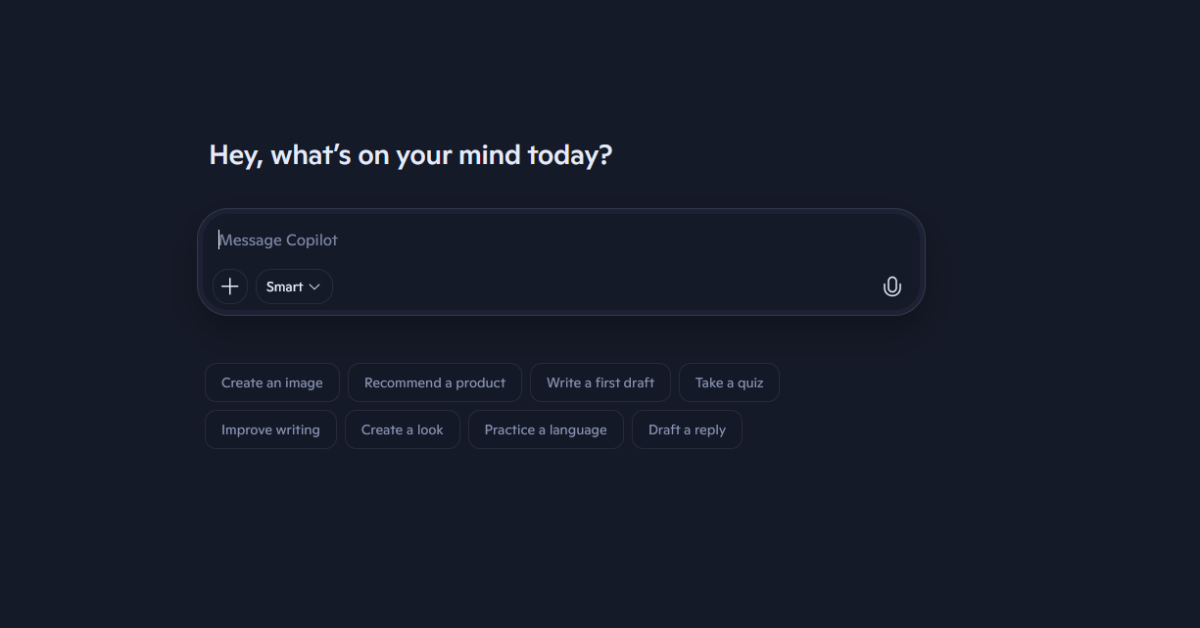
    Microsoft’s Copilot is a superior product to other AI tools on the market (including those aimed specifically for business users) in the following ways:


      • Direct Integration: Embedded directly in Outlook, Word, Excel, PowerPoint, Teams, and OneDrive, no separate tools, logins, or workflows.
      • Understands Your Organization’s Data: Uses your existing Microsoft 365 tenant data (emails, files, chats, calendars, meetings) with permissions fully respected.
      • Context-Aware Email & Communication Assistance: Drafts, summarizes, and replies to emails using real conversation history, attachments, and meeting context.
      • Document Creation & Refinement: Generates, rewrites, summarizes, and formats Word documents based on your internal files and past work, not generic templates.
      • Excel Analysis (Without Formulas): Analyzes data, explains trends, builds summaries, and generates formulas using plain English instructions
      • PowerPoint from Existing Content: Creates presentations from Word documents, notes, or OneDrive files, automatically structuring slides and speaker notes.
      • Smarter Meetings in Microsoft Teams: Summarizes meetings, highlights action items, tracks decisions, and answers questions about what was discussed—even if you joined late.
      • Real-Time Business Q&A: Ask questions like “What did we decide about Project X?” or “Summarize last quarter’s client issues” and get answers sourced from your tenant.
      • Security & Compliance Built In: Honors Microsoft 365 security controls, data boundaries, retention policies, and user permissions, no data used to train public models.
      • No Disruption to Existing IT Controls: Managed through Microsoft 365 admin tools, licensing, and policies you already use.


    In a nutshell, it’s not a good idea to allow your employees to select their own AI tools, by selecting Copilot you’re safeguarding your companies’ data while giving them a tool that integrates directly with their day-to-day activities.


    If rolling out AI in your business is still a priority in 2026, Valley Techlogic has strived to stay at the forefront of new and exciting changes in AI. We are able to craft an implementation plan that works with your business while addressing concerns like data safety and employee adoption. Learn more today through a consultation.

  • Cars, coding… and healthcare? AI behemoths such as OpenAI and more look to diversify their products into applicable categories, but to what end?

    Cars, coding… and healthcare? AI behemoths such as OpenAI and more look to diversify their products into applicable categories, but to what end?

    New year, new changes to the AI product approach? We’re just a week into 2026 and already there have already been major changes in the AI space, including product lines diversifying into major categories to aid users more specifically in their querying approach, but first we do want to go off on a small tangent about one approach to AI that’s seeing more traction – self driving cars.

    CES 2026 is currently holding their annual mega popular conference in Las Vegas filled to the brim with AI innovation, advancements in robotics, and updates to the consumer technology space just to name a few of their many categories but one thing was clear across the board for car industry specifically – self driving vehicles are still very much on the agenda for 2026.

    Uber announced in partnership with EV maker Lucid that robotaxis are currently being tested and that a rollout in San Francisco to start is likely to begin this year (with some vehicles already being road tested there as we speak). These vehicles aim to increase passenger safety with AI updates that include a roof-mounted “halo” that improves sensor visibility, spotting hazardous conditions quickly to avoid crashes. These vehicles will use Uber’s proprietary self-driving technology Nuro, and they say they hope to deploy 20,000 or more self-driving vehicles across major cities over the next six years according to current reporting. Time will tell how they will approach competition from Waymo (owned by the Alphabet Company which also owns Google) who launched the first self-driving taxi service all the way back in 2009 and has become synonymous with the concept.

    Next, Google aims to move past just “vibe coding” with a product aimed specifically at full fledged software developers, Google’s coding product labeled “Antigravity” sneakily launched just before Thanksgiving and some senior software engineers are already providing feedback as to how it competes with existing products aimed at coders in the marketplace (such as Cursor which has tie ins to OpenAI, NVidia, Adobe and more). Antigravity separates itself from Google’s flagship AI product Gemini by being solely aimed at coding applications and even allows users to differentiate between frontend, backend and full stack development when prompting.

    Users say it still struggles when given incomplete or narrow prompts but when given a senior level prompt the results have risen to the level of even being production ready. Users also mention there’s less instances of it “going off script” as they’ve found with Gemini and other AI tools less singularly focused on coding. As with most AI tools in 2026 time will tell how it increases efficiency and productivity for the userbase.

    Finally, OpenAI just announced ChatGPT Health, brushing past earlier inferences that users should NOT use AI for diagnosis (which to be fair is still their stance in a roundabout way). ChatGPT Health will provide supportive, non-diagnostic healthcare advice and is not intended to be a replacement for healthcare services or visiting your doctor. Rather, they say they want to improve patient understanding of medical verbiage and center themselves as a patient “ally”. By their own estimates up to 40 million queries a day are health related, which does signal there is market interest in a product like this but whether it can be used safely and effectively (and can still encourage users to seek out actual medical care when warranted) remains to be seen.

    There is already some backlash being received for the product as ChatGPT mentioned it will have the ability to connect to actual healthcare systems and even receive patient records which are ordinary protected by HIPAA but may lose that protection when voluntarily provided by the user to a third-party like ChatGPT. There is no official launch date as of writing, but users can sign up to be part of the demo now.

    In a nutshell, we’re seeing AI products move away from a catchall basis into more specific categories, perhaps to better answer those specific queries and have less hallucinatory experiences (which is still a major problem in 2026)? Again, time will tell.

    As AI becomes more customizable and more powerful in 2026, the real advantage comes from applying it correctly. Valley Techlogic helps businesses design AI solutions around their actual workflows and goals, not generic hype. We continuously invest in emerging technologies so our clients can move forward with confidence. Learn more today with a consultation.

    This article was powered by Valley Techlogic, leading provider of trouble free IT services for businesses in California including Merced, Fresno, Stockton & More. You can find more information at https://www.valleytechlogic.com/ or on Facebook at https://www.facebook.com/valleytechlogic/ . Follow us on X at https://x.com/valleytechlogic and LinkedIn at https://www.linkedin.com/company/valley-techlogic-inc/.

  • How Businesses Can Protect Their Data Privacy While Utilizing AI Tools

    How Businesses Can Protect Their Data Privacy While Utilizing AI Tools

    Artificial intelligence is rapidly transforming how small and mid-sized businesses operate. From producing marketing content to summarizing documents to automating workflows, AI tools can provide undeniable productivity boosts. But with this power comes a real concern: how do you ensure your sensitive business data stays private when using AI systems?

    The good news, businesses can safely leverage AI without putting themselves at risk. It just requires intentional guardrails, the right technology stack, and clear processes. In this post, we’ll walk you through the essentials of protecting your data privacy while using AI – and how Valley Techlogic helps you put these protections in place.

    1. Understand Where Your Data Goes When Using AI

    Many public AI tools process data outside your environment and may store prompts for future model training unless you opt out. That means confidential information—client lists, financials, contracts, internal communications—could be exposed or retained longer than expected.

    Before your team uses any AI platform, you should know:

    • Where the data is sent and stored
    • Whether prompts or outputs are used for training
    • How long data is retained
    • Who (internally and externally) has access to that data

    The first step is recognizingConsumer AI tools are built for convenience, not compliance or with your particular data being safeguarded in mind. Businesses should rely on AI systems that specify they  1. Do not train on your corporate data 2. Offer tenant-isolated storage and encryption. 3. Give you access to administrative controls & audit logs 4. Offer transparency on what happens to the data it collects, and offers strict retention and deletion policies.Microsoft 365 Copilot, for example, keeps data inside your M365 tenant and honors your existing security controls (Entra ID, MFA, DLP, retention labels, Purview, etc.). This reduces the risk of data leakage while enabling powerful AI-driven productivity. If you’re using third-party AI tools, we can help you perform vendor risk assessments and configure them safely.

    AI also magnifies whatever access a user already has, including the rules you have in place in your own organization for accessing data. If a staff member shouldn’t have access to payroll data, they should not be able to surface payroll information through an AI query. Before AI rollout, businesses should:

    • Review least-privilege permissions
    • Ensure MFA and conditional access policies are enforced
    • Segment data appropriately using SharePoint, Teams, and role-based access
    • Audit legacy “wide-open” file shares that AI could unintentionally expose

    AI is not the risk, the access model behind it is.

    You should also create clear AI usage guidelines for your staff. Your employees will need explicit guidance on what they can and cannot put into AI systems.

    Your policy should require:

    • No uploading client PII, financial records, or confidential contracts into AI tools
    • Using only approved, business-managed AI platforms
    • Verification of outputs for accuracy and bias
    • Documentation when AI is used in client-facing deliverables
    • Guidance on storing or sharing AI-generated content

    AI governance is now part of basic digital hygiene, just like password policies. Implementing AI without the right guardrails can expose your business to:

    • Data leakage
    • Compliance violations
    • Intellectual property loss
    • Unauthorized data exposure
    • Shadow IT usage by well-intended employees

    That’s why it’s important to lean on a Managed Server Provider that understands the AI tools that are available and how to manage them, they can assist you in choosing secure AI tools and configuring them so they only access data that’s absolutely necessary to perform the tasks you’re looking for (and ensure that they’re not training on your private company data or exposing it to the outside world). They can incorporate AI strategies into their risk assessment process for your business and make sure the integrations you’re adding aren’t conflicting with any compliance doctrines your business must follow. They will also monitor for abnormalities and misuse in the same way that they protect your business from other day to day technological threats.

    By working with a competent provider you get the productivity benefits of AI, without introducing unnecessary risk. Ready to Adopt AI Safely? Valley Techlogic Can Help. AI is no longer optional for competitive businesses, but neither is data privacy. If you want to empower your staff with AI while keeping your sensitive information protected, Valley Techlogic is ready to guide you step-by-step. Learn more today with a consultation.

    This article was powered by Valley Techlogic, leading provider of trouble free IT services for businesses in California including Merced, Fresno, Stockton & More. You can find more information at https://www.valleytechlogic.com/ or on Facebook at https://www.facebook.com/valleytechlogic/ . Follow us on X at https://x.com/valleytechlogic and LinkedIn at https://www.linkedin.com/company/valley-techlogic-inc/.

  • Chat GTP-5 is here, and opinions are mixed, we talk new features and why some users say 4 was the better version

    Chat GTP-5 is here, and opinions are mixed, we talk new features and why some users say 4 was the better version

    We reported on ChatGTP-5, code named Project Strawberry at the time, nearly one year ago today. The reported update was supposed to boost reasoning capacity and begin the transition of introducing self-learning to AI versus requiring vast swaths of data scrubbed from the internet (a distinction likely aimed to combat the obvious problems when you randomly collect data from unknowing and many times unwilling sources).

    With a potentially industry changing copyright lawsuit filed just this week, the race to set AI apart as a distinct tool separate from the data it was built on is in full swing and as usual OpenAI’s ChatGPT product is leading the charge.

    New features include the ability to handle text ,images, voice and video all within a single conversation, so there’s no longer a need to switch between text chats and chats when you would like to analyze files. It’s also being reported so far that the answers users are receiving are more accurate, especially for technical questions and that it can now answer with much greater detail.

    Although it should be noted some of this improved reasoning is locked behind a paywall, with free users receiving the “basic” version of the model or ChatGPT-5 mini as dubbed by OpenAI themselves. Plus users will receive an improved version with one caveat, when load is high the company has said all users will only have access to the mini version to keep services afloat.

    It’s not all sunshine and rainbows however, some users aren’t thrilled with the update and have even requested the ability to return to Chat-GPT4. Common complaints are that Chat-GPT5 is much slower than 4 was and there is more frequent crashing (whether it be within the client itself or ChatGPT crashing user’s browser tabs).

    There have also been complaints that the model is more patronizing now, with users receiving praise for every query and even changing the personality or directly requesting it to leave the compliments out is outright is mostly ignored by the model at the time of reporting.

    We aren’t sure what the outcome of a successful copyright lawsuit will mean for the future of AI but as a technology provider we suspect it will stick around in some capacity regardless of the success or failure of ongoing litigation. While the creative uses for AI such as image generation may be more at play the key functionality for businesses as a means of increasing productivity are what we like to focus on. Here are three ways you can utilize AI in your business today:

    1. Inbox & customer-support copilot
      What it does: summarizes long threads, drafts tailored replies, and suggests next steps so you clear the queue quicker.
      Try this prompt (paste an email thread under it):
      “Summarize this thread in 3 bullets, list the customer’s main concern, and draft a friendly 120-word reply that (a) acknowledges the issue, (b) proposes a solution, and (c) offers a next step. Keep it on-brand: helpful, concise, no jargon.”
      Pro tip: Save a few tone/style notes once and reuse them for consistent replies.
    2. SOPs, checklists, and onboarding in minutes
      What it does: turns rough notes into step-by-step procedures, checklists, and quick-start guides for new hires.
      Try this prompt (paste your messy process notes):
      “Turn this into a clear SOP with: purpose, prerequisites, step-by-step actions (numbered), decision points, common pitfalls, and a 5-question quiz to confirm understanding. Make it skimmable.”
      Pro tip: Ask for a one-page version and a printable checklist for the wall.
    3. Spreadsheet/data sidekick (Excel/Sheets)
      What it does: writes formulas, cleans lists, and gives quick insights so you stop hunting Stack Overflow.
      Try this prompt (describe your sheet):
      “I have columns: Date, Lead Source, Deal Size, Status. Give me (1) a formula to count won deals per month, (2) a chart I should make and why, and (3) three insights I can present in one sentence each.”
      Pro tip: Paste a few sample rows so it can generate formulas that fit your exact layout.

    Ready to turn AI into real productivity? At Valley Techlogic, we can help you plug Chat GPT-5 into the tools you already use, Microsoft 365/Teams, Outlook, SharePoint (or Google Workspace so it drafts emails, turns rough notes into SOPs, and tames spreadsheets right where work happens. Learn more today with a consultation.

    Looking for more to read? We suggest these other articles from our site.

    This article was powered by Valley Techlogic, leading provider of trouble free IT services for businesses in California including Merced, Fresno, Stockton & More. You can find more information at https://www.valleytechlogic.com/ or on Facebook at https://www.facebook.com/valleytechlogic/ . Follow us on X at https://x.com/valleytechlogic and LinkedIn at https://www.linkedin.com/company/valley-techlogic-inc/.
  • Are you all in on AI or approaching it more moderately? The perils of not strategizing your AI roll out

    Are you all in on AI or approaching it more moderately? The perils of not strategizing your AI roll out

    AI (Artificial Intelligence) continues to proliferate modern workspaces, with some companies leaning heavily into AI investments including up to replacing human workers with an AI equivalent for roles such as customer service.

    One company, Klarna, is facing some pushback from investors for just such a strategy. Last year, Klarna which is known for it’s “buy now, pay later” financing for consumer purchasing, replaced 700 workers in favor of an AI solution for customer support. Now, their valuation has plummeted from a high of $45.6 billion in 2021 to $6.7 billion in 2025.

    At the heart of it is customer complaints of lower customer service satisfaction which has caused the company to pivot on their “AI First” strategy with their CEO Sebastian Siemiatkowski stating recently “Really investing in the quality of the human support is the way of the future for us.”

    What does this mean for medium and small businesses looking at their own strategizing when it comes to artificial intelligence? Testing the waters and applying it in moderation to start is key to a successful AI roll out.

    While it may seem tempting to just go all in, especially if savings are on the table in terms of labor costs, the current iterations of artificial intelligence are not ready to be deployed without human oversight and intervention in our opinion. Rather than expecting AI to take over and replace human activities, it’s best to look at how you can use AI as a tool to do more.

    Here are three ways we recommend using AI to get the most out of your workday:

    1. Automating Repetitive Tasks
      AI can handle time-consuming activities like data entry, scheduling, and basic customer queries. This frees up employees to focus on higher-value, strategic work that requires human judgment and creativity.
    2. Enhancing Decision-Making
      AI-powered analytics tools can process vast amounts of data quickly and provide actionable insights. This helps employees make faster, more informed decisions without spending hours combing through spreadsheets or reports.
    3. Personalizing Training and Support
      AI can tailor learning experiences to each employee’s role and pace, recommending relevant skills development or providing just-in-time answers through intelligent chatbots. This boosts engagement and accelerates on-the-job learning

    If developing an AI strategy for your business is a priority for you in 2025, Valley Techlogic can help. We make it a priority to stay at the forefront of emerging technologies and help our clients access continuous improvements in the tech space to meet their goals. Reach out today for a consultation.

    Looking for more to read? We suggest these other articles from our site.

    This article was powered by Valley Techlogic, leading provider of trouble free IT services for businesses in California including Merced, Fresno, Stockton & More. You can find more information at https://www.valleytechlogic.com/ or on Facebook at https://www.facebook.com/valleytechlogic/ . Follow us on X at https://x.com/valleytechlogic and LinkedIn at https://www.linkedin.com/company/valley-techlogic-inc/.
  • 6 AI Do’s and Don’t’s Including ways you may be jeopardizing your workplace data with your AI use (and how to avoid)

    6 AI Do’s and Don’t’s Including ways you may be jeopardizing your workplace data with your AI use (and how to avoid)

    AI or Artificial Intelligence is becoming more and more common place in our daily lives, including in our places of work. You may even be using it daily without realizing it, most search engines for example have an AI response to queries baked in at the top of the page and if that’s the farthest you look then all of your searches are currently being powered by AI.

    Other tools like weather apps, navigation and even the spam filter in your inbox is using AI to train and collect data that is then given back to you as answers to your questions or provide solutions you are looking for. Drive a Tesla? All of your driving data is collected and used to train their autonomous car algorithms.

    Which brings us to the topic of today’s article, AI in general is powered by give and take. The models collect our data and turn that data into answers, it’s a common misconception that AI is producing the answers all by itself. Machine learning operates on a rule of 10, basically for every query you need 10 ways to respond, and those responses are collected by unfathomable amounts of data fed into it. Think of the breadth of knowledge an AI program like ChatGPT seems to have and you can begin to see that it would take a lot of data for it to provide to answers to millions of different questions it’s asked each day.

    So that data comes from you, and me, and everyone who’s ever interacted on the internet in a meaningful way. It’s not necessarily a bad thing, after all humanity tends to accomplish its greatest achievements when we all work in unison towards a goal. Although the way that the data is collected and how to approach things like copyright are still being determined.

    So, with all that said you might be wondering, what’s the problem? What should I be worried about when using AI in my workplace? As a technology company, we believe in using the tools available to streamline and strengthen our productivity, but we have determined that companies should be aware of these three things when using a burgeoning technology like AI in their workplace:

    1. Data Risks: As we hinted at above, AI systems tend to syphon as much information as they can to strengthen their machine learning algorithms. This includes potentially sensitive data. Any AI strategy should include how to protect and segment data you don’t want leaked to the outside world.
    2. Errors and Reliability: There are risks to trusting AI completely when looking for answers, AI data sets are fed by a wide range of sources and not all of them are trustworthy. You should always vet any answers you receive, especially if the question you’re asking is an important one.
    3. Bias, Discrimination and Transparency: Most of the AI tools currently on the market are being created by private companies and the processes used are hidden from outside view, so we should keep in mind that it’s possible the answers we’re receiving have been manipulated to reflect a certain outcome. Again, always vet the answers you receive from AI.

    Now that we’ve touched on the things to look out for, what are three things that you can safely use AI for in your workplace?

    1. Use a local AI model: Most people are not aware you can actually have a local in-house AI model, these may be more limited in scope but will not present the security risk of public facing AI and can be built on your own data.
    2. Automating repetitive tasks: Certain tasks won’t carry any risk of data exposure, such as scheduling or creating reports without PII (Personal Identifying Information).
    3. Use it to interact with customers: One of the best use cases of AI currently for businesses is automated chatbots, chatbots can be available 24 hours a day and field simple questions and answers which free up your staff for other activities.

    If you’re looking for the most practical and safest way to begin using AI in your business, Valley Techlogic can help. We are experienced in creating customized technology solutions for our clients and can advise on the way to implement an AI plan that doesn’t compromise on cybersecurity best practices. Reach out today for a consultation.

    Looking for more to read? We suggest these other articles from our site.

    This article was powered by Valley Techlogic, leading provider of trouble free IT services for businesses in California including Merced, Fresno, Stockton & More. You can find more information at https://www.valleytechlogic.com/ or on Facebook at https://www.facebook.com/valleytechlogic/ . Follow us on X at https://x.com/valleytechlogic and LinkedIn at https://www.linkedin.com/company/valley-techlogic-inc/.