

Tag: covid-19

  • 5 Ways You Can Prepare Your Technology (and Your Employees) to Return to the Office

    5 Ways You Can Prepare Your Technology (and Your Employees) to Return to the Office

    Whether your employees are still mostly remote, or you’ve moved into a hybrid setup, many employers are looking to return to business as usual as COVID numbers drop and speculation increases that we’re moving into the endemic phase of this illness.

    We covered this topic much earlier in the pandemic, and we still agree with the advice we gave for prepping employee devices before bringing them back into the company network. We’re all aware of the waffling opinion about whether offices are really necessary or remote work is the wave of the future.

    For some businesses the collaboration that occurs in person just couldn’t be replicated remotely, while others found that their employees were even more productive when not subjected to the hustle and bustle of office life. These choices are best made on an individual company and even individual employee basis.

    We do think it’s a good idea to offer some more sound technology advice for returning to the office, even if you’re only considering the idea for now.

    1. Check on your office network: If your office has been mostly unused the past couple of years, or only lightly used, it may be a good idea to make sure your network can still support your whole workforce. Employees coming in the first day and being unable to get online would be a poor way to kick things off.
    2. Think about your existing technology structure as well: Has a server become unreliable in the time you’ve been away, or your current backup solution handles small uploads fine, but your entire staff would overload it? It’s a good idea to perform these upgrades before welcoming employees back.
    3. Don’t switch the current workflow all at once: If there are systems in place that have been working throughout your time spent remote, don’t immediately switch back to “how things used to be”. It’s a good idea to evaluate whether the new systems and processes are perhaps better than the old ones too.
    4. Also be sure to check incoming devices before allowing them on the company network: As we said in our previous article, devices that have been allowed outside of the office should be checked prior to coming back and logging into sensitive work systems. Hackers know how to bide their time so just because a device hasn’t shown any signs of malware doesn’t mean there is no malware.
    5. Finally, now is the best time to bring in new assistance: An event such as returning to the office, or moving offices marks a great time to bring in technical assistance. A technical provider can help you get past where you are to where you want to be.

    Is your office planning to stay hybrid or continue remote? Even if you’re not returning back to the office – now or ever – we’ve created this template of online safety tips your employees should keep in mind. Whether it’s with a company device if you allow it to be used personally during off hours or just for keeping their home network safe (because malware can spread).

    Click to download the full printable version.

    In the office, remote or anything in between, Valley Techlogic can assist you with getting the most from the technology you use to facilitate running your business. Learn more with a free 10 minute consultation.

    Looking for more to read? We suggest these other articles from our site.

    This article was powered by Valley TechLogic, IT service provider in Atwater, CA. You can find more information at https://www.valleytechlogic.com/ or on Facebook at https://www.facebook.com/valleytechlogic/ . Follow us on Twitter at https://x.com/valleytechlogic.
  • The global chip shortage timeline of events, and when it could end

    The global chip shortage timeline of events, and when it could end

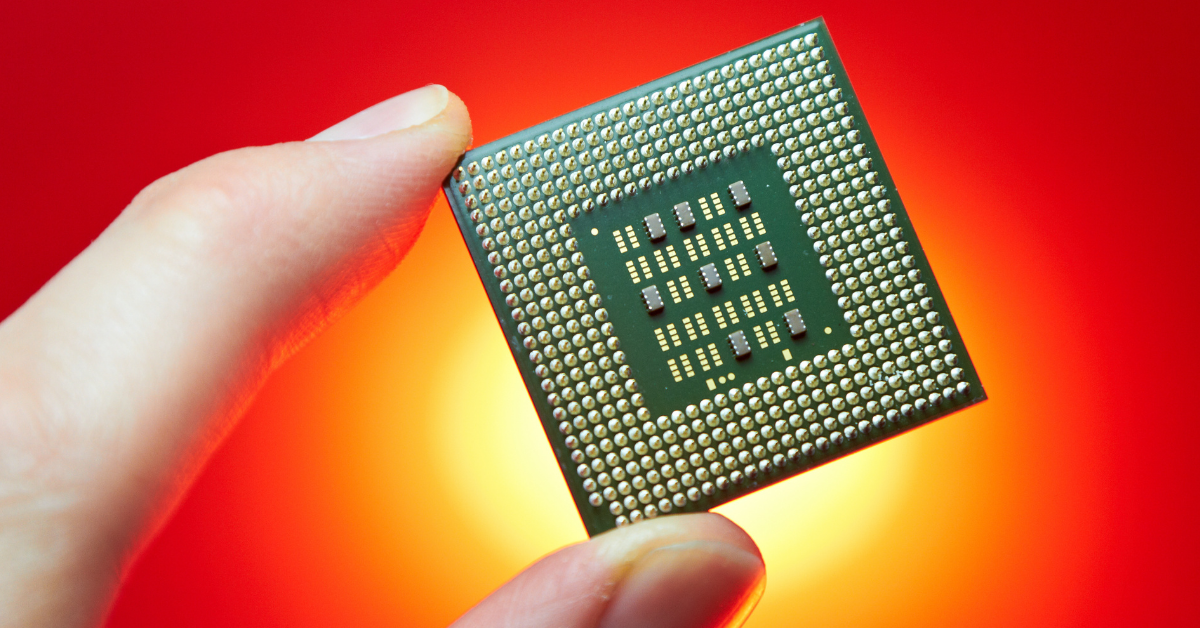
    The global chip shortage is still raging on and it’s effecting more business sectors than you might expect. As a technology provider we’re certainly feeling the pinch when it comes to ordering hardware for our clients. The delays have challenged us to get creative with our clients and we’re coming up with interim solutions until hardware makes it in.

    Some vendors are certainly meeting the needs for computer hardware better than others, so that buffet of choice you may be used to is a thing of the past – at least for the moment. We’re thankful for our channel connections as they give us an edge when ordering that the ordinary consumer may not have.

    We’re not the only ones feeling the pinch though, car manufacturers, appliances, even children’s toys. Consumers are being told they should consider purchasing their children’s wish list items earlier this year, if you wait those electric wish list items may be long gone before December. We’ve even seen it suggested that you may want to consider “dumb” toys such as those made of wood that are unaffected by the chip shortage. Lincoln logs anyone?

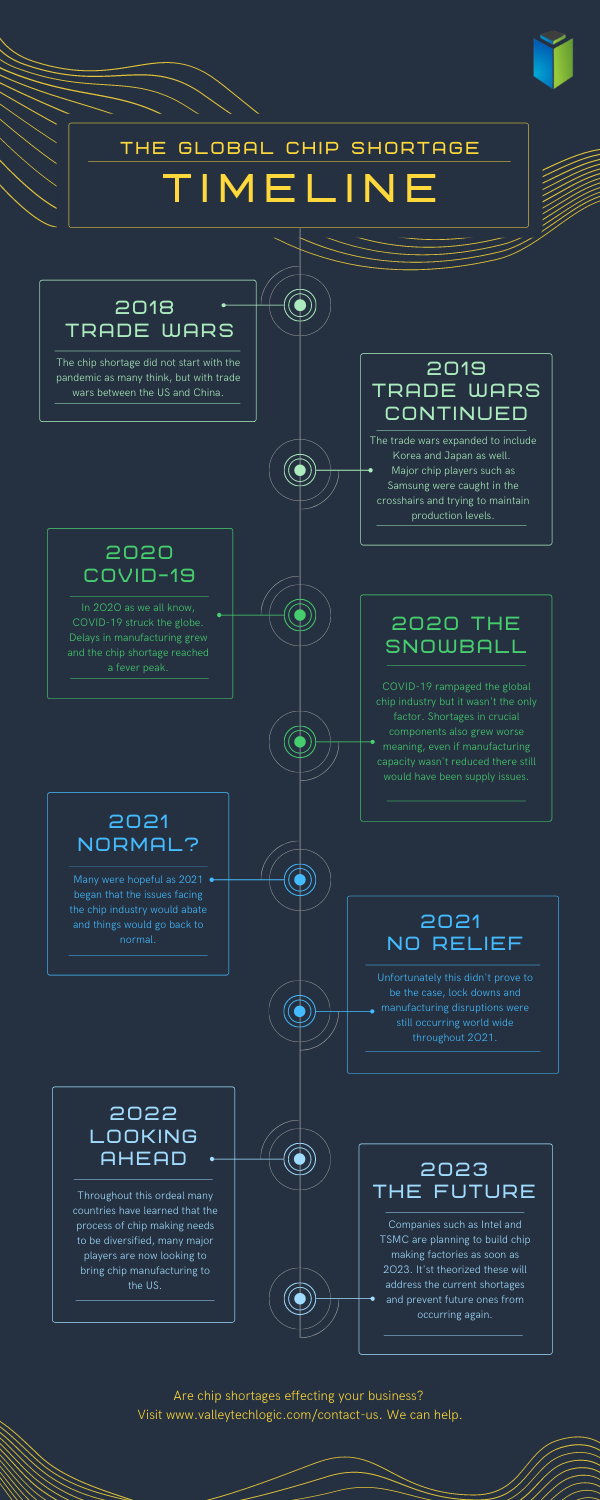
    Here is a simple timeline of events for the chip shortages, which started long before the pandemic in 2018.

    Global Chip Shortage Timeline
    Click to Download the Full Size Version

    As you can see the chip shortages definitely didn’t start with the pandemic, but it did exacerbate the existing problems greatly. Shortages in components, shortages in labor, shipping delays are all contributing to worldwide pains that have even led to products exceeding their MSRP.

    The graphic card market sums up the problem succinctly, with scalpers taking advantage of the low stock to sell cards for hundreds of dollars outside of their MSRP.

    No one can say for sure when the chip shortages will end, but major players such as Intel and chip-making behemoth TSMC are all looking to bring manufacturing state side to help. This would at least cut down on shipping times and if future global trade issues were to occur the US electronic manufacturers would be much better prepared for it.

    These are not permanent fixes though as component shortages are an ever-growing issue that needs to be addressed. We don’t know what a long-term solution will look like but more investments into infrastructure could easy the burden in the short term.

    For more information on the time line of events for the global chip shortage we suggesting reading this article which goes into more details about the timeline of events since 2018 and other global factors that have occurred.

    If you’re having difficult sourcing hardware for your business, Valley Techlogic can help. We have channel connections that allow us priority buying for our clients and should you be interested in partnering with us we can extend those benefits to your business. Reach out today to learn more.

    Looking for more to read? We suggest these other articles from our site.

    This article was powered by Valley TechLogic, an IT service provider in Atwater, CA. You can find more information at https://www.valleytechlogic.com/ or on Facebook at https://www.facebook.com/valleytechlogic/ . Follow us on Twitter at https://x.com/valleytechlogic.

  • Returning to the Office? Here’s What You Need to Know.

    Returning to the Office? Here’s What You Need to Know.

    The last few months have been hectic to say the least. A global pandemic has forced us to reconsider our office norms, when working from home became a necessity rather than a rare occurrence – prior to the pandemic only 1.3% of job postings on ZipRecruiter specified working from home.

    The numbers vary but it’s estimated upwards of 50% of the knowledge-based workforce is working from home right now. Tech workers have had to scramble to adjust their security measures to cover employees on their home networks. In some cases, it still hasn’t been enough (Hacking against corporations surges as employees take computers home – Reuters.)

    Now, as many cities and states begin to open, you may be wondering if it’s time to get back to the office. Here’s our steps for doing it smartly and safely.

    • Evaluating devices that have been used at home thoroughly before introducing them back to the work network. Whether it’s their office device or a home device they normally use at work, you want to make sure it won’t function as a Trojan horse to your organization, inviting malware and/or viruses into your office.
    • Make sure these devices are also updated with any software patches and updates that may have been missed while working from home. You want to make sure they have been fully patched when they return to your network.
    • Consider requesting that everyone update their credentials and re-enforcing any efforts into enabling 2 Factor Authentication(2FA). Employees working from home may have let their work machines be used by family members, or otherwise have left these devices unattended in areas where they may have been accessed by others.
      When returning to work we think it’s a good idea to also have a fresh start when it comes to passwords and other credentials, and if you haven’t been already consider requiring 2FA on work devices and work accounts.
    • Finally, we’ll all have to consider germs going forward and for the considerable future. It’s a good idea to have a plan in place for disinfecting these devices safely and consistently.

    This doesn’t cover everything necessary for returning to work safely, but it’s my hope it gives you a place to start when it comes to the technology side of things.

    Whether you’re returning to work or are still working from home, Valley Techlogic can assist you with these topics and more. Feel free to reach out, our brilliant tech team would be happy to assist you.

    This article was powered by Valley TechLogic, an IT provider in Atwater, CA. You can find more information at https://www.valleytechlogic.com/ or on Facebook at https://www.facebook.com/valleytechlogic/ . Follow us on Twitter at https://x.com/valleytechlogic.

    Looking for IT Services in Fresno, Modesto, Stockton, Ceres, Atwater, Merced, Visalia or Lodi? We cover all these areas and more!