Tag: hiring IT staff

  • 6 Reasons to Choose a Managed Service Provider (MSP) Over Hiring an In-House IT Team

    6 Reasons to Choose a Managed Service Provider (MSP) Over Hiring an In-House IT Team

    When small businesses begin to grow, their technology needs quickly follow. At some point, every business owner faces a critical decision: should you hire in-house IT staff or outsource your technology support to a Managed Service Provider (MSP)? At Valley Techlogic, we’ve seen time and time again that choosing an MSP offers compelling advantages for small and midsize businesses. Here are six key reasons why.

    1. Cost Efficiency Without Compromise

    Hiring internal IT staff comes with a hefty price tag—salaries, benefits, training, equipment, and ongoing development all add up. And if your tech needs change, adjusting your team isn’t easy. MSPs like Valley Techlogic offer flexible, scalable support at a predictable monthly cost. You get expert-level service without the overhead of full-time hires.

    1. Access to a Full Team of Experts

    No single IT professional can master every area of technology. When you partner with Valley Techlogic, you gain access to a full team of specialists across cybersecurity, cloud infrastructure, network management, compliance, and more. This means no skill gaps and faster resolution to complex problems.

    1. 24/7 Monitoring and Support

    Tech issues don’t stick to business hours, and neither do we. Our clients benefit from 24/7 monitoring and support, reducing downtime and catching issues before they disrupt operations. With an MSP, you’re never left waiting for someone to return from vacation or respond after hours.

    1. Faster Response Times

    Our clients value speed, and they get it. Valley Techlogic offers clearly defined service level agreements (SLAs) and ticketing systems to ensure rapid response and resolution. Unlike relying on one in-house staff member who might be overwhelmed, our team is ready to act when you need us.

    1. Enterprise-Level Security and Continuity

    Today’s cyber threats are more advanced than ever. We provide enterprise-grade security tools, proactive threat detection, secure backups, and disaster recovery solutions. Valley Techlogic also helps ensure regulatory compliance for industries like healthcare, finance, and professional services, something a lone IT hire may struggle to maintain.

    1. Stay Focused on Growing Your Business

    Your team didn’t sign up to troubleshoot printers or stress over software updates. With Valley Techlogic as your IT partner, you can redirect internal resources to focus on what truly matters: serving your clients and scaling your business. Let us handle the tech, so you don’t have to.

    For small businesses, the choice between building an in-house IT team and working with a Managed Service Provider is about more than just cost, it’s about capability, reliability, and peace of mind. At Valley Techlogic, we specialize in helping Central Valley businesses thrive with customized IT solutions designed for growth.

    Ready to explore what an MSP can do for your business?
    Contact us today to schedule a free consultation and see how we can become your trusted technology partner.
    Looking for more to read? We suggest these other articles from our site.

    This article was powered by Valley Techlogic, leading provider of trouble free IT services for businesses in California including Merced, Fresno, Stockton & More. You can find more information at https://www.valleytechlogic.com/ or on Facebook at https://www.facebook.com/valleytechlogic/ . Follow us on X at https://x.com/valleytechlogic and LinkedIn at https://www.linkedin.com/company/valley-techlogic-inc/.

  • The 6 roles you would you need to fill to match the services delivered by an outsourced IT vendor

    The 6 roles you would you need to fill to match the services delivered by an outsourced IT vendor

    Has your business grown to the point you’re now looking to improve the IT solutions you have available, including possibly adding additional staff? Or maybe you’re currently the go-to person for providing technical support for your users (we see this a lot) and you’re realizing you need additional help to ensure things continue to run smoothly.

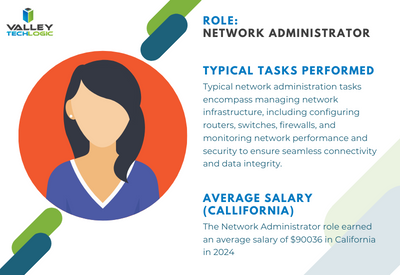
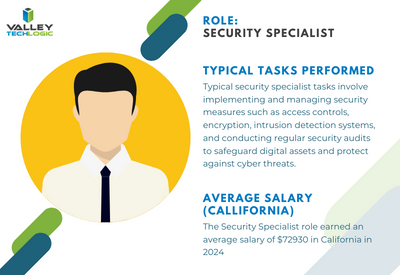
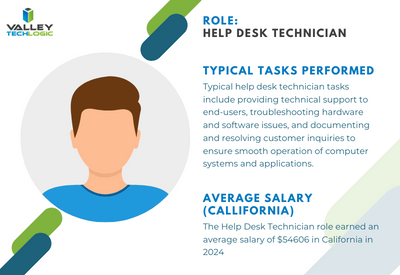
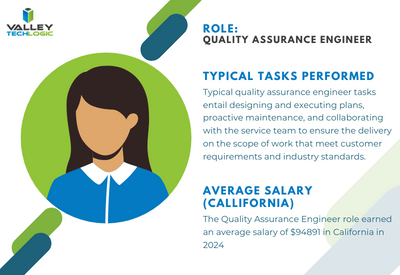
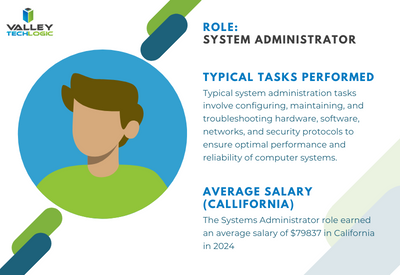
    It can be difficult to determine whether it makes sense to bring onboard additional in-house resources or if it’s perhaps a better idea to outsource the task to a company whose sole purpose is providing those services. When considering your options here are the six roles you would need to fill to match the services provided by an outsourced IT service provider as well as their average salary requirements:

    Systems Administrator: Responsible for the overall maintenance, configuration, and reliable operation of computer systems and networks within the organization. They ensure that systems are secure, updated, and performing optimally.


    Network Administrator: Manages and maintains the organization’s network infrastructure, including LAN, WAN, and internet connectivity. They oversee network security, troubleshoot network issues, and optimize network performance.


    Security Specialist/Analyst: Focuses on protecting the organization’s IT assets
    from security breaches, cyber threats, and unauthorized access. They implement security measures such as firewalls, intrusion detection systems, and encryption protocols, and they monitor for security incidents.


    Help Desk/Support Technician: Provides frontline technical support to end-users, troubleshooting hardware and software issues, resolving technical problems, and providing guidance on IT-related queries. They may also handle user account management and software installations.


    Quality Assurance (QA) Engineer: Tests software applications and systems to ensure they meet quality standards, functional requirements, and performance expectations. QA engineers identify bugs, conduct regression testing, and contribute to software quality improvement efforts.


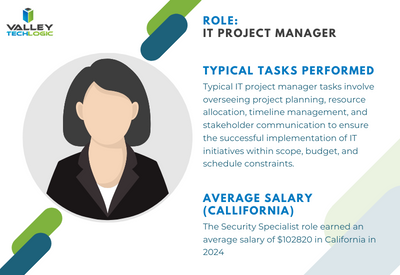
    IT Project Manager: Oversees IT projects from initiation to completion, ensuring they are delivered on time, within budget, and according to specifications. Project managers coordinate resources, manage risks, and communicate project status to stakeholders


    To contrast, with a managed IT service solution you’re usually looking at a fraction of the cost of the salary for just one of these staff members while still having access to all of these roles individually to support your business. Additionally, you won’t need to worry about the hiring process or all of the overhead that comes with hiring new employees.

    We can’t say what the right choice is for your business, and for some businesses it’s not an either-or situation. Sometimes it makes sense to hire one onsite staff member as a go to person while still outsourcing to provide better coverage and meet your long-term technology improvement goals.

    We can’t speak for other providers but for Valley Techlogic we have plans available to cover a variety of technology setups, whether we’re offering a co-managed solution and working alongside an existing staff resource or whether we’re taking over the technology side of your business in it’s entirety so you can focus on everything else. Learn more today.

    Looking for more to read? We suggest these other articles from our site.

    This article was powered by Valley Techlogic, an IT service provider in Atwater, CA. You can find more information at https://www.valleytechlogic.com/ or on Facebook at https://www.facebook.com/valleytechlogic/ . Follow us on Twitter at https://x.com/valleytechlogic.

  • Hiring a tech vs outsourcing, a cost breakdown

    Hiring a tech vs outsourcing, a cost breakdown

    If you’ve realized you need additional IT support for your business but are on the fence about which route to take, hiring IT staff or outsourcing your needs to an IT service provider the choice can be difficult.

    Many of our clients reach us because they have been using an unreliable IT support service, their existing IT staff left, or sometimes because they’ve somehow gotten by with no IT at all but realize that needs to change.

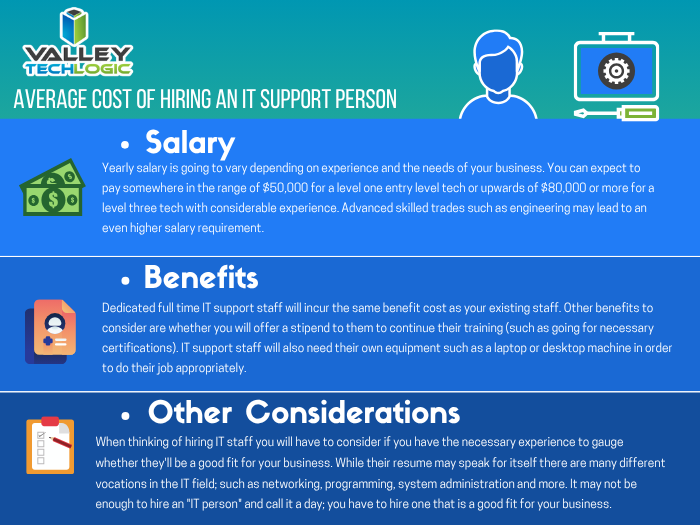
    We also frequently have clients who are utilizing a person in their office who is “tech savvy” but is not IT, it can be quite expensive to hire an IT professional with the experience needed to perform the variety of duties needed work on items such as cybersecurity improvements, hardware upgrades, software deployments and more.

    Here are some benefits of hiring in house IT staff:

    1. They’re already at your office so there’s no waiting for IT support to show up.
    2. They will be well versed on your systems since in many cases they will be the one who set them up in the first place.
    3. They should be pre-emptively taking care of updates that will keep your business more secure.

    On the other hand, here are the benefits of outsourcing your IT:

    1. The cost is usually much lower than hiring personnel.
    2. You get many experts for one price, no matter how well versed your IT person is they can’t be an expert in everything.
    3. You get software tools that may be otherwise unavailable to a single business or not cost effective to purchase.
    4. Round the clock service and monitoring, many IT service providers including us offer 24/7 support.
    5. You will have an agreement with them that spells out the level of service you’re supposed to receive.

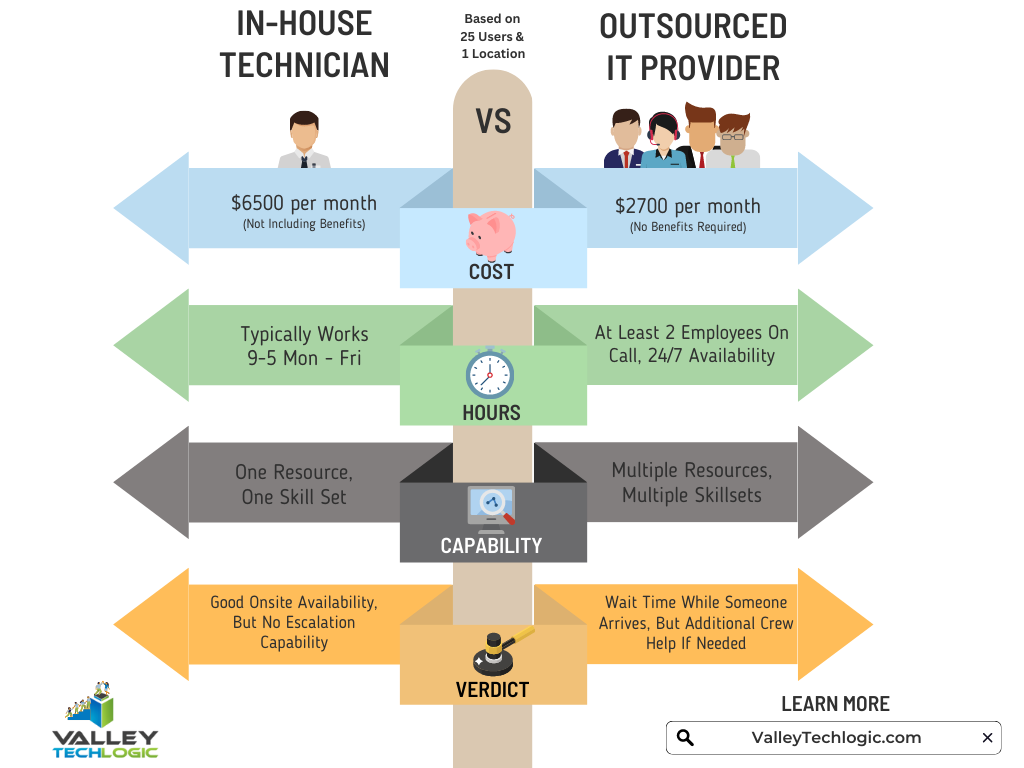
    It’s a difficult choice and only you know whether your business would greatly benefit from having in-house staff or whether outsourcing your IT is your best option. As you weigh your options we created this chart with the average baseline cost for an in-house IT person vs. an IT service plan with us.

    However, as we mentioned many of our clients are utilizing an in-house resource already, these tech savvy staff are usually performing the day-to-day activities such as patching and password resets but may be missing crucial items such as cybersecurity prevention or maintaining (or even starting) backups.

    For clients like these we recommend our co-managed plan option. With our co-managed plan we work directly with the staff already performing your IT duties, if there’s an issue they call us directly and we pass on a cost savings to you.

    We do that because usually by working with a staff member that already knows your systems we can bypass a lot of the early troubleshooting that occurs, and that staff member usually still handles minor day to day tech related activities.

    If you would like to learn more about our co-managed plan options just reach out today for a consultation.

    Looking for more to read? We suggest these other articles from our site.

    This article was powered by Valley Techlogic, an IT service provider in Atwater, CA. You can find more information at https://www.valleytechlogic.com/ or on Facebook at https://www.facebook.com/valleytechlogic/ . Follow us on Twitter at https://x.com/valleytechlogic.

  • How the “skills gap” is changing the world of IT

    How the “skills gap” is changing the world of IT

    The term “skills gap” has been popping up a lot lately and in a nutshell it’s the refers to the difference between the skills your business needs from its employees and what’s actually available in the marketplace.

    Tech innovations occur so rapidly it would be impossible for any one person to be a master in everything that’s required to maintain the technology in most modern workplaces, there will always be a need to seek out assistance with some component of it whether it be through outsourced help or through automation – or both.

    In a survey by Monster nearly one third of employers agree the skills gap has been growing, and it’s effecting how they’re sourcing and employing candidates. With inflation on the rise employees are also seeking greater compensation for highly in-demand skill sets, which from a budgetary standpoint may be difficult for many employers to grapple with.

    It may be advantageous for employers to offer compensation or incentives to existing employees to increase their existing skillsets or “reskill”. With the many hurdles found in hiring qualified candidates in the current working environment, retention will be a key factor in many businesses being able to stay afloat.

    Automation is another component hiring managers are looking towards, especially in the world of tech.

    1. Backing up data: If you’re a Microsoft 365 customer, backing up your device data is easy with OneDrive.
    2. Email Signature: Still typing your name at the end of every email response? It doesn’t take very long, but across dozens of emails per week it can add up. Setup an email signature in Outlook (with a new email open go to Insert > Signatures) and save that little bit of time with every email.
    3. Paying Bills: Still making manual payments? Why? Setup automatic payments where you can and skip logging in and making that manual payment every month.
    4. Typing Passwords: Not only does typing in a password for everything waste valuable time, it also creates a security risk because an easy to remember password is also potentially an easy to crack password. Try using a password manager like LastPass to create stronger passwords and save time.

    Of course, there are much more advanced automation services available to assist your business, but many will require at least some initial tech know-how or even an on-hand technician available to maintain them.

    The skills gap is also affecting those who rely on short-term technical help to bridge the gap, during a time when it seems like the price of everything is going up so to, is the cost of hiring emergency technical support. Especially when it’s required afterhours.

    If after reading this you’re wondering what your best option is, trying to hire someone or relying on expensive emergency support we do want to provide a third option – outsourced IT.

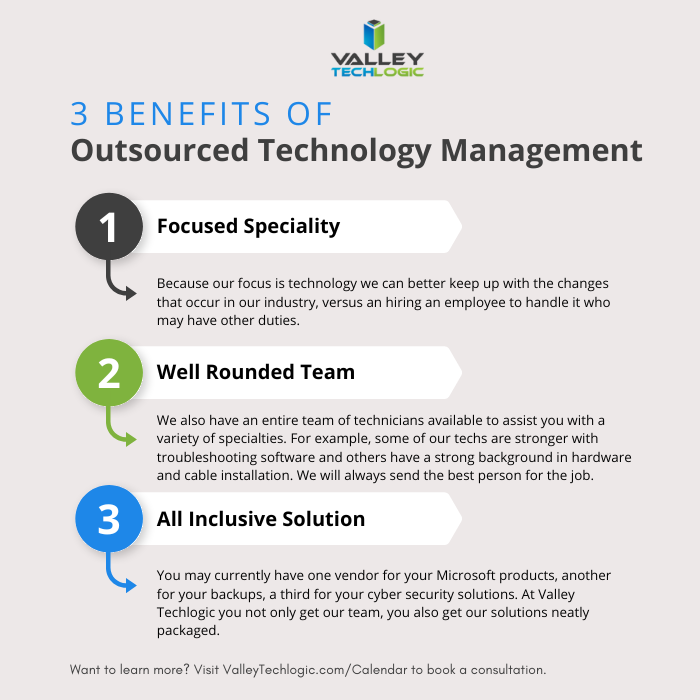
    We’re not unbiased here, but hiring outsourced IT does have a number of benefits in the current hiring climate that you may not have considered. See the chart below for examples:

    Interested in learning more? Schedule a consultation with us today.

    Looking for more to read? We suggest these other articles from our site.

    This article was powered by Valley Techlogic, an IT service provider in Atwater, CA. You can find more information at https://www.valleytechlogic.com/ or on Facebook at https://www.facebook.com/valleytechlogic/ . Follow us on Twitter at https://x.com/valleytechlogic.