

Tag: technology plans

  • Technology Planning for 2025: Five Items to Focus on to Grow Your Business in the New Year

    Technology Planning for 2025: Five Items to Focus on to Grow Your Business in the New Year

    It’s November and 2025 is just two short months away, we don’t know about you but for us it felt like 2024 flew by and in that time technology planning for our clients has already changed.

    For example, 2025 will bring the end-of-life date for Windows 10 which is still dominating the market share of Windows devices at 65%. We have also more clients in introducing AI into their business next year, including taking advantage of Microsoft’s Co-Pilot which works in tandem with their existing Microsoft subscriptions (you can see our latest blog on AI here).

    Beyond AI or replacing hardware, what are five ways you can grow your business with technology in 2025? Here’s our suggestions:

    1. Implement a Customer Relationship Management (CRM) System
      A CRM platform (e.g., Salesforce, HubSpot or Keap) helps centralize customer interactions, sales data, and service requests, providing valuable insights into customer preferences and buying behavior. By integrating CRM across your sales, marketing, and service teams, you can improve customer retention, streamline communication, and create targeted marketing campaigns that drive growth.
    2. Leverage Automation to Streamline Operations
      Automating routine tasks such as invoicing, customer service, and lead generation can free up your team to focus on strategic work. Automation tools like RPA (Robotic Process Automation) and workflow automation software can improve efficiency, reduce human error, and cut costs.
    3. Adopt Cloud Solutions for Greater Flexibility and Collaboration
      Cloud-based tools (like Microsoft 365 or Google Workspace) enable teams to collaborate in real-time, regardless of location. They offer flexible storage, data security, and remote access to essential resources, which can increase productivity and support a hybrid workforce.
    4. Boost Marketing Reach with Advanced Analytics
      Using data analytics platforms (e.g., Google Analytics 4, Tableau) lets you gain deeper insights into customer behavior, optimize campaigns, and track ROI. Predictive analytics can also help anticipate customer needs, allowing for proactive engagement and more efficient targeting.
    5. Invest in Cybersecurity to Build Trust and Prevent Losses
      Protecting sensitive customer and business data is vital. Implementing multi-factor authentication (MFA), endpoint security, and regular audits can reduce the risk of data breaches. Prioritizing cybersecurity can build customer trust, prevent financial losses, and safeguard your company’s reputation.

    If you’re looking to increase your technology prowess in 2025, Valley Techlogic is the partner you’re looking for. We stay ahead of advancements in IT to give our customers the best strategic advantage over their competitors. We also have an offer for new customers that you won’t want to miss, see the details below.

    Looking for more to read? We suggest these other articles from our site.

    This article was powered by Valley Techlogic, leading provider of trouble free IT services for businesses in California including Merced, Fresno, Stockton & More. You can find more information at https://www.valleytechlogic.com/ or on Facebook at https://www.facebook.com/valleytechlogic/ . Follow us on Twitter at https://x.com/valleytechlogic and LinkedIn at https://www.linkedin.com/company/valley-techlogic-inc/.

  • Patch Management 101 – From Neglected to Automated; 5 Tips for Managing Patching in your Business

    Patch Management 101 – From Neglected to Automated; 5 Tips for Managing Patching in your Business

    If we asked a new client what they had in place for patching most of them would answer in one of two ways. Either they’re “pretty sure” patching is happening regularly, or they know patches have mostly been ignored for quite some time.

    Regardless of how they answered, the outcome is usually the same. We usually inherit managing systems that are way behind on patches. That’s because patching doesn’t start out being an automated easy process for most businesses, there is some effort required to get into a good patching process established.

    If patching is left up to employees for their devices, it’s typical for the “Remind Me Later” to become the permanent option when it comes to patching. Depending on their level within your company this can either be a bad idea to very risky (though any device can act as a threat vector when it’s connected to your network). If a device that has admin level access is unpatched and it’s basically handing the keys to your kingdom over to bad actors.

    That’s because many patches are released specifically to address an active security concern. While functionality and quality of life improvements are also addressed via patching, active security concern patches can be released with little notice and should not be ignored.

    We’re also aware many users have a negative association with patching, especially if they’ve installed patches in the past and encountered bugs or issues. While these patches can be rolled back, it may not be simple to do so especially if your machine hasn’t been set up that way.

    There’s also patches for IoT (Internet of Things) and peripheral devices that aren’t as simple as clicking “Update Now”. Many times, patching these devices involves going to the companies website, downloading the patch, and manually installing it. With routers in particular patches are typically released to address a very serious security threat. We reported on a series of Netgear routers which when unpatched could easily be taken over by an intruder.

    Now that we’ve established why patching is important, here are five ways to make it more manageable:

    1. Create an Inventory of Devices Within Your Business: To manage consistent patching across the board you first need to know what you have. It’s a good idea to keep an inventory of all your devices (even peripherals or handheld devices like tablets).
    2. Create Consistency for Work Devices: For devices you or your employees work on, like laptops and desktops, it’s a good idea to try and maintain consistency. Meaning if you’re applying a patch to one of them you should apply it to all of them. That way it’s not a mishmash of various updates across your business. This will also make it much easier to troubleshoot any issues.
    3. Make Sure They’re Running the Latest OS (Operating System) Too: For Windows devices, it’s also important to keep them up to date with the latest OS version. Windows will discontinue patches for operating systems that have reached end-of-life. This doesn’t mean they no longer require patching; in fact, these devices are often targeted by hackers specifically because they can no longer be maintained.
    4. Also, for Windows Devices Have a Group Policy for Patching: This is an advanced tip, but you or your current IT provider can setup a group policy to make sure patches are occurring on a schedule for Windows devices.
    5. Work With a Professional to Create a Patching Plan: Patching is part of ongoing maintenance, and it can be difficult to address it on your own. At Valley Techlogic patching management is provided under every monthly service plan with us.

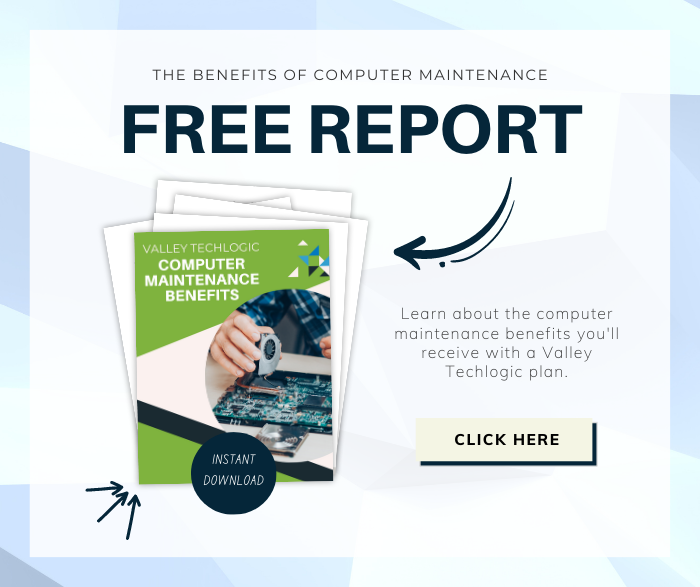
    Here is a mini report on how Valley Techlogic addresses patching management (as well as other routine maintenance items):

    Interested in learning more? Schedule a consultation with us today.

    Looking for more to read? We suggest these other articles from our site.

    This article was powered by Valley Techlogic, an IT service provider in Atwater, CA. You can find more information at https://www.valleytechlogic.com/ or on Facebook at https://www.facebook.com/valleytechlogic/ . Follow us on Twitter at https://x.com/valleytechlogic.