Tag: tech procurement for business

  • In the market for a new laptop? Take these 5 factors into consideration

    In the market for a new laptop? Take these 5 factors into consideration

    With Windows 10 approaching end of life in 2025, it’s putting a lot of people in the market for a new Windows 11 capable device.

    A work laptop’s size, type of screen, keyboard, and trackpad are just a few of the personal variables that go into choosing one. But certain factors are more important than others when it comes to choosing the right specifications for your professional laptop. The type of work you do and how you approach it will determine which kind of laptop is best for you; there are lightweight models that are good for simple tasks and robust, graphics-intensive versions that are great for graphic design or multitasking.

    These are the top five factors that we think are most crucial when using your laptop for work:

    Battery Life: Battery life might not be a major concern for people who use their laptops mostly at desks. However, battery life becomes a critical factor to take into account if mobility is necessary for your profession. It’s crucial to remember that better specs are frequently associated with lower battery life. It can be more sensible to go with a lighter, less powerful laptop if your tasks are simple but yet need mobility.

    RAM/Memory: For work laptops, we advise having at least 16 GB of RAM (or the option to upgrade). Reducing memory could cause problems with performance because Windows uses a lot of memory, especially for heavy users. For very low usage, 8 GB could be plenty, while 16 or 32 GB is better for heavier workloads.

    Storage: Choosing a larger storage capacity is advised because Windows takes some of the available storage during installation. 500 GB might be plenty for light users, but most users should strive for at least 1 TB.

    Video Card: A high-quality video card is essential for graphic-intensive tasks like graphic design and video editing, not only for gaming. A good video card is crucial when choosing a professional laptop if these are duties you perform as part of your workflow. Gamers’ laptops are frequently equipped with excellent video cards and screens making them a good choice even for non-gaming purposes.

    CPU: When purchasing a laptop, the CPU’s quality is quite important. Greater capability for managing numerous browser tabs or running programs simultaneously is correlated with a more powerful CPU. If you find yourself multi-tasking for work, you will need to look for a powerful CPU.

    For organizations purchasing laptops for multiple users, customization can be challenging. Valley Techlogic offers expert recommendations tailored to meet your workforce’s needs while considering budget constraints. Through our procurement services, we have partnerships with major vendors like Dell, Lenovo, and HP, providing a wider range of choices than typically available in physical stores.

    Valley Techlogic also offers installation services to assist with setting up new equipment and ensuring it’s ready for your employees.

    Discover more about our procurement services by scheduling a consultation here and you can learn more about our procurement services here.

    Looking for more to read? We suggest these other articles from our site.

    This article was powered by Valley Techlogic, an IT service provider in Atwater, CA. You can find more information at https://www.valleytechlogic.com/ or on Facebook at https://www.facebook.com/valleytechlogic/ . Follow us on Twitter at https://x.com/valleytechlogic.
  • 5 USB flash drive safety and usage tips, also our 3 recommended drives for 2023

    5 USB flash drive safety and usage tips, also our 3 recommended drives for 2023

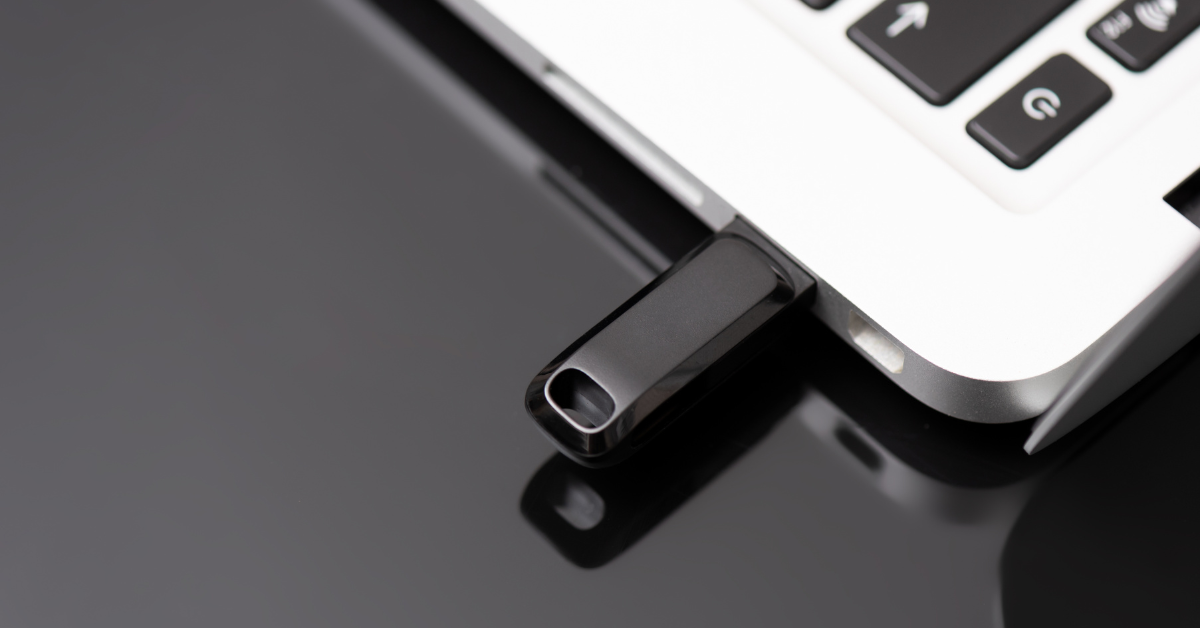
    USB flash drives (also known as thumb drives or memory sticks) have grown a lot in the last few years, what was once a handy tool for transporting small files but couldn’t compete with the capacity of CD disks or traditional drives is now available in sizes up to 1 terabyte which makes them a competitive product for even backup purposes.

    While they may have fallen in favor due to cloud services becoming more ubiquitous, many are looking for more tangible ways to backup important files and take them on the go.

    Many users also worry about the safety of these devices. This is because they’re a common vector for drop attacks, which is where a USB drive is left in a conspicuous location for someone to find and try to use not knowing it contains a virus or trojan horse.

    They also can be insecure if left on a desk or somewhere in public. Luckily, there are even options now that offer 2 factor authentication, biometric verification, and encryption. This means even if your flash drive fell into the wrong hands, it would be useless to the thief. You should also be wary of where you plug your flash drive into as the data path is a two way street.

    Here are 5 more safely and usage tips for utilizing a USB flash drive:

    1. Have separate flash drives for work and home. This will reduce the risk of cross-contamination if one of your devices is compromised, it will also make it easier to organize your files.
    2. Be careful where you purchase your flash drives from. There are irreputable sellers online selling fake drives that don’t contain the amount of storage they’re supposed to, or worse they could be infected with malware. Always buy from a reputable source.
    3. Don’t purchase any drives that require software for use. This is unnecessary and again opens up your device to being compromised with malware. USB drives should be “plug and play”.
    4. Think about the physical size of the drive you’re buying. It needs to be able to fit into the device you’re trying to plug it into, and a bulky USB drive may not be compatible with all devices.
    5. Be aware of the lifespan for the device you’re buying. USB flash drives (also solid-state drives and hard drives) have a certain number of write/erase cycles. Longer is better but if you plan to just keep a static backup on it you can get away with a lower number. Typical USB flash drives have 10,000 to 100,000 write/erase cycles.

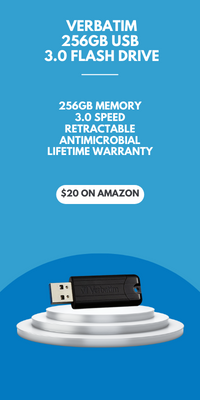
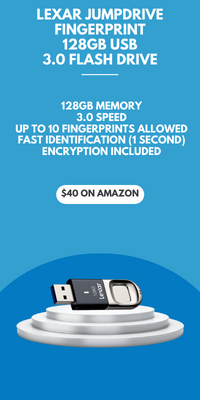
    If we’ve piqued your interest in USB flash drives, you still might not be sure where or what to buy. There are thousands upon thousands of options but here are three options we can recommend. We have one that fits the bill as a budget friendly option for general use, one that has a slim sturdy form factor, and one that meets the requirements if security is a concern.

    Security conscious.
    Slim form factor.
    Budget friendly.


    All of the options we have selected have USB 3.0 speeds, while this is changing all the time this is the minimum we recommend as of writing. You also want to be aware of what kind of connector you’re looking for. USB-A is the most common but there are options for USB-C, MicroUSB and Lightning connectors on the market. You can also use an adaptor if needed.

    If you need hardware buying advice for your business, including the topic of digital storage, Valley Techlogic is happy to help. We can help you select the best option and offer advice on how to secure it. You can learn more about procurement assistance through Valley Techlogic here or schedule a meeting to find out more about our services.

    Looking for more to read? We suggest these other articles from our site.

    This article was powered by Valley Techlogic, an IT service provider in Atwater, CA. You can find more information at https://www.valleytechlogic.com/ or on Facebook at https://www.facebook.com/valleytechlogic/ . Follow us on Twitter at https://x.com/valleytechlogic.