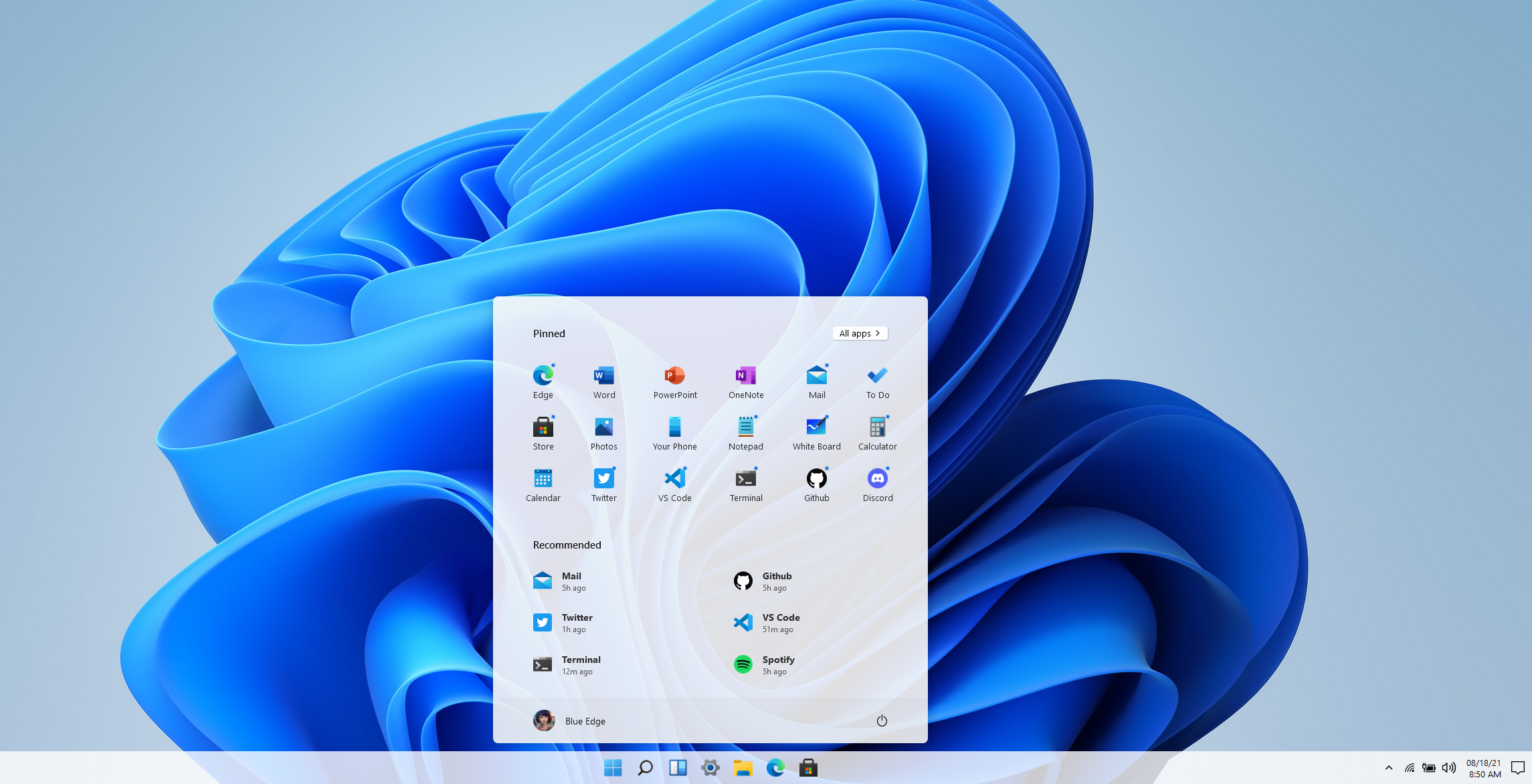
Microsoft finally has an official release date for their first operating system release in six years, it will be released October 5th, 2021. Windows 11 will be a free upgrade to Windows 10 users – if you’re not already a Windows 10 user we urge you to upgrade while it’s still available and free.
This means that the release is just over a month away and the buzz surrounding it is only continuing to amp up. We had word last week that while Windows 11 may work on older computers, you may be prevented from completing updates as normal.
Microsoft is drawing a line in the sand when it comes to not supporting old hardware. We talked about the specifications required in this article a few weeks ago and nothing has changed on Microsoft’s end when it comes to those required specifications so far. They’ll also be unveiling their own hardware lineup that will feature Windows 11 on September 22nd.
There are even some indications you not only won’t get software updates, but you may not get security patches either, although they’ve proven to be somewhat soft on that stance on the past when it comes to unsupported copies of their operating systems. Either way with chip shortages and other pandemic related shipping delays this may be a tricky time for those looking to upgrade but realizing they don’t have a machine with the hardware capable of supporting the new operating system.
Another thing we now know is that even though the Android support found in Windows 11 was a heavily lauded feature, it won’t be there at launch. All of the other showcased featured will be there but the Android support will come later in the year, although a preview of it should be available to Microsoft Insiders soon.
If you’re wondering how you’ll know when Windows 11 is available to you or whether it will be difficult to figure out, you need not worry. Microsoft is aiming for a “phased and measured” launch and will prompt users via the Windows Update system that the upgrade to Windows 11 is available.
It won’t be available to all PCs and laptops right on October 5th however, they’ll be slowing releasing it in waves dependent on your computer specifications, the age of your device and other factors. It’s been noted though that some users will have to wait until 2022 to receive the upgrade.
That should give users plenty of time to sort out any of their hardware related questions and for those on the fence about upgrading, time to see how it fares for other people first.
For business users, who often opt for the pro version, the choice to upgrade can require more thought and planning then simply clicking the upgrade button when it pops up. We’ve made this chart that outlines the differences between Windows 11 Home and Windows 11 Pro.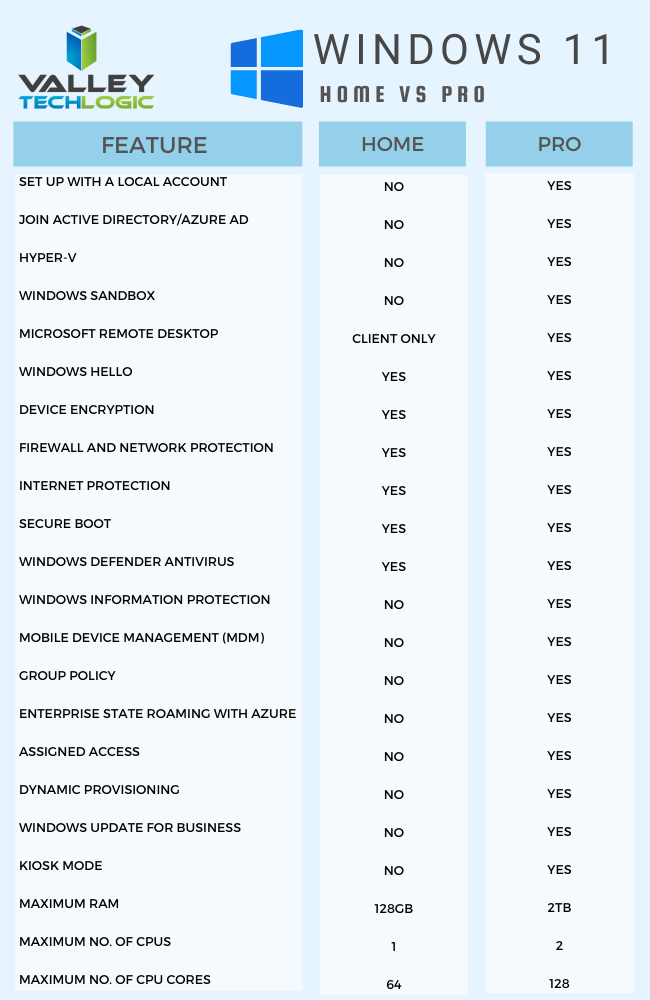
One other big difference is that going forward Microsoft is requiring home users to tie a Microsoft account to their Windows installation, but this Isn’t a requirement for Pro users, you can just set up your computer with a local account.
It will be interesting to see what other details are released as we continue to creep closer to the October release. If you’ve got Windows 11 on your radar for your business Valley Techlogic can help with the planning, we’re a certified Microsoft partner and help businesses all over the Central Valley manager their Windows applications, both for PC and server. Learn more today.
Looking for more to read? We suggest these other articles from our site.
-
Our first look at Teams 2.0
-
Microsoft 365 and Office 365 prices are going up, when and by how much?
-
Can you spot the phishing clues? And 10 tips to avoid falling for a phishing scam
-
What to Do When a Service You Use is Down; 5 Tips on How to Survive a Tech Outage
This article was powered by Valley TechLogic, an IT service provider in Atwater, CA. You can find more information at https://www.valleytechlogic.com/ or on Facebook at https://www.facebook.com/valleytechlogic/ . Follow us on Twitter at https://x.com/valleytechlogic.