

Tag: it plans

  • Can outsourcing your IT save you time and money? 4 proven benefits to outsourcing your IT

    Can outsourcing your IT save you time and money? 4 proven benefits to outsourcing your IT

    Where and how to spend your technology budget is often a constrained topic for our clients and prospects, often the need to improve things is apparent by the time they’re having a discussion with us but there’s still a hesitancy that’s difficult to overcome.

    Investing in your business requires a lot of thought and consideration even when it’s a topic you know well, but for many the topic of IT is a somewhat intimidating subject even during the best of times. When IT is causing you woes it can feel like an insurmountable task to evaluate a solution to solve it given how many different paths there are to take.

    Is it hardware being finicky or failing, a recent cyber scare, ongoing data loss causing you consternation and keeping you up at night? Even minor technology conflicts such as keeping up with ongoing maintenance or replacing a device for an employee can demand hours of research and head banging and still not land you in a place where you feel totally confident in your choices.

    If you have an IT person in your company or one you work with it can still be difficult to keep up with it all in modern workplaces. Devices fail, the maintenance is never ending, and choices will have to be made. There is no one and done solution to it but outsourcing your IT to a company who does this as their bread and butter can not only save you a lot of time and hassle – it can even save you money.

    It may seem counterintuitive as there will be a cost to outsourcing your IT, but there is no avoiding making an investment when it comes to technology in 2024. Below are 5 proven benefits to outsourcing your IT.

    1. No hiring, training, or managing additional staff: Anyone who’s been involved in onboarding a new employee knows what a time sink it is, from the initial search to interviews to training. With a provider like Valley Techlogic we handle hiring and training technical staff members and have a rigid standard for those we work with so only the best people represent the face of our business to our clients.
    2. Teamwork and combined experience: IT like many other career paths covers a whole spectrum of knowledge that would be impossible for one person to master in totality. We have a team of qualified people who specialize in a wide variety of topics and decades of combined experience. For many small businesses hiring for all of these roles would be extremely cost prohibitive but under one service plan with us you have access to our full team.
    3. Many solutions under one umbrella: We also invest heavily in solutions that we provide to our clients, again for one flat monthly fee. Many of these solutions are not available other than through a provider like us and are beyond your typical anti-virus solutions that only scratch the surface. Ongoing, real-time monitoring and threat detection. Backup solutions that include immutable access (so they cannot be tampered with) and more real-time your needs exactly: We tailor our plans to fit your needs exactly and can scale up or down with you. We base our solutions on how many users we’re supporting, so as you grow our plan will grow with you providing exactly the right amount of coverage.
    4. Ongoing risk prevention: Our plans include all of your IT maintenance, so if something is amiss such as a device failing, we can offer our recommendation for replacing it before it becomes an issue – this is especially noteworthy when it comes to critical devices such as an onsite server.

    In total if you looked at each facet of a solution like ours compared to trying to invest time or money to replicate it bit by bit on your own, the costs would be exorbitant. This is why we see so many businesses who have inadequate solutions for IT and who try to cut corners, this is not a category where you should try to go it alone.

    Reach out today to learn more about what Valley Techlogic can do for your specific business by clicking here or the image below.

    Looking for more to read? We suggest these other articles from our site.

    This article was powered by Valley Techlogic, an IT service provider in Atwater, CA. You can find more information at https://www.valleytechlogic.com/ or on Facebook at https://www.facebook.com/valleytechlogic/ . Follow us on Twitter at https://x.com/valleytechlogic.

  • 10 things you can do today (yes today) to make your business’s network safer

    10 things you can do today (yes today) to make your business’s network safer

    There’s an onslaught of information aimed at internet safety and most of it lets be honest, falls on deaf ears.

    Most people online today feel like they’re technology savvy enough to avoid the scams out there (unfortunately at least 1 out of 6 are wrong) and even if you acknowledge tech falls outside your scope of expertise you’re still at risk.

    The good news is we have a list of 10 things you can do today even if you’re technologically challenged that will make a major impact on the network safety in your office.

    1. Confirm your backups are working. Backups are one of your best defenses against ransomware, especially if you have an archival copy which is a backup copy that’s made once and then tucked away until you need it (usually behind layers of security, like with our TechVault solution).
    2. Security awareness training for you and your employees. When we know better, we do better. Many security awareness training programs are implemented in bite size doses that are easy to squeeze into your day. It’s easier to avoid a phishing scam if you’ve seen the obvious examples through training.
    3. Speaking of phishing scams, don’t open suspicious emails. We’ve talked a lot about this topic including how to spot a phishing email, but email scams are one of the top ways hackers can infiltrate your network.
    4. Upgrade software that’s reached End of Life (EoL). If your office computers are still on Windows 7 it’s definitely time for an upgrade and technically you can still upgrade to Windows 10 for free. While other upgrades may not be free, it’s still a good idea to get rid of software that’s no longer being supported by the vendor.
    5. You should also make sure all the software you need to stay safe online is installed on your devices. Programs can go missing or just not be reinstalled if a computer needs to be wiped for whatever reason, you should make sure important software such as anti-virus detection is installed on all of your office computers.
    6. While you’re at it, it’s time to serious think about Multi-Factor Authentication. We always hear a collective groan when this topic comes up, but password managers have become much easier to use and can even make logging into the various sites you use to work easier. Here are our top picks.
    7. Remove any devices you’re no longer using from your network. Besides being a waste of electricity, devices connected to your network that aren’t being used can be vessels for infiltration if they’re not being kept up to date via patching etc. Get rid of them!
    8. Have a plan for reporting suspicious activity. Do your employees know what to do if they receive a suspicious email or their computers acting “funny”? Having a plan documented somewhere (even if the only advice is “Contact our IT service team”) can mean a cyber threat event is recorded and dealt with instead of just ignored because they didn’t know what to do.
    9. Have an office password policy guide as well. It’s a good idea to have a guide for passwords available to your employees, especially if it covers what not to do such as having your phone number or any other PII (Personal Identifying Information) as your password.
    10. Know when to ask for help. This list is a good place to start but if your business has no IT help now (or possibly worse, inadequate help) it’s a good idea to call in the experts. Calling Valley Techlogic for a free consultation is another step you can take today to improve the safety of your office network.

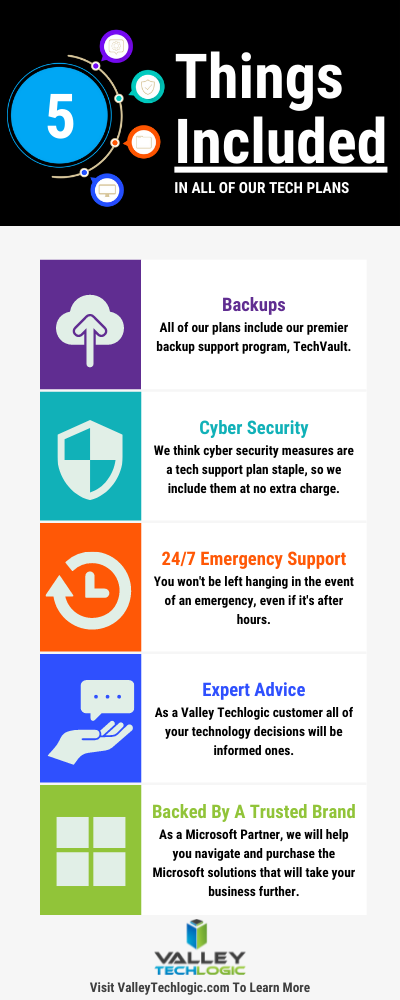
    Here are 5 things all Valley Techlogic Plans includes:

    5 Things Included in Valley Techlogic Plans

    Want to learn more? Reach out today for a free consultation and learn how Valley Techlogic can specifically support your business’s technology.

    Looking for more to read? We suggest these other articles from our site.

    This article was powered by Valley TechLogic, an IT service provider in Atwater, CA. You can find more information at https://www.valleytechlogic.com/ or on Facebook at https://www.facebook.com/valleytechlogic/ . Follow us on Twitter at https://x.com/valleytechlogic.