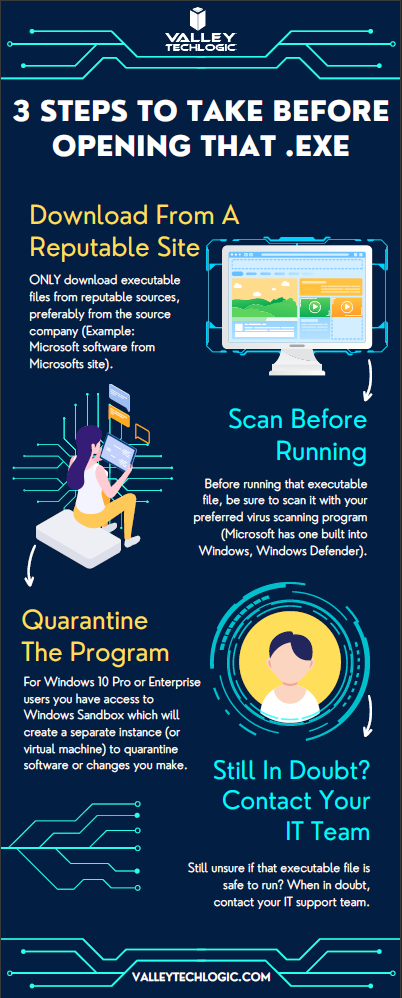
Downloading applications from trustworthy sources is something that has been drilled into most of us as internet safety 101, and many of us would consider the top link on Google to be a trustworthy source.
However, hackers are now taking advantage of that and pushing ads that contain their malware disguised as legitimate applications.
Initially reported on by cybersecurity firm Cyble last month, their report found that a malware called “Rhadamanthys Stealer” is being spread through Google Ads that allegedly lead the user to download Zoom, Notepad++, AnyDesk and more.
This malware is also being spread the typical way through email when attached to a PDF. It makes it clear that there is no one way to spread malware and that users need to be vigilante when downloading anything – whether that be a typical .exe or email file attachment.
The goal is usually financial, with the hacker either “ransoming” the users device or merely spying in the background as they collect data they can sell or use to steal financial credentials. The attempts at stealing data may even be multifaceted and include all three.
So how can you protect yourself? The first is in knowing how it works, Google ads has requirements for posting so these bad actors are placing ads for legitimate looking “front page” sites that mimic what you were looking for, which then immediately redirects you to the one containing malware.
So one clue would be if the URL drastically changes during your browsing (and paying attention to the URL and knowing the URL you were trying to reach would squash this attempt altogether). In many cases you can confirm a sites true URL through Wikipedia and it’s a good idea to save it if it’s a site you visit regularly.
Another way to block these is exceedingly simple, just utilize an ad block on your browser. Ad blocks block Google advertisements as well, so your research will be more likely to contain legitimate results. Many ad block extensions will also block popups too.
Google has also offered their own advice on blocking “malvertising” and have included a way to report illegitimate websites. It goes without saying these sites are in violation of Googles advertising rules, which include rules against auto-redirects.
As it becomes increasingly harder to avoid malware infections, many offices are scrambling with how to best protect office devices from being unintentionally used as a threat vector. Employee training is still your best protection but as this article illustrates, even tech savvy employees may have a difficult time avoiding all threats.
That’s where a Valley Techlogic service plan comes in, we offer proactive cybersecurity protection in the following ways:

If you would like to learn more, schedule a consult with us today and we’ll go over how we can help your business increase your cyberthreat awareness and protection capabilities.
Looking for more to read? We suggest these other articles from our site.
-
Proactive vs Reactive Tech Care – Why Tackling Things as They Spring Up Can Backfire BIG
-
ChatGPT is allowing even novice wannabe hackers to construct their own malware
-
Microsoft layoffs and how the economy is affecting the tech sector
-
BYOD (Bring Your Own Device) in the workplace, 5 policies to have in place for 2023
This article was powered by Valley Techlogic, an IT service provider in Atwater, CA. You can find more information at https://www.valleytechlogic.com/ or on Facebook at https://www.facebook.com/valleytechlogic/ . Follow us on Twitter at https://x.com/valleytechlogic.