Category: Business

Business

  • The biggest risk to your business might be a past employee, our guide to offboarding a past employee properly

    The biggest risk to your business might be a past employee, our guide to offboarding a past employee properly

    When most business owners think about security risks, they picture hackers, ransomware, or phishing emails. Those threats are real. But in many small and midsize businesses, the biggest exposure is much closer to home.


    It is the former employee whose access was never fully removed.


    Improper offboarding is one of the most common and most expensive security gaps we see at Valley Techlogic. A user account left active, a shared password that never changed, or a mobile device that still syncs company email can quietly create major risk months after someone leaves. If your offboarding process is informal or inconsistent, now is the time to fix it.


    Why past employees are a real security risk


    Most former staff are not malicious. The risk usually comes from oversight, not intent. However, the impact can be just as damaging.


    Here is what commonly goes wrong:


    • Email accounts remain active and continue receiving sensitive information
    • Microsoft 365 or Google Workspace access is never fully revoked
    • Saved credentials remain on personal or unmanaged devices
    • Shared passwords are not rotated after departure
    • VPN or remote access tools stay enabled
    • File ownership and permissions are never reassigned

    For IT staff and security teams, this is basic hygiene. But in the real world, especially in small business environments, offboarding often happens in a rush. HR processes the paperwork, IT is notified late or not at all, and access cleanup becomes partial at best. You only need one missed system to create a problem.


    Many organizations assume that if the employee was trustworthy, there is little to worry about. That is a dangerous assumption. Former employee risk shows up in these five ways:


    1. Data exposure Old accounts can still access client files, financial records, and internal communications.
    2. Compliance violations For regulated industries, failure to revoke access can create audit findings or legal exposure.
    3. License waste From a Microsoft 365 CSP perspective, which we deal with daily, inactive users often continue consuming paid licenses long after departure.
    4. Operational confusion Emails, approvals, and system alerts may continue routing to someone who no longer works for you. The longer an account stays active, the more expensive the cleanup becomes.
    5. Your offboarding checklist that actually works If you want an offboarding process that holds up under real world pressure, it needs to be standardized and repeatable. This is the baseline we recommend to clients across California.

    Remediating these issues is as simple as a step by step process outlined below:


    Identity and access

    • Disable the user in Entra ID or your directory immediately
    • Revoke all active sessions and tokens
    • Remove MFA methods tied to personal devices
    • Remove group memberships and admin roles
    • Convert mailbox or archive as needed

    Email and collaboration

    • Set mailbox forwarding if business continuity requires it
    • Assign mailbox and OneDrive ownership
    • Remove from Teams, SharePoint, and distribution lists
    • Review inbox rules and external forwarding

    Devices and endpoints

    • Collect company owned hardware
    • Remove device from Intune or MDM
    • Wipe or reset as appropriate
    • Verify no unmanaged personal devices retain access

    Network and remote access

    • Disable VPN accounts
    • Remove remote management tools
    • Rotate any shared credentials
    • Review firewall and WiFi access lists

    Licensing and billing

    • Remove or reassign Microsoft 365 licenses
    • Validate billing alignment in CSP or direct
    • Document the change for audit trail

    If this feels like a lot, that is because it is. Mature environments automate most of this.


    Timing matters more than you think


    One of the biggest mistakes we see is delay. Offboarding should begin the moment HR confirms separation, not days later.


    Best practice is:


    • Immediate access disable as soon as termination discussions are over
    • Same day device and license review
    • 24 hour validation sweep across key systems

    In environments using Entra ID, Conditional Access, and centralized device management, this can be largely automated. In fragmented environments, it becomes manual and error prone. This is where many SMBs get into trouble.


    How to future proof your offboarding process


    If you want this to stop being a fire drill every time someone leaves, focus on three structural improvements.


    1. First, centralize identity. The more systems tied to Entra ID or your primary directory, the easier clean removal becomes.
    2. Second, automate wherever possible. PowerShell, Graph automation, and lifecycle workflows dramatically reduce human error. This is exactly why many MSPs, including Valley Techlogic deployments, invest heavily in standardized offboarding runbooks.
    3. Third, require HR and IT alignment. Offboarding failures are often communication failures. A simple, enforced workflow between departments eliminates most risk.

    The bottom line is cybersecurity is not only about stopping outside attackers. It is about maintaining control of your own environment. A single overlooked account from a past employee can quietly undermine your security, your compliance posture, and your licensing costs. If your offboarding process lives in a checklist on someone’s desktop or depends on memory, it is time to tighten it up.


    At Valley Techlogic, we help organizations across California turn offboarding into a controlled, repeatable process that closes risk instead of creating it. If you are not completely confident in your current process, now is the right time to review it. Learn more today through a consultation.


  • Investors are getting nervous as tech stocks tumble amid shakeups in AI and Bitcoin
  • This week 16,000 Amazon employees learned they were losing their job via an erroneously sent email
  • The Verizon outage that left more than a million without cell service yesterday is fixed, but what caused it?
  • Microsoft 365 Business Premium with Copilot Included? This new SKU makes integrating AI into your business more affordable and accessible
  • This article was powered by Valley Techlogic, leading provider of trouble free IT services for businesses in California including Merced, Fresno, Stockton & More. You can find more information at https://www.valleytechlogic.com/ or on Facebook at https://www.facebook.com/valleytechlogic/ . Follow us on X at https://x.com/valleytechlogic and LinkedIn at https://www.linkedin.com/company/valley-techlogic-inc/.

  • This week 16,000 Amazon employees learned they were losing their job via an erroneously sent email

    This week 16,000 Amazon employees learned they were losing their job via an erroneously sent email

    Finding out you’re losing your job is never fun but finding out via an email you were never supposed to see alongside 16,000 other employees might be on another level.


    Such was the case for Amazon this week when an internal email leaked about a global redundancy, shortly after the company announced that jobs would be cut. While the message was sent by mistake and quickly cancelled, the damage was done. Amazon has said the jobs reductions were part of a plan to “remove bureaucracy”, this was after other large cuts specifically to their corporate workforce were announced in October of last year. Many are speculating these cuts are related to Amazon and other tech giants’ investing heavily in AI.


    The draft email was penned by an employee named Colleen Aubrey who is the senior vice president of Amazon Web Services (AWS) and was titled “Send project Dawn email”, Project Dawn is allegedly what Amazon refers to layoffs within the company. This alerted employees that layoffs would be happening before they had officially been told and some employees reported they knew weeks beforehand that a reduction in the workforce would be happening soon. Former staff members were aware of Amazon’s goal to lay off at least 30,000 employees in 2026.


    This also follows other changes to structure within the company, such as returning to a five day a week in office schedule (Amazon is one of the few tech companies that insist on a full-time in-office schedule) and tightening of company expenses, such as reducing the amount given for cell-phone cost reimbursement. Many of these changes link back to new CEO Andy Jassy who directly replaced Jeff Bezo’s as head of the company last year (Jeff Bezo’s still being heavily involved in the back end and focused on Amazon’s space ambitions with Blue Origin). It’s also worth noting that Bezo’s net worth jumped 5.7 billion in the wake of this announcement due to rising stock prices.


    It’s clear we’ll continue to see major shifts in workforces and overall business strategy in 2026, but it’s still a reminder that practicing good email hygiene is paramount to not having plans unintentionally leaked. Events like this can cause panic and uncertainty for employees and reduce overall trust even for companies as large and established as Amazon.


    There are a few things you can do to prevent and mitigate unfortunately email blunders such as the one that occurred this week:


    3 ways to help prevent email leaks


    1) Implement approval workflows for sensitive communications
    Messages involving layoffs, financial updates, legal matters, or internal strategy should require at least one additional reviewer before sending. A second set of eyes often catches wrong distribution lists, accidental attachments, or premature messaging.


    2) Restrict and clearly label large distribution lists
    Large mailing groups should be locked down so only approved users can send to them. Adding clear naming conventions such as “All Employees – Executive Only” or “Leadership Confidential” helps prevent someone from selecting the wrong list in Outlook or Gmail autocomplete.


    3) Use email safeguards and delay-send policies
    Many email platforms allow automatic sending delays (e.g., 1–5 minutes), external recipient warnings, or confirmation prompts when emailing large groups. These safeguards give senders a short window to recall or correct a mistake before the message leaves the organization.

    2 ways to mitigate damage if a leak happens


    1) Respond quickly and transparently
    Silence usually makes situations worse. Leadership should quickly acknowledge the mistake, clarify what information is accurate, and communicate next steps. Fast, honest communication helps reduce rumors and employee anxiety.

    2) Lock down further distribution and investigate immediately
    Disable forwarding where possible, remove access to affected emails or attachments, and review audit logs to understand how the incident occurred. Use findings to update procedures and prevent repeat mistakes.

    In short, email mishaps are rarely caused by technology alone, they’re usually process failures. A mix of communication discipline, permission controls, and technical safeguards dramatically lowers the chance of repeating this kind of incident.


    If technology planning (including email handling) is still being evaluated for your business in 2026, Valley Techlogic can be your partner in setting up systems that work and prevent unexpected surprises. Learn more today with a consultation.


  • We’re halfway through 2025, our top 10 blogs of the year so far

    We’re halfway through 2025, our top 10 blogs of the year so far

    June marks the halfway mark through the year, and what a year it’s been so far – with the innovations in AI to major changes to the global economy via tariffs and more, these are our top 10 blogs of the year so far.

    1. Are you all in on AI or approaching it more moderately? The perils of not strategizing your AI roll out (May 23, 2025)
      Examines the pros and cons of diving straight into AI vs. a cautious approach, highlighting the risks of rolling out AI without a solid business strategy.
      🔗 https://www.valleytechlogic.com/2025/05/are-you-all-in-on-ai-or-approaching-it-more-moderately-the-perils-of-not-strategizing-your-ai-roll-out/
    2. 5 Ways A Managed Service Provider Helps You Predict Future Technology Spending** (May 16, 2025)
      Explores how MSPs help businesses plan proactively by forecasting growth, mapping lifecycles, and avoiding surprise vendor costs.
      🔗 https://www.valleytechlogic.com/2025/05/title-5-ways-a-managed-service-provider-helps-you-predict-future-technology-spending/
    3. Best of Cybersecurity: 5 Must‑Read Blogs to Protect Your Business (May 9, 2025)
      A curated roundup of their top cybersecurity posts, offering actionable advice on phishing, disaster recovery, and more.
      🔗 https://www.valleytechlogic.com/2025/05/best-of-cybersecurity-5-must-read-blogs-to-protect-your-business/
    4. 5 Signs It’s Time to Switch Your IT Provider (And How to Choose the Right One) (May 2, 2025)
      Identifies inside signs you might be outgrowing your current provider and gives practical tips for selecting a better fit.
      🔗 https://www.valleytechlogic.com/2025/05/5-signs-its-time-to-switch-your-it-provider-and-how-to-choose-the-right-one/
    5. Out of file space? 8 space saving tips for your PC or laptop (April 25, 2025)
      A concise how‑to guide with actionable steps to clear disk space and boost device performance.
      🔗 https://www.valleytechlogic.com/2025/04/out-of-file-space-8-space-saving-tips-for-your-pc-or-laptop/
    6. Received a Facebook copyright infringement email or message? You’re not alone… (April 17, 2025)
      Breaks down a fake Facebook scam aiming to harvest information and explains how to spot and avoid it.
      🔗 https://www.valleytechlogic.com/2025/04/received-a-facebook-copyright-infringement-email-or-message-youre-not-alone-the-evolution-of-the-facebook-copyright-scam-and-how-to-avoid-falling-for-it/
    7. Make the Most of Your Microsoft 365 Subscriptions: 7 Productivity Hacks You Might Be Missing (April 11, 2025)
      Introduces under‑the‑radar features in Microsoft 365 to elevate productivity and streamline team collaboration.
      🔗 https://www.valleytechlogic.com/2025/04/make-the-most-of-your-microsoft-365-subscriptions-7-productivity-hacks-you-might-be-missing/
    8. The 7 most common network issues and how to fix them (September 2024)
      Lists key connectivity issues—from slow Wi-Fi to firewall misconfigurations—and offers diagnostic and repair steps.
      🔗 https://www.valleytechlogic.com/2024/09/7-common-network-issues-and-fixes/
    9. Windows 10 reaches EOL October 2025, and those who don’t upgrade may have to pay (January 3, 2025)
      Highlights Windows 10’s EOL in October 2025 and explains Microsoft’s new fee-based Extended Security Updates program.
      🔗 https://www.valleytechlogic.com/2025/01/windows-10-reaches-eol-october-2025-and-those-who-dont-upgrade-may-have-to-pay/
    10. Is Starlink still the best choice for rural or remote internet? We discuss your options for internet in 2025 (May 30, 2025)
      Evaluates Starlink alongside DSL, fixed wireless, cellular, and cable, covering speed, cost, and suitability for remote businesses.
      🔗 https://www.valleytechlogic.com/2025/05/is-starlink-still-the-best-choice-for-rural-or-remote-internet-we-discuss-your-options-for-internet-in-2025/

    At Valley Techlogic, we cover a wide range of topics on our blog just like we cover a wide range of support topics for our clients through our IT managed service plans. If you’re in the market for IT support for your business – why not learn what Valley Techlogic can do for you?

    Looking for more to read? We suggest these other articles from our site.

    This article was powered by Valley Techlogic, leading provider of trouble free IT services for businesses in California including Merced, Fresno, Stockton & More. You can find more information at https://www.valleytechlogic.com/ or on Facebook at https://www.facebook.com/valleytechlogic/ . Follow us on X at https://x.com/valleytechlogic and LinkedIn at https://www.linkedin.com/company/valley-techlogic-inc/.

  • Viral video showcases AI theft detection in real time, everything you need to know about AI enhanced security cameras

    Viral video showcases AI theft detection in real time, everything you need to know about AI enhanced security cameras

    In a recent video posted to TikTok, AI surveillance software vendor Veesion showcased their AI theft detection in real time. The video shows someone in an aisle of a store pocketing items while the camera accurately detects the movement as “item in pocket”. You can see another person in the background and it accurately detects that they’re walking while it’s simultaneously monitoring the first individual highlighting the systems ability to focus on multiple activities at the same time.

    Deterring theft has been a primary concern for those who make investments in physical security like security cameras (it’s estimated visible cameras decrease theft by 25%), but reviewing footage is usually something that occurs after the fact and is a time-consuming process for employees and law enforcement. With recent AI enhancements to cameras, suspicious activities can be monitored in real time and acted upon in the moment.

    Here at Valley Techlogic we work with a number of camera vendors who have also touted the benefits of their AI solutions. One of our primary security camera solution partners, Avigilon, showcases cameras that can detect certain movements, look for suspicious objects or even integrate with sensors that detect smoke or water intrusions. If you’re in the market for a new system here are some AI-centric features, you should be asking about in 2025:

    1. Real-time Threat Detection and Alerting: AI algorithms can analyze video footage in real-time to detect unusual activities, such as a person loitering, trespassing, or engaging in suspicious behavior. This allows for immediate alerts to security personnel, who can respond more quickly to potential threats.
    2. Facial Recognition: AI can enable facial recognition technology, which can identify individuals in real-time. This is especially useful for verifying authorized personnel or spotting persons of interest in high-security areas, providing an additional layer of protection.
    3. Object Detection: AI can help detect specific objects or vehicles, like unattended bags, weapons, or parked cars in no-parking zones. This can help prevent criminal activity, such as theft or vandalism, by detecting potentially dangerous situations early on.
    4. Smart Motion Detection: Traditional motion sensors may generate false alarms due to animals or environmental changes. AI-powered systems can distinguish between human movement and irrelevant motion, significantly reducing false positives and improving the accuracy of alerts.
    5. Behavioral Analysis: AI can track and analyze behavior patterns over time, learning normal activities and flagging deviations. For example, if someone is walking in an area they shouldn’t be or exhibiting aggressive behavior, the system can trigger an alert to inform security about potential risks.

    We provide installation services as well as offering our new security camera maintenance plan to protect your investment for the long term. If you are in the market for a new security camera solution or are looking to maintain the cameras you already have, Valley Techlogic is able to provide a complementary walkthrough and proposal (no cost to you even if you decide not to go with our solution). Schedule your consultation today to learn more.

    Looking for more to read? We suggest these other articles from our site.

    This article was powered by Valley Techlogic, leading provider of trouble free IT services for businesses in California including Merced, Fresno, Stockton & More. You can find more information at https://www.valleytechlogic.com/ or on Facebook at https://www.facebook.com/valleytechlogic/ . Follow us on X at https://x.com/valleytechlogic and LinkedIn at https://www.linkedin.com/company/valley-techlogic-inc/.
  • 5 technology predictions for 2025 (and where to invest your tech spend in the New Year)

    5 technology predictions for 2025 (and where to invest your tech spend in the New Year)

    2024 was a busy year in technology, with a lot of the focus shifted to continuing advancements in AI, which job openings even being available for those who can craft the perfect prompt. 2025 is likely to bring even more focus this way, but what other advancements in technology should your business be focusing on in the new year? Here are our predictions:

    1. 5G capability: 5G is not a minor upgrade to 4G, 5G is 10 to 100 times faster and has a fraction of the latency (under 5 milliseconds vs 60-98 milliseconds for 4G – an eternity when it comes to page loading times). 5G also has much greater capacity which will make providing network access to areas previously underserved or underrepresented by cable companies possible.
    2. Edge computing: In conjunction with AI, edge computing brings data much closer to the source. Rather than accessing your data solely from the cloud, edge computing involves having a “edge gateway server” act as the middleman and brings more of your data closer to home, while prioritizing that only the most sensitive or critical data is uploaded to cloudz. AI ties it all together for seamless access on the users end. This is especially important as IoT (Internet of Things) devices become more ubiquitous even in workspaces, as it reduces latency to devices with less processing power.
    3. Zero-trust Architecture: Zero trust was previously thought as an insurmountable hurdle to the day-to-day user experience, making things inaccessible and acting as a roadblock to completing even simple tasks. Now companies have come around to the notion that not every user needs admin level access and the only roadblock it presents is in front of bad actors trying to gain entry to your company data. Simple solutions such as continuous monitoring for threats, enabling MFA and least privileged access are easier than ever to implement for low or no cost to your business.
    4. Quantum Computing: Often dubbed the final evolution in computing capacity – quantum computing advancements will continue to progress in 2025 with it being predicted that the technology will become more readily available to the general public sometime in the future. While it would be difficult to cover what quantum computing is in this snippet – what it will be able to do is enable us to solve complex in seconds, and improve and optimize many other aspects of computing as we know them today.
    5. Artificial Intelligence: As we mentioned, AI advancements were abound in 2024 and this will continue to be the case in 2025. As more advanced generative models are released and AI-powered automation becomes common place in workspaces it will be something to watch in the coming months, especially for business owners looking to use it strategically within their company.

    At Valley Techlogic we try to stay at the forefront of emerging technologies, including AI. We are Microsoft partners and can make recommendations for utilizing Microsoft’s Co-pilot in your business, as well as helping you navigate technology solutions for your business in 2025. Investing some of your tech spend into a partnership with us in 2025 will help your business reach new heights (we guarantee it). Reach out today to learn more and also take advantage of our end of the year offer.

    Looking for more to read? We suggest these other articles from our site.

    This article was powered by Valley Techlogic, leading provider of trouble free IT services for businesses in California including Merced, Fresno, Stockton & More. You can find more information at https://www.valleytechlogic.com/ or on Facebook at https://www.facebook.com/valleytechlogic/ . Follow us on Twitter at https://x.com/valleytechlogic and LinkedIn at https://www.linkedin.com/company/valley-techlogic-inc/.

  • The 6 roles you would you need to fill to match the services delivered by an outsourced IT vendor

    The 6 roles you would you need to fill to match the services delivered by an outsourced IT vendor

    Has your business grown to the point you’re now looking to improve the IT solutions you have available, including possibly adding additional staff? Or maybe you’re currently the go-to person for providing technical support for your users (we see this a lot) and you’re realizing you need additional help to ensure things continue to run smoothly.

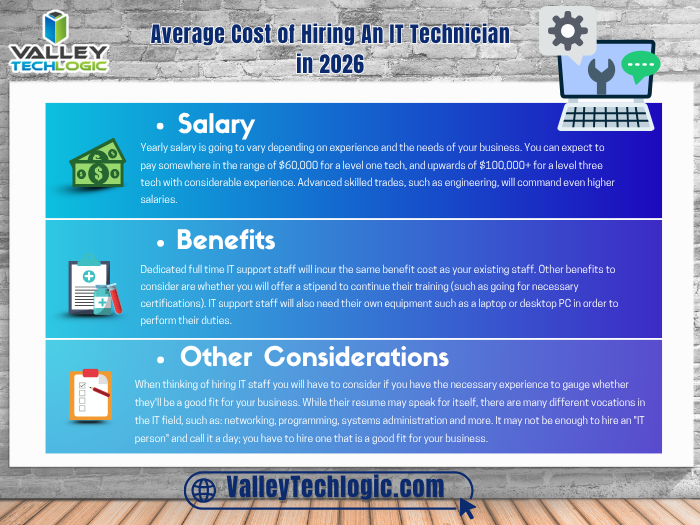
    It can be difficult to determine whether it makes sense to bring onboard additional in-house resources or if it’s perhaps a better idea to outsource the task to a company whose sole purpose is providing those services. When considering your options here are the six roles you would need to fill to match the services provided by an outsourced IT service provider as well as their average salary requirements:

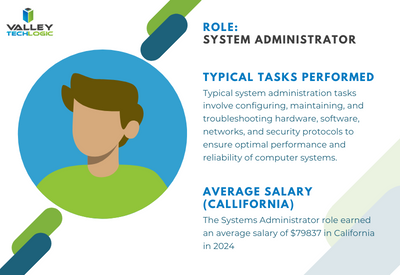
    Systems Administrator: Responsible for the overall maintenance, configuration, and reliable operation of computer systems and networks within the organization. They ensure that systems are secure, updated, and performing optimally.


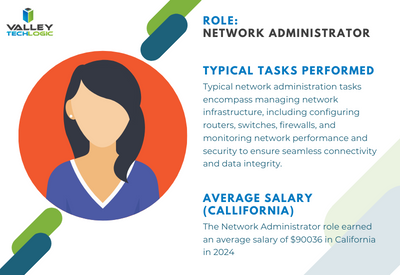
    Network Administrator: Manages and maintains the organization’s network infrastructure, including LAN, WAN, and internet connectivity. They oversee network security, troubleshoot network issues, and optimize network performance.


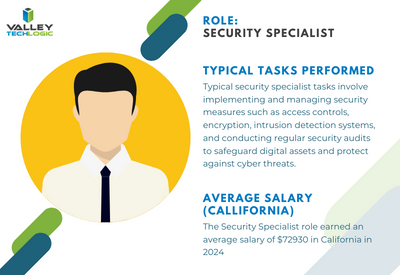
    Security Specialist/Analyst: Focuses on protecting the organization’s IT assets
    from security breaches, cyber threats, and unauthorized access. They implement security measures such as firewalls, intrusion detection systems, and encryption protocols, and they monitor for security incidents.


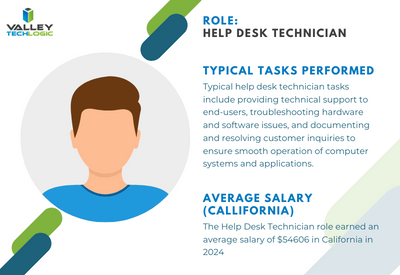
    Help Desk/Support Technician: Provides frontline technical support to end-users, troubleshooting hardware and software issues, resolving technical problems, and providing guidance on IT-related queries. They may also handle user account management and software installations.


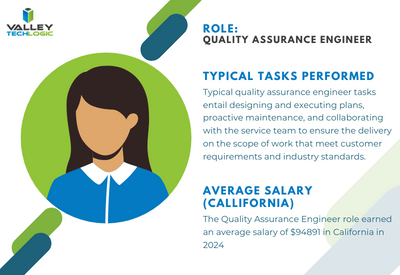
    Quality Assurance (QA) Engineer: Tests software applications and systems to ensure they meet quality standards, functional requirements, and performance expectations. QA engineers identify bugs, conduct regression testing, and contribute to software quality improvement efforts.


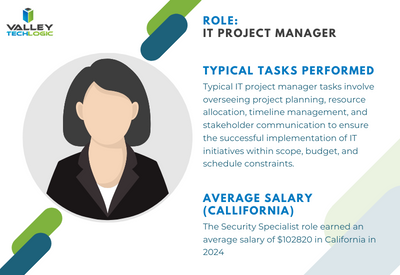
    IT Project Manager: Oversees IT projects from initiation to completion, ensuring they are delivered on time, within budget, and according to specifications. Project managers coordinate resources, manage risks, and communicate project status to stakeholders


    To contrast, with a managed IT service solution you’re usually looking at a fraction of the cost of the salary for just one of these staff members while still having access to all of these roles individually to support your business. Additionally, you won’t need to worry about the hiring process or all of the overhead that comes with hiring new employees.

    We can’t say what the right choice is for your business, and for some businesses it’s not an either-or situation. Sometimes it makes sense to hire one onsite staff member as a go to person while still outsourcing to provide better coverage and meet your long-term technology improvement goals.

    We can’t speak for other providers but for Valley Techlogic we have plans available to cover a variety of technology setups, whether we’re offering a co-managed solution and working alongside an existing staff resource or whether we’re taking over the technology side of your business in it’s entirety so you can focus on everything else. Learn more today.

    Looking for more to read? We suggest these other articles from our site.

    This article was powered by Valley Techlogic, an IT service provider in Atwater, CA. You can find more information at https://www.valleytechlogic.com/ or on Facebook at https://www.facebook.com/valleytechlogic/ . Follow us on Twitter at https://x.com/valleytechlogic.

  • 10 Questions Your New IT Provider Should Be Asking YOU During Onboarding

    10 Questions Your New IT Provider Should Be Asking YOU During Onboarding

    Much of our content is focused on what you should be asking your existing or future IT provider – from what services they cover, what cyber security protections they offer and how they will deploy their solutions to meet the needs of your specific office environment.

    The flipside of the coin though is the information they need to gather from you to best meet your needs, and if your IT provider hasn’t asked you any of the following questions, we would definitely consider that a red flag. How can their solution be tailored to your needs if they have no idea what those needs are?

    Here are the top 10 questions your IT provider should be asking you during onboarding or in your first year of service with them:

    1. What specialized business software do you use? As an IT provider it’s important we establish a relationship with your existing software vendors (especially for specialized business software) early on to help manage these tools on your behalf.
    2. How many devices does your business have? How many are used outside the office? This is a dual question with one purpose, we need to know about these devices so we’re making sure to cover the basic support items needed to keep them running, including backups and updates. Devices used remotely also need to be counted but the setup for those may involve getting in touch with those employees directly to deploy the solutions we use.
    3. How many servers do you have (including virtual machines)? Again, if we don’t know about it, we cannot support it and we even find in our client assessments they may have servers running that they weren’t even aware of. Any device on your network that’s internet connected and not receiving regular maintenance is a potential threat vector and we can make recommendations to discontinuing devices not in use.
    4. What was something your previous IT vendor provided that you would like us to continue? Regardless of the reasons you may have for switching IT providers (and if you’re thinking about doing so but aren’t sure how to get started, we have a kit available to help) there were probably some aspects of the service they provided that you feel were beneficial. This might include a certain kind of reporting they provided or a preference for how meetings are conducted. It’s good to establish the groundwork for continuing these preferences early on so your new provider can adapt routines to meet these preferences.
    5. What was something your previous IT vendor did that you did not like? Again, it helps us to know what your experiences have been in engaging with IT vendors and how we can best support your business. Maybe you didn’t like how they went about billing you for services or how they handled ticketing, whatever it was its invaluable information for your new provider.
    6. What projects do you have in the works? Whether it’s just an idea or something that was started and never finished, your new IT provider will want to help you meet your project goals.
    7. Do you have any cyber security frameworks or compliance goals your business must meet? Whether it be HIPAA, CMMC or you would just like to beef up your cyber security in 2024, it’s good to discuss this topic individually especially if your organization must meet specific cyber security requirements.
    8. Who provides your telecom and internet services? Networking support and phone maintenance is often included in many technology plans, it is helpful for us to know who provides these services for you. If you’re not happy with the current providers we can also offer recommendations for alternative solutions and we have even helped customers save money on these bills if we find they’re being overcharged.
    9. How often would you like to meet to discuss the services we provide for your company and any upcoming goals? At Valley Techlogic we host what we call a Technology Business Review (TBR) at the minimum annually, but we can also have these more frequently if the client desires.
    10. What minimum service requirements would you like us to adhere to? Whether it be our response time to tickets, how often we provide updates or specific tools you would like us to provide or help your company utilize – ideally your IT vendor will tailor your plan to YOU.

    Which is something Valley Techlogic does for our clients, our IT service plans are tailored to meet our clients’ needs and their specific setups. If you would like to learn more you can get started here.

    Looking for more to read? We suggest these other articles from our site.

    This article was powered by Valley Techlogic, an IT service provider in Atwater, CA. You can find more information at https://www.valleytechlogic.com/ or on Facebook at https://www.facebook.com/valleytechlogic/ . Follow us on Twitter at https://x.com/valleytechlogic.

  • 5 Reasons to have an annual meeting with your IT service provider and how to make the most of it

    5 Reasons to have an annual meeting with your IT service provider and how to make the most of it

    If you’re a small business owner and you work with an outsourced IT provider you’re not alone, statistics vary but it’s estimated up to 60% of small businesses utilize a third-party resource for their IT.

    This can look different depending on your particular size and needs, for some businesses it can look like support for existing IT staff, for other businesses their entire IT needs are shifted onto a third party IT resource. There is no one size fits all solution, the needs of your business are unique and your IT support provider should be a resource for helping you grow your business and keep up with the technology demands of modern work places.

    That is why it’s so important you meet with your IT team at the minimum annually, although we really could make a strong argument for quarterly (especially during times of intense growth or change within your business). Keeping them in the loop allows them to provide for your business adequately and on the opposite end you can learn about their recommendations for your business, which are often times free or low-cost solutions and improvements to your technology infrastructure and security.

    Even for recommendations that carry a cost you can plan for these things in advance rather than having it come up as an unpleasant surprise later on, an example would be let’s say their reporting has discovered your on-premises server is struggling to keep up with your demand or even showing signs of failure. This could be talked about in a meeting ahead of time but instead it might become a major headache when the server fails spontaneously and has to be replaced on the spot. Maybe you would have thought about making the move to the cloud this year or could have planned out your hardware purchases to coincide with more favorable timing, you’ll never know but hindsight is 20/20 and you will probably make a different choice going forward.

    So, what are the 5 reasons to have an annual meeting with your IT service provider?

    1. Future Planning: As we outlined in the scenario above, having this meeting allows you to create a plan for the year ahead. If your business has a busy season (most of us do) you can schedule any maintenance or downtime during the off-season. You can plan out hardware purchasing, software upgrades, cybersecurity improvements and more.
    2. Review Documentation: Your annual meeting is also a great time to review any reports your IT service provider has created for your business. At Valley Techlogic we’re constantly tracking items we’re doing on the back end for our clients, the regular maintenance, our 24/7 cyber security monitoring, backup and data services we provide just to name a few.
    3. Project Planning: We also suggest touching on any projects you would like to complete, such as switching out your traditional landline system to VoIP, security cameras (if they provide that service) and any installation or infrastructure projects. Even if you’re not ready to commit to them now, keeping your IT provider in the loop will allow them to plan for these projects on their end as well and keep them in mind when doing their own scheduling.
    4. Service Delivery Improvements: Whether you’re currently happy with your IT providers’ services or not, are they aware of it? Your annual meeting is a great time to review the services you have with your provider and whether they’re currently meeting your expectations (if they’re not, maybe it’s time to make a change and our Switching IT providers kit can help you do it).
    5. Reviewing Past Work: In the same vein, this annual meeting should also be used for reviewing the work they have done for you this last year and any follow-up requests. Despite all the tools and widgets we use in the IT industry, we’re still not omnipresent and sometimes a request is better delivered verbally. They will probably have in their meeting notes items they wish to go over and revisit to make sure you were satisfied with the outcome as well.

    We could address even more benefits of having this an annual meeting with your provider but these five will greatly improve the services they’re able to provide for your business and get you the most value out of the service you’re paying for.

    If you’re working with an IT service provider who doesn’t give you the option of meeting annually, it would be our recommendation you look for a new provider. Our Switching IT Provider’s kit makes it easy to switch (we even provide you with a template letter for discontinuing your service) and if you’re looking for an IT service provider who makes meeting with clients regularly a priority, than why not give Valley Techlogic a shot by clicking here or the image below.

    Looking for more to read? We suggest these other articles from our site.

    This article was powered by Valley Techlogic, an IT service provider in Atwater, CA. You can find more information at https://www.valleytechlogic.com/ or on Facebook at https://www.facebook.com/valleytechlogic/ . Follow us on Twitter at https://x.com/valleytechlogic.

  • Can outsourcing your IT save you time and money? 4 proven benefits to outsourcing your IT

    Can outsourcing your IT save you time and money? 4 proven benefits to outsourcing your IT

    Where and how to spend your technology budget is often a constrained topic for our clients and prospects, often the need to improve things is apparent by the time they’re having a discussion with us but there’s still a hesitancy that’s difficult to overcome.

    Investing in your business requires a lot of thought and consideration even when it’s a topic you know well, but for many the topic of IT is a somewhat intimidating subject even during the best of times. When IT is causing you woes it can feel like an insurmountable task to evaluate a solution to solve it given how many different paths there are to take.

    Is it hardware being finicky or failing, a recent cyber scare, ongoing data loss causing you consternation and keeping you up at night? Even minor technology conflicts such as keeping up with ongoing maintenance or replacing a device for an employee can demand hours of research and head banging and still not land you in a place where you feel totally confident in your choices.

    If you have an IT person in your company or one you work with it can still be difficult to keep up with it all in modern workplaces. Devices fail, the maintenance is never ending, and choices will have to be made. There is no one and done solution to it but outsourcing your IT to a company who does this as their bread and butter can not only save you a lot of time and hassle – it can even save you money.

    It may seem counterintuitive as there will be a cost to outsourcing your IT, but there is no avoiding making an investment when it comes to technology in 2024. Below are 5 proven benefits to outsourcing your IT.

    1. No hiring, training, or managing additional staff: Anyone who’s been involved in onboarding a new employee knows what a time sink it is, from the initial search to interviews to training. With a provider like Valley Techlogic we handle hiring and training technical staff members and have a rigid standard for those we work with so only the best people represent the face of our business to our clients.
    2. Teamwork and combined experience: IT like many other career paths covers a whole spectrum of knowledge that would be impossible for one person to master in totality. We have a team of qualified people who specialize in a wide variety of topics and decades of combined experience. For many small businesses hiring for all of these roles would be extremely cost prohibitive but under one service plan with us you have access to our full team.
    3. Many solutions under one umbrella: We also invest heavily in solutions that we provide to our clients, again for one flat monthly fee. Many of these solutions are not available other than through a provider like us and are beyond your typical anti-virus solutions that only scratch the surface. Ongoing, real-time monitoring and threat detection. Backup solutions that include immutable access (so they cannot be tampered with) and more real-time your needs exactly: We tailor our plans to fit your needs exactly and can scale up or down with you. We base our solutions on how many users we’re supporting, so as you grow our plan will grow with you providing exactly the right amount of coverage.
    4. Ongoing risk prevention: Our plans include all of your IT maintenance, so if something is amiss such as a device failing, we can offer our recommendation for replacing it before it becomes an issue – this is especially noteworthy when it comes to critical devices such as an onsite server.

    In total if you looked at each facet of a solution like ours compared to trying to invest time or money to replicate it bit by bit on your own, the costs would be exorbitant. This is why we see so many businesses who have inadequate solutions for IT and who try to cut corners, this is not a category where you should try to go it alone.

    Reach out today to learn more about what Valley Techlogic can do for your specific business by clicking here or the image below.

    Looking for more to read? We suggest these other articles from our site.

    This article was powered by Valley Techlogic, an IT service provider in Atwater, CA. You can find more information at https://www.valleytechlogic.com/ or on Facebook at https://www.facebook.com/valleytechlogic/ . Follow us on Twitter at https://x.com/valleytechlogic.

  • 10 Microsoft 365 tools you need to take advantage of TODAY

    10 Microsoft 365 tools you need to take advantage of TODAY

    Most of our clients are Microsoft 365 customers and enjoy the tools and applications they receive through their Microsoft 365 subscription. Many of these same clients were long time Office customers and were already familiar with the software benefits – such as Word, Office, Outlook, Powerpoint and Excel. These are staple products in the business community and chances are if you’ve been in business long enough you’ve had some exposure to them throughout your career.

    We have had clients who miss the days when Office was a standalone product only. While you still can purchase Office 2021 for a one-time fee, many have to weigh the value of a pretty substantial upfront cost when purchasing for many employees for a product that will at some point expire vs the subscription model that is now favored by many software companies. This is a discussion onto itself, but in a nutshell many clients choose to go with a Microsoft 365 subscription.

    There is an obvious benefit to doing so right off the bat if you choose to go with Microsoft 365 Business Premium, the security benefits of this plan are well known and touted throughout the technology industry as being the crème de la crème of security suites for Windows machines.

    However, there are many benefits to your Microsoft 365 subscription that many users are not even aware of. Microsoft 365 is much more than just an Office subscription – your plan comes with business utility programs that can make organizing and running your business better.

    Here are 10 tools you can take advantage of TODAY if you have a Microsoft 365 subscription:

    1. Microsoft OneNote: OneNote is Microsoft’s digital notetaking app, it’s a step way above NotePad with the ability to organize multiple notes (with colored tabs) and collaborate and share your notes with other.
    2. Microsoft Intune: Intune allows you to control and manage all of the Microsoft endpoints within your business from one place. This one might need an IT pro when it comes to setup and management but once you get it going it really can simplify many IT tasks for your team.
    3. Microsoft Forms: Did you know that you can create surveys, quizzes and polls with a Microsoft product? You can with forms, you can even export the data to Excel and share the forms you create on your website or social media platforms.
    4. Microsoft List: With Microsoft 365 you don’t have to go off platform when it comes to managing even the somewhat more mundane aspects of your business, Microsoft Lists is Microsoft’s solution for keeping track of well, everything. Also just like with Forms you’re able to export these lists to Excel with a click of a button.
    5. Microsoft Bookings: Microsoft Bookings is Microsoft solutions to having a public calendar where clients or colleagues can book a meeting with you, and it’s tied right to your Outlook calendar. Another benefit of Bookings is it can be added to your website for prospective clients to book time with you and eliminating the cost of an outside calendar application.
    6. Microsoft To Do: If you or your employees struggle with staying on task, Microsoft To Do is the solution for you. You can plan out your days in advance and Microsoft To Do will be your one stop place for keeping things on track.
    7. Microsoft Viva: Microsoft Viva is an addition to Microsoft Teams that adds a lot of functionality not usually found in a chat program, Microsoft Viva is a multi-faceted platform but in a nutshell it allows you to set goals for your business, provide training to your employees and see insights into their workday, as well as offering them to provide feedback to you all in the Teams application they already use.
    8. Microsoft Streams: If you already use Teams for your video conference calls then you’re familiar with how reliable Microsoft is when it comes to video streaming. Microsoft Stream takes that a step further and allows you to broadcast video outside your organization with up to 1000 participants.
    9. Microsoft Power BI: Microsoft Power BI provides a snapshot of your business’s data in the form of charts and graphs, so you can see how the data your business creates evolves and changes over time.
    10. Microsoft Planner: Finally, we bring it all home with Microsoft Planner, it’s exactly what you would expect it to be a simple visual tool for planning out meetings, business goals, marketing pitches and more all found at your fingertips with your Microsoft 365 subscription.

    Of course, if you’re considering signing up for Microsoft 365, you do have to take the cost into account. Here are the costs for the most popular plans (these costs factor in a discount for committing to an annual subscription, the costs are approximately 20% higher when you choose a monthly term).

    Interested in learning more about Microsoft 365? Valley Techlogic is a Microsoft partner, and we can walk you through the process of buying and making the most of your new subscription. Learn more today with a consultation.

    Looking for more to read? We suggest these other articles from our site.

    This article was powered by Valley Techlogic, an IT service provider in Atwater, CA. You can find more information at https://www.valleytechlogic.com/ or on Facebook at https://www.facebook.com/valleytechlogic/ . Follow us on Twitter at https://x.com/valleytechlogic.