

Tag: backup

  • It’s starting to feel like summer and that means rising temperatures and the potential for rolling blackouts – 3 ways to protect your devices during a power outage

    It’s starting to feel like summer and that means rising temperatures and the potential for rolling blackouts – 3 ways to protect your devices during a power outage

    While summer won’t officially start in the Northern Hemisphere until June 21st, Memorial Day week often marks the “unofficial” start of summer for many and May in general is when many states start to see rising temperatures – especially with the effects of climate changes causing record highs across the country.

    For California – and in particular the Central Valley where we’re located – rolling blackouts are a common occurrence as temperatures begin to rise, and these sudden unexpected power outages can damage expensive equipment that’s not properly protected.

    Sometimes power companies will give some notice of when an outage will be occurring in your area and in this case, we recommend unplugging what you can as that’s a surefire way to protect your equipment if an unexpected power surge were to occur.

    However, blackouts are often random and so we recommend the following preventative measures:

    1. Surge Protectors – A quality surge protector is a must have for every device on your office network, and not all surge protectors are created equal. Surge protectors always list a joule rating which tells you how much power they can absorb without failing, for computers we recommend a surge protector with a joule rating of at least a 1000.
    2. UPS (Uninterruptible Power Supply) – Next on the list is a UPS, this is a battery backup for your devices and for your office server in particular a must have item. When choosing a UPS, you want to ask yourself if you’re looking for something with enough power to let you safely turn your device off or if you wanted something that would keep your device online for days in an extended outage. We also created a short guide found below to what else you should look for when choosing a UPS.
    3. Power Generators – Finally power generators could be necessary for certain office scenarios, an automatic standby generator will be a big investment but if it’s mission critical your office power stay intact during a rolling blackout it could be worth it.

    Also here is our guide on what to look for in a UPS:
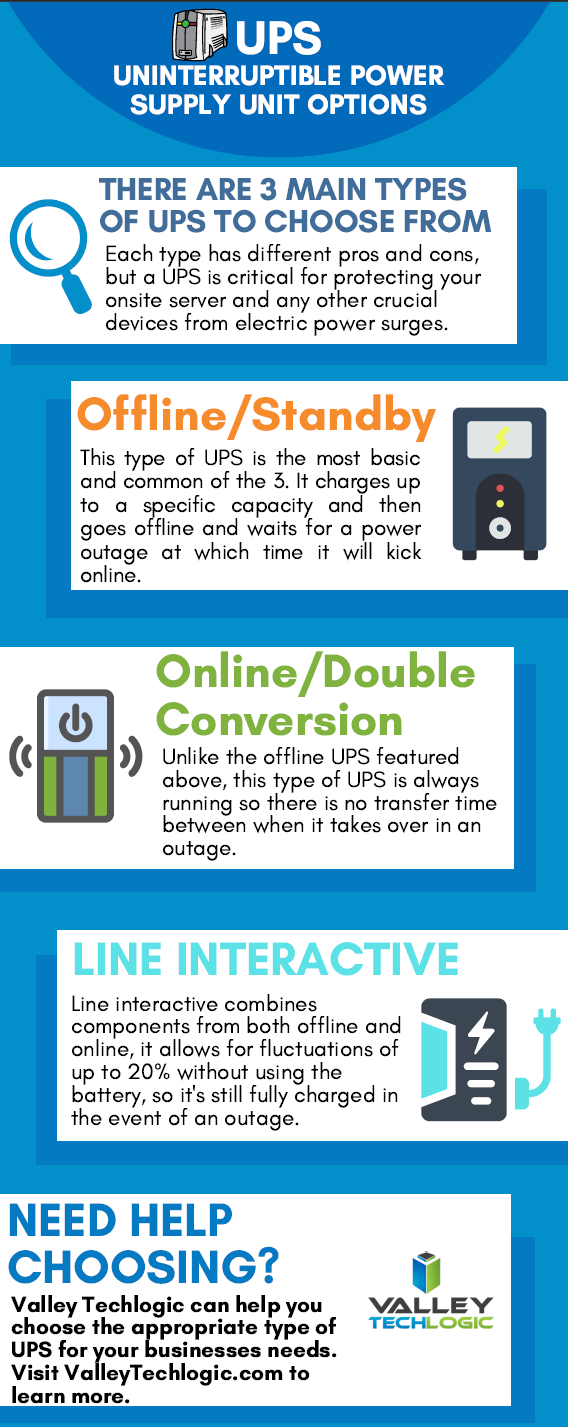
    UPS Choices Chart

    We’ve been talking about the power side of rolling blackouts and how an electric surge could potentially damage your devices but there’s also another thing to consider, your data.

    If a power outage occurs suddenly, anything that hasn’t been saved could be lost. If you’re a Microsoft 365 customer, you will have the benefit of the short-term backups they provide for your office documents (if you’ve ever had your computer restart while working on something and have experienced the profound relief seeing that “Recovered” documents bar you’ll know what we’re talking about).

    If you’re not a Microsoft 365 customer or you’re worried about data corruption or your service backups failing (or maybe your server Isn’t being backed up at all) we suggest talking to us about what your options are.

    We offer our clients our triple layer backup solution TechVault. Not only will we back up your onsite data, but we will also create a cloud copy that is updated every 15 minutes and an archival copy that is virtually impenetrable to bad actors.

    Want to learn more? Schedule a quick consultation with one of our sales representatives today.

    Looking for more to read? We suggest these other articles from our site.

    This article was powered by Valley TechLogic, an IT service provider in Atwater, CA. You can find more information at https://www.valleytechlogic.com/ or on Facebook at https://www.facebook.com/valleytechlogic/ . Follow us on Twitter at https://x.com/valleytechlogic.

  • Your data is safer in the cloud, period.

    Your data is safer in the cloud, period.

    Speaking in absolutes is not usually a good idea, but in the case of data storage we feel the onus is on us to speak plainly – and it’s the plain truth that your data is safer in the cloud.

    It’s natural to be hesitant to move everything into the cloud, especially when it really wasn’t that long ago in the grand scheme of things that all data was stored in filing cabinets. Safely tucked away and (hopefully) properly indexed to be pulled out as needed.

    Sure, we didn’t have to worry about malware with paper files, but theft and natural disasters were the enemy of on premises paper documents. Or just the ravages of time wreaking havoc on plain paper and ink. You also had to make sure to shred important documents and not just trash them lest they fall into the wrong hands.

    With the advent of computers most of our data moved to our personal computers and it greatly elevated our ability to communicate that data to others. Multi-million-dollar transactions can be easily completed by simply emailing a proposal and contract. Billing information, medical documents, all of the private information about an individual or business is often times found online and is available to be pulled up when needed.

    But this ease of information is also it’s downfall. Old fashioned robberies where thieves would break into brick-and-mortar establishments and steal private information to then be used to create false identities and/or use payment details for their own benefit have now been replaced with often a single user attacking a small business’s online accounts. They can dismantle everything that business has built in days or even hours and make recovering difficult or even impossible.

    That’s not even taking to account that a single on-premises server is just as vulnerable to fire or flood damage as your filing cabinet is. A singed or waterlogged hard drive has no more usefulness than the same data contained in a charred or dripping stack of papers.

    Like with many things in life this problem is solved by working together with others, and that’s where cloud data solutions come in. It’s still your data and we, like you, think it should have the same level of accessibility as it does when it’s on your personal computer or even a paper file on your desk.

    With the high-speed internet most of us have in our homes and offices downloading files from the cloud is often a nearly instantaneous click of a button and then you’re working on the file you were last night. Make a mistake a few hours in? Another benefit of the cloud is you can often times roll back to an earlier version.

    The cloud can sound nebulous but it’s not, it’s just using the resources of companies that put their whole stake into safeguarding data. Their existence as a business is in keeping your data safe, companies that fail at that task don’t stay in business long.

    It’s really not that different than utilizing the services of the power company for all of your power, or your local ISP for all of your networking needs. These services work best when they’re maintained by companies that dedicate themselves to the task and can provide a high level of continuity.

    And there are some major players in the game, players that have been in the business of data and even computers themselves as a whole for decades. At Valley Techlogic we greatly utilize the power of Microsoft’s cloud service – One Drive – to collaborate within our business. It’s even paved the way for our remote employees to maintain productivity with the whole team without missing a beat. The default storage capacity is 1 Terabyte (TB) which is more than most users will ever need.

    If our office ever burned down with no one inside, we can state with the utmost confidence it would not affect our ability to do business. Could you say the same?

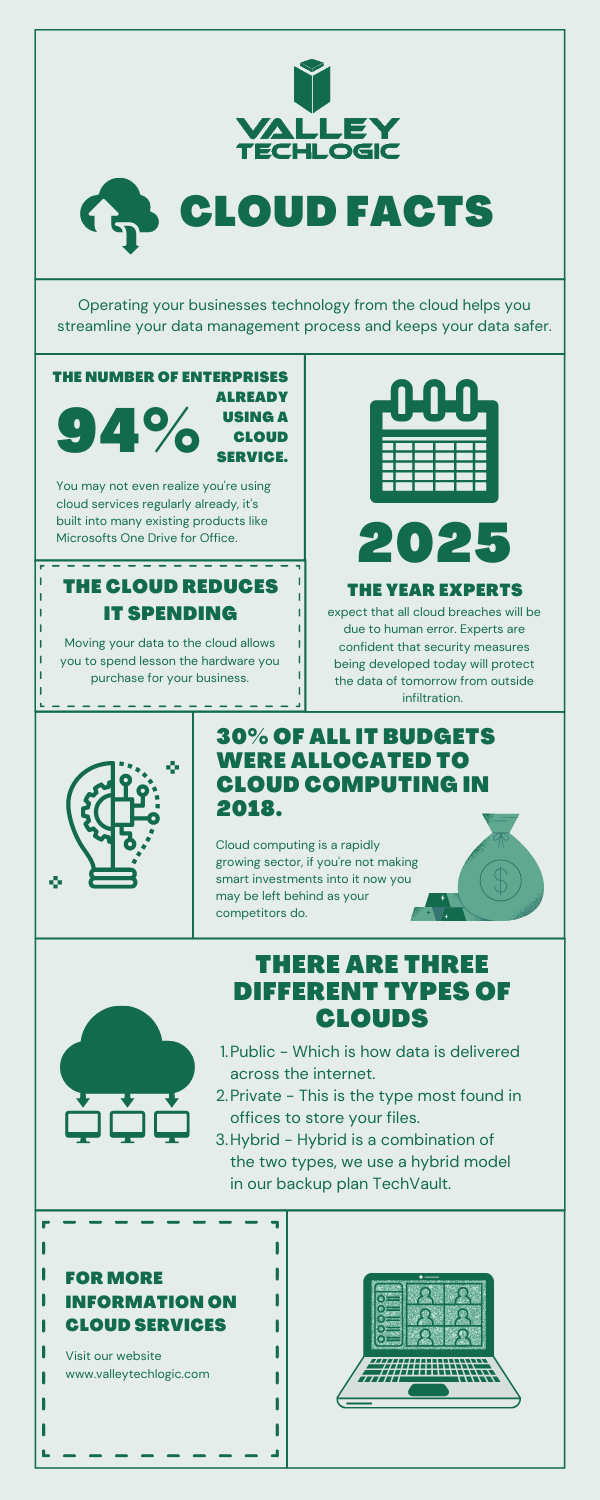
    Cloud Data Facts

    If you’re considering a move to the cloud for your business, we can help. Backups and data recovery solutions are a keystone piece of all of our service plans, learn more today.

    Looking for more to read? We suggest these other articles from our site.

    This article was powered by Valley TechLogic, an IT service provider in Atwater, CA. You can find more information at https://www.valleytechlogic.com/ or on Facebook at https://www.facebook.com/valleytechlogic/ . Follow us on Twitter at https://x.com/valleytechlogic.

  • What’s the difference between a regular data backup and an archival backup?

    What’s the difference between a regular data backup and an archival backup?

    We regularly tout the necessity of data backups, but there’s one kind of backup we really haven’t spent much time on, and that is archival backups.

    Backing up your data is an ongoing task or at least it should be. Whether it’s done daily or weekly, regular snap shots of your data make it easy in a data loss event to pull the most recent backup and get back to business as usual.

    Archival backups are much different. With these your data is pulled once and then stored in a safe location or online. Since these backups aren’t updated it’s not going to feature any recent changes but when it comes to cyber security safety in particular, they’re a great tool for protecting your data.

    Another great feature of these backups is that they’re immutable/write once read many
    (WORM), that means to make any changes to them is nearly impossible (this includes bad actors trying to do so!).

    In the event your network is compromised that may mean the hackers have gained access to your regular backups as well, they may even be holding your accounts hostage in a ransomware attempt. If you have an archival data backup this may be the key to gaining access to your accounts again without paying the ransomware.

    Also, because this backup is separate from your network it will be almost impossible for it to become compromised.

    While we’re explaining the difference between regular backups and archival backups it might be a good time to also explain the different daily/weekly backups that can be performed.

    1. Full backups – A full backup entails all of your data being backed up every day. This will take more time and is in most cases not necessary but if you want a more detailed record of your files you may choose to do this.
    2. Incremental Backups – Incremental backups will only copy data that has changed since the last backup. Your backup application will track and record the details of that backup and update the files that have been changed or modified in some way.
    3. Differential Backup – This is similar to incremental backups, but the difference is it will pull a full backup once and then if things have changed since that backup it will again pull another full backup of those files. This will pull less data then a full backup but more data than an incremental backup.

    If you have a small set of data then a full daily backup may make sense for your business, if you have a lot of data incremental or differential data backups may be a better fit. Each situation is unique and it’s a good idea to have an evaluation done of your specific circumstances.

    Any kind of backup is better than no backups at all but one that falls short of your needs may still leave your business in the lurch if a data loss event occurs.

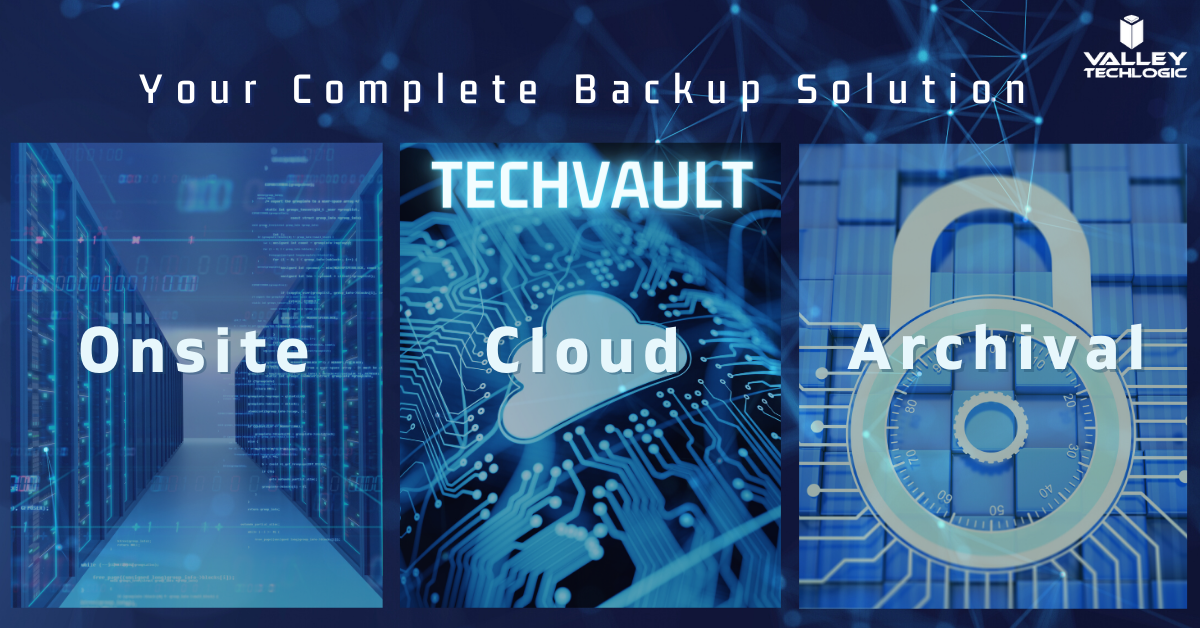
    Also figuring out where to store your data can be a complex topic too. At Valley Techlogic we’re recommending a triad approach to data storage. With onsite, cloud and archival data backups the businesses we support can rest assured their data is absolutely safe and retrievable.

    This all sounds very complex but once the solution is in place, you’ll feel better that you have it. Also, the integrity of your backups should be monitored regularly by your tech team as even a backup can fail. If you need some assistance in choosing the right backup solution to you we would be happy to have a consultation with you.

    Techvault


    Looking for more to read? We suggest these tech articles from the last week.

    This article was powered by Valley TechLogic, an IT provider in Atwater, CA. You can find more information at https://www.valleytechlogic.com/ or on Facebook at https://www.facebook.com/valleytechlogic/ . Follow us on Twitter at https://x.com/valleytechlogic.
    Looking for IT Services in Fresno, Modesto, Stockton, Ceres, Atwater, Merced, Visalia or Lodi? We cover all these areas and more!