Tag: backup solutions

  • Is the cloud still your best option or would an on-premises server be the smarter way to go? 5 facts to consider about both

    Is the cloud still your best option or would an on-premises server be the smarter way to go? 5 facts to consider about both

    Originally touted as the wave of the future “the cloud”, which is nebulous phrasing that basically means putting your data anywhere besides your direct location, is often seen as the solution for corralling data into one central online location that’s managed by someone else (IE cloud providers).

    However, rising costs of data storage and uncertainty surrounding data security and availability in the wake of ever-increasing data breach threats has meant more businesses are seriously considering their options when it comes to the best strategy for data storage in their business. Where once more and more businesses were on board with an all-cloud solution, now many are turning away from the cloud for on-premises solutions or even a hybrid solution.

    First, five facts to consider in favor of an all-cloud solution:

    1. Scalability: Cloud solutions provide on-demand scalability, allowing businesses to easily increase or decrease resources such as storage, processing power, and bandwidth, based on changing needs without having to invest in physical infrastructure.
    2. Cost Efficiency: Moving to the cloud can reduce capital expenses (CapEx) for hardware and maintenance. Instead, businesses can move to an operating expense (OpEx) model, where they only pay for the resources they use, thus reducing waste and optimizing budgets.
    3. Accessibility and Flexibility: Cloud platforms allow employees to access data and applications from anywhere with an internet connection. This supports remote work, global collaboration, and increases flexibility for businesses.
    4. Automatic Updates and Maintenance: Cloud service providers manage routine maintenance, security patches, and software updates, freeing up internal IT teams to focus on more strategic tasks, and ensuring systems are up to date with the latest technologies.
    5. Disaster Recovery and Backup: Cloud solutions offer robust disaster recovery options, ensuring data redundancy and availability. Cloud providers often have geographically distributed data centers, reducing the risk of data loss due to localized incidents and enhancing business continuity.

    On the other hand, here are five facts in favor of an on-premises solution:

    1. Greater Control and Customization: With on-premises servers, organizations have full control over their hardware, software, and network configurations. This allows for highly customized setups that can be tailored to meet specific business or security needs.
    2. Data Security and Privacy: On-premises storage allows businesses to maintain direct oversight of their data, which can be crucial for industries that require strict data security and regulatory compliance (e.g., healthcare or finance). Sensitive data stays within the company’s infrastructure, reducing third-party access risks.
    3. No Dependence on Internet Connectivity: Unlike cloud-based solutions that require constant internet access, on-premises servers allow organizations to access and manage their data even if there are internet outages or network interruptions, ensuring business continuity.
    4. Predictable Costs: While the upfront costs of on-premises servers can be higher, they are typically one-time capital expenditures. Over time, businesses have greater control over their long-term budget for hardware upgrades and maintenance without the recurring subscription fees that cloud services often require.
    5. Legacy Systems Integration: Many businesses have legacy applications or systems that are better suited for, or only compatible with, on-premises infrastructure. Keeping data and applications on-site ensures better performance and integration with existing, sometimes older, internal systems.

    There are factors to consider when it comes to choosing either cloud or on-premises for your business storage solution, but what about a mix of both? Maintaining an on-premises storage solution combined with a cloud storage solution as a backup gives you both the redundancy you need with the flexibility of cloud storage and alongside the control of an on-premises solution in a hybrid solution completely customized for your needs.

    In today’s world, data storage can be customized to your business’s specific needs and here at Valley Techlogic we are experts in developing backup solutions that work for you (through our program TechVault). Whether you’re looking to protect your current data, migrate your data to the cloud or to an on-premises solution, or even if you’ve reached this article while going through a data loss event – Valley Techlogic can help. Reach out for a consultation today.
    Looking for more to read? We suggest these other articles from our site.

    This article was powered by Valley Techlogic, leading provider of trouble free IT services for businesses in California including Merced, Fresno, Stockton & More. You can find more information at https://www.valleytechlogic.com/ or on Facebook at https://www.facebook.com/valleytechlogic/ . Follow us on Twitter at https://x.com/valleytechlogic and LinkedIn at https://www.linkedin.com/company/valley-techlogic-inc/.

  • You have cloud backups for your business, but are you wasting money on storage you don’t need? 5 ways to tidy up your cloud storage

    You have cloud backups for your business, but are you wasting money on storage you don’t need? 5 ways to tidy up your cloud storage

    The worst backup situation to have as a business owner is no backups at all, so if you’ve made keeping backups of your data a priority in your business, we want to encourage you to keep the effort up. Having data backups is crucial for making a full recovery in the event of device failure, cyber security breaches and more.

    With that said, the cost of storage and in particular cloud storage is something to be considered when formulating a plan for backups. With physical hardware you have a tangible wall that prevents storage costs from ballooning out of control, but with cloud storage no such wall exists. Your provider will likely sell you as much data storage as you need and if your backups aren’t set up in an efficient way you may find the costs continue to rise while not being entirely sure as to why.

    Here are five ways to setup efficiency for your cloud backup solution and keep costs under control:

    1. Implement Data Archiving Policies: Regularly archive older, infrequently accessed data to cheaper, long-term storage solutions. This reduces the cost of more expensive, high-performance storage.
    2. Use Tiered Storage Solutions: Take advantage of cloud providers’ tiered storage options. Store critical, frequently accessed data in high-performance storage and less critical data in more economical storage tiers.
    3. Automate Backup Schedules and Policies: Set up automated backup schedules to ensure data is backed up regularly without human intervention. Use policies to manage retention, ensuring outdated backups are deleted after a certain period.
    4. Compress and Deduplicate Data: Use data compression and deduplication techniques to reduce the amount of storage required. Compression reduces file size, while deduplication eliminates duplicate copies of data.
    5. Monitor and Optimize Storage Usage: Regularly review storage usage and costs. Use analytics and reporting tools provided by cloud providers to identify unused or underused resources and optimize storage allocation accordingly.

    By implementing these strategies, business owners can effectively manage their cloud storage costs and maintain an organized, efficient backup system.

    Did you know backups are a core feature of Valley Techlogic’s service offering? Not only can we assist you in maintaining your existing backups, we also will keep our own backup of your data as part of your service plan with us.

    You can learn more about our backup program here, but in a nutshell whether you want to keep your current backups and utilize ours as an additional copy or erase that expenditure from your billing and let us handle it – Valley Techlogic can support your business’s backup planning in addition to the other ways we support your business.

    Learn more today by scheduling a meeting with one of our experienced

    Looking for more to read? We suggest these other articles from our site.

    This article was powered by Valley Techlogic, leading provider of trouble free IT services for businesses in California including Merced, Fresno, Stockton & More. You can find more information at https://www.valleytechlogic.com/ or on Facebook at https://www.facebook.com/valleytechlogic/ . Follow us on Twitter at https://x.com/valleytechlogic and LinkedIn at https://www.linkedin.com/company/valley-techlogic-inc/.

  • 7 Tech New Year’s Resolutions to Accomplish in 2024

    7 Tech New Year’s Resolutions to Accomplish in 2024

    Happy New Year! It may not feel like 2024 yet to you (it certainly doesn’t to us) but the new year is upon us and with that comes a renewed opportunity to address some of the tech items that have been pushed under the rug to deal with “later”.

    Whether you’re committed to trying to up your game this year or clean up areas of your business where the tech has fallen behind, we have 7 New Year’s resolutions that will push your business forward and maximize your efficiency and growth in 2024.

    1. New Year, New Tech? Starting off, the start of the year is a great time to do some housekeeping and figure out what devices may be holding you and your staff back. Vendors like Dell, Lenovo and more often have start of the year sales and dragging that aging PC or laptop through another year versus starting clean with a new device (with vastly superior hardware) just doesn’t make sense.
    2. There’s an app for EVERYTHING. Next, it’s a good idea to see what processes you’re still trudging through manually and evaluate whether some of those manual tasks could instead be modernized with an app. Whether it be pen and paper calendar or planner (Microsoft Outlook has both built in!) or tools for managing budgets, inventory, scheduling and more – going digital with your processes in 2024 is the smart choice.
    3. Connect with your customers. When it comes to engaging with your clients, reaching them where they are is a powerful tool. For a lot of business owners stepping out from the shadows and putting more of themselves online is a scary thought, but many customers want to identify with your brand or with you directly not just with your product. Who better to promote your brand than you? Improving your online presence for your business and yourself is a powerful sales tool you should take advantage of in 2024.
    4. Are you cyber aware or cyber scared? If cybersecurity has been a topic you’ve been avoiding or interacting with as little as possible, it’s really past time to change that. The threats to your business aren’t going away and a little proactive maintenance in this area can have a HUGE impact. One thing you can do today (as in right now) to bolster your protection? Turn on multi-factor authentication on all the accounts where it’s available. This simple action will give you over 50% improvement in protecting your accounts from being compromised vs not having it.
    5. In the same vein, data loss is not inevitable. We get it, we’re all inundated with news of this breach or that data leak where everyone’s information was dumped into the internet ether – we just would argue that this scenario is NOT an inevitability. In fact, in 2024 we would also guess many insurance companies would agree as rules for being covered continue to grow stricter. If you don’t have a plan for your backups and data in 2024 you need to make one, STAT.
    6. Tech improvements can have a positive effect on your ROI. Whether it be ditching traditional telecom in favor of VoIP (our customers have paid as little as a 10th of what they were spending for phones with our solution), utilizing digital training to increase your employees confidence and performing, or deploying communication tools in your business that allow for more efficient back and forth – there are a lot of areas where tech won’t just make your business run better it will also make your business more profitable.
    7. You can’t do it alone, take this piece of advice. If nothing else the best resolution you can make regarding your tech in 2024 is acknowledging that it might be too much for one person, whether that’s you or a non-technical staff member that’s trying to help out – to keep up with maintenance alone is often times not a one-person job let alone making improvements. The best bang for your buck in 2024 will be bringing in additional assistance.

    If your business is located in the Central Valley that’s where Valley Techlogic can assist. We provide support for ALL the topics we’ve listed above and more, and when you sign up with us you will have access to our whole team – often times for much less than it would be to hire a single dedicated IT staff person.

    If you’re curious what we can do for your business we’re also offering $100 cash to business owners that simply hear what we have to offer, no strings attached. Click on the image below to get started.

    Looking for more to read? We suggest these other articles from our site.

    This article was powered by Valley Techlogic, an IT service provider in Atwater, CA. You can find more information at https://www.valleytechlogic.com/ or on Facebook at https://www.facebook.com/valleytechlogic/ . Follow us on Twitter at https://x.com/valleytechlogic.

  • Why “DIY” IT is a bad idea as a business owner

    Why “DIY” IT is a bad idea as a business owner

    We get it, handing over any part of your business to someone who’s not you can be stressful and unnerving. You painstakingly grew your business to where it is today. You may still be personally vetting every new member who walks through your door.  Hiring technical staff can be an arduous process so it’s just made sense so far to learn the ropes yourself to keep devices up and running (and as maintained as possible).

    The problem is, you’re one person with a finite amount of time. By the time cracks start to show it’s often too late, things like server failure or a malware attack can cripple your ability to run your day-to-day operations and fixing it may fall outside the scope of your abilities, making it necessary to bring in emergency help (often at a premium).

    If you survived one round of that you may have vowed to find IT help, but even with a clear indicator of why you need it recently at hand it may still seem like a waste of time or money, and you talked yourself out of it. You may have been doing things yourself for years, what are the odds something catastrophic would happen again any time soon?

    Unfortunately, pretty good. As the famous quote by Joyce Brothers goes, “If you change nothing, nothing changes.”

    So, we thought we would give you some food for thought about other reasons (besides potential disaster) you should consider outsourcing your IT:

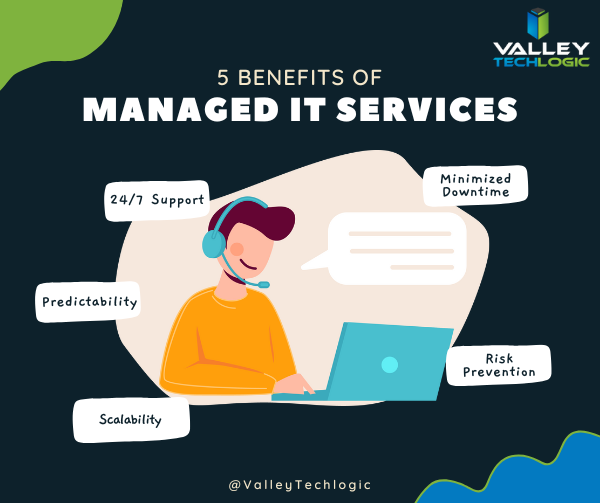
    1. 24/7 Support: This one’s easy, with a Valley Techlogic service plan 24/7 support emergency support is available to you – at no additional cost and no more late nights for you.
    2. Minimized Downtime: Time is money, and with a service plan from us you will spend less time troubleshooting problems and more time on your business.
    3. Predictability: We utilize best in class software to maintain a consistent technical environment for all of our clients, including managing computer updates, anti-virus software and more.
    4. Risk Prevention: Speaking of anti-virus, our cyber security approach doesn’t just help you recover from a cyber threat – it helps prevent one from happening in the first place.
    5. Scalability: This is a big one if you’ve been doing your own IT. We have service plans to fit both businesses who already have an available IT resource or those who want us to be their primary IT – with flexibility to change if needed

    As you can see, many commonsense features are built into all of our plans, but we do offer customization as far as how much or how little we do for your business. If you would like to remain as the primary IT resource, we have co-managed plans so you can still benefit from our solutions and proactive maintenance while still remaining the lead IT person.

    If after utilizing us for a while you’ve reached a point where you would like us to handle it all, we can then change your plan to our “managed IT department” where we are your go to resource for everything IT, your users can even call us if there’s a problem and we’ll take care of it.

    Whichever plan you choose, you’ll still always be “in the know” thanks to our comprehensive reporting and annual or bi-annual Technology Business Review (TBR) meetings where we go over how things are going and formulate a plan together to continue improving the service to fit your needs.

    Interested in learning more? Schedule a consultation with us today.

    Looking for more to read? We suggest these other articles from our site.

    This article was powered by Valley Techlogic, an IT service provider in Atwater, CA. You can find more information at https://www.valleytechlogic.com/ or on Facebook at https://www.facebook.com/valleytechlogic/ . Follow us on Twitter at https://x.com/valleytechlogic.

  • Technology that you can build on, supporting your construction business through tech

    Technology that you can build on, supporting your construction business through tech

    We’re continuing from last week where we touched on how technology integrates with the field of dentistry, we want to switch gears from a business sector that helps us maintain our tooth structure to one that helps us maintain our societal structure. We’re looking at how technology can help those in the construction.

    Our construction clients are used to taking on big projects and creating comprehensive plans for tackling those projects with their teams. They aren’t always nailed down to one location, being out in the field and having employees logging in from remote offsite locations is part of their norm.

    Documentation is important for the work they do. They often have a dedicated server that keeps track of all the reports that come with having a construction business. Planning data, financials, insurance information – all of that must be available at a click of a button so they can run their business as smoothly as possible.

    If you’re in construction, ask yourself if any of these tech related items would be applicable to your business:

    1. Slow or non-existent internet on work sites. As we mentioned above, your employees aren’t logging in from one location, they go where the work is that day. You need support for your connectivity that’s flexible for the way you do business.
    2. Equipment that goes “missing”. Like us, you have expensive equipment that needs monitoring and logging. Our construction clients need solutions for making sure their equipment doesn’t “walk off” the job site. Security cameras solutions with the ability to save and review the data they collect are crucial for these clients.
    3. Regulatory compliance concerns. If you work in the government sector (or would like to) you’re probably aware of the ongoing attempt to secure our national data through CMMC (Cybersecurity Maturity Model Certification).

      There’s also the documentation you must do for every portion of your business, because if something goes wrong you need that documentation to back you up. If your documentation goes missing or can’t be retrieved because an outdated server has “malfunctioned”, or your backup solution was inadequate – it can spell trouble for your business.

    The long and short of it is, having a technology solution that supports your business is as crucial as having supports structures in a building to keep it from collapsing. A pillar may not look like much on it’s own but it could be the only thing keeping back a catastrophic collapse.

    At Valley Techlogic, we see ourselves as the pillar that not only keeps your technology equipment running as it should, but also keeps out any intrusions to your business (17.7% of all cyber attacks are aimed at your business model which is second only to the financial sector).

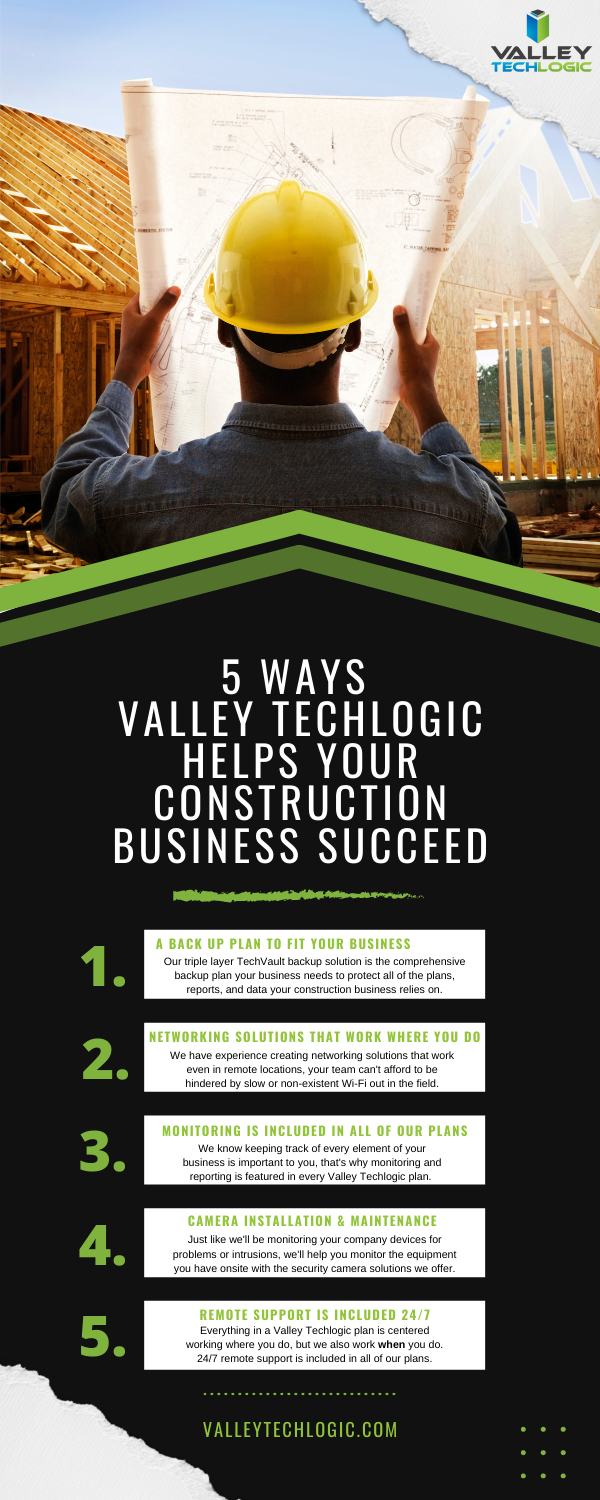
    Here is a chart with 5 ways Valley Techlogic specifically supports our construction clients:

    5 Ways VTL Supports Your Construction Business

    Still on the fence? Why not have a conversation with us directly, book a quick consultation with us here.

    Looking for more to read? We suggest these other articles from our site.

    This article was powered by Valley TechLogic, an IT service provider in Atwater, CA. You can find more information at https://www.valleytechlogic.com/ or on Facebook at https://www.facebook.com/valleytechlogic/ . Follow us on Twitter at https://x.com/valleytechlogic.

  • What’s the difference between a regular data backup and an archival backup?

    What’s the difference between a regular data backup and an archival backup?

    We regularly tout the necessity of data backups, but there’s one kind of backup we really haven’t spent much time on, and that is archival backups.

    Backing up your data is an ongoing task or at least it should be. Whether it’s done daily or weekly, regular snap shots of your data make it easy in a data loss event to pull the most recent backup and get back to business as usual.

    Archival backups are much different. With these your data is pulled once and then stored in a safe location or online. Since these backups aren’t updated it’s not going to feature any recent changes but when it comes to cyber security safety in particular, they’re a great tool for protecting your data.

    Another great feature of these backups is that they’re immutable/write once read many
    (WORM), that means to make any changes to them is nearly impossible (this includes bad actors trying to do so!).

    In the event your network is compromised that may mean the hackers have gained access to your regular backups as well, they may even be holding your accounts hostage in a ransomware attempt. If you have an archival data backup this may be the key to gaining access to your accounts again without paying the ransomware.

    Also, because this backup is separate from your network it will be almost impossible for it to become compromised.

    While we’re explaining the difference between regular backups and archival backups it might be a good time to also explain the different daily/weekly backups that can be performed.

    1. Full backups – A full backup entails all of your data being backed up every day. This will take more time and is in most cases not necessary but if you want a more detailed record of your files you may choose to do this.
    2. Incremental Backups – Incremental backups will only copy data that has changed since the last backup. Your backup application will track and record the details of that backup and update the files that have been changed or modified in some way.
    3. Differential Backup – This is similar to incremental backups, but the difference is it will pull a full backup once and then if things have changed since that backup it will again pull another full backup of those files. This will pull less data then a full backup but more data than an incremental backup.

    If you have a small set of data then a full daily backup may make sense for your business, if you have a lot of data incremental or differential data backups may be a better fit. Each situation is unique and it’s a good idea to have an evaluation done of your specific circumstances.

    Any kind of backup is better than no backups at all but one that falls short of your needs may still leave your business in the lurch if a data loss event occurs.

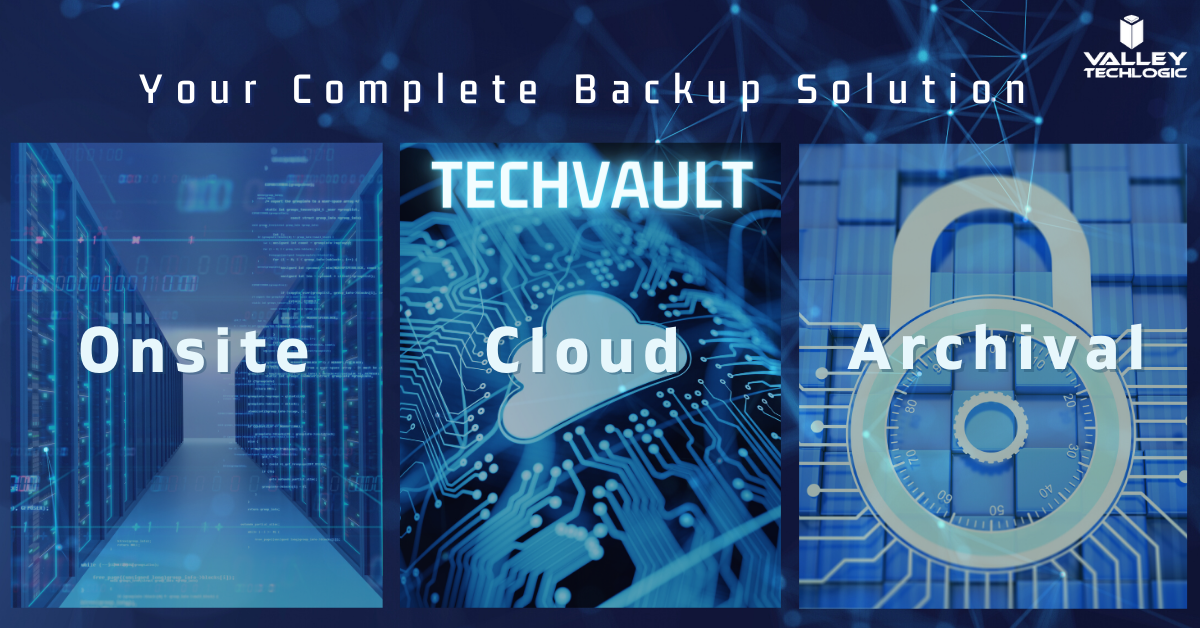
    Also figuring out where to store your data can be a complex topic too. At Valley Techlogic we’re recommending a triad approach to data storage. With onsite, cloud and archival data backups the businesses we support can rest assured their data is absolutely safe and retrievable.

    This all sounds very complex but once the solution is in place, you’ll feel better that you have it. Also, the integrity of your backups should be monitored regularly by your tech team as even a backup can fail. If you need some assistance in choosing the right backup solution to you we would be happy to have a consultation with you.

    Techvault


    Looking for more to read? We suggest these tech articles from the last week.

    This article was powered by Valley TechLogic, an IT provider in Atwater, CA. You can find more information at https://www.valleytechlogic.com/ or on Facebook at https://www.facebook.com/valleytechlogic/ . Follow us on Twitter at https://x.com/valleytechlogic.

    Looking for IT Services in Fresno, Modesto, Stockton, Ceres, Atwater, Merced, Visalia or Lodi? We cover all these areas and more!


  • The future of hard drive storage is coming, what will it mean for the cloud?

    The future of hard drive storage is coming, what will it mean for the cloud?

    By now, most of us have made the jump from mechanical hard drives to solid state drives, and if you haven’t you really should. Faster loading times, less prone to drive failure, and greater bandwidth are just a few of the benefits. Once you switch, you’ll wonder how you ever went so long on mechanical drives.

    But what’s next? There have been fantastical talks of data stored in DNA, which is not so much aimed at consumers (especially not when it currently costs $7,000 to synthesize just 2 MBs of data) but at the Data Capacity Gap. The data capacity gap is a crisis in which the world may run out of data, I know this sounds far fetched but nothing in life is infinite… and this includes our data.

    If you’re wondering how this could be possible just take a look at these worldwide data statistics:

    • In the last two years alone 90% of the world’s data has been created
    • 5 quintillion bytes of data are produced by humans every day
    • 463 exabytes of data will be generated each day by humans as of 2025

    That’s a lot of data, and with all that data comes a need to store it. The main limitation to storing an endless supply of data currently? Chip grade silicon. We don’t want to bore you with the science but there’s an extreme limitation to creating what’s needed to make both data storage and a lot of other components our computers currently use. Including many rare earth elements.

    DNA

    Also just one more tidbit about DNA storage, it’s theorized it could eventually store all the world’s data in one room.

    It’s clear more innovations are needing to keep up with the demands of our online lifestyles, so what is on the horizon for consumers?

    Storage capacity on conventional drives has grown leaps and bounds since the first hard drive was created by IBM in 1956.

    This hard drive, which was shipped with the RAMAC 305 system, was the size of two refrigerators and weighed about a ton. It held 5MB of data, at a cost of $10,000 per megabyte. That makes the $3,500 per MB DNA storage sound like a bargain!

    Now in 2020, 18 and 20TB hard drives are being produced by Seagate, and yes that’s terabyte not gigabyte. While these are aimed at data centers the capacity for storage it’s very clear data storage has increased exponentially since the 1950’s.

    These heat-assisted magnetic recording (HAMR) drives are still mechanical, so as we mentioned at the beginning you would still want to use SSD (Solid State Drives) for your main computing, but it does pose an interesting dilemma in the world of storing your own data.

    At Valley Techlogic, we’re big proponents of the cloud and the safety it presents to our customers. Even with high capacity storage available there are still limitations posed by storing your data yourself, such as the aforementioned drive failure or even your office being subject to a theft or natural disaster.

    However, we don’t believe anything has to be all or nothing. With a competent IT team behind you there are some real benefits to storing your own data, including having immediate access to your data and a faster recovery time for computers in your office.

    In a time when data capacity is still growing and choices are out there, we think the smart choice for most offices is BOTH onsite storage and cloud storage.

    Looking for more to read? We suggest these tech articles from the last week.

    This article was powered by Valley TechLogic, an IT provider in Atwater, CA. You can find more information at https://www.valleytechlogic.com/ or on Facebook at https://www.facebook.com/valleytechlogic/ . Follow us on Twitter at https://x.com/valleytechlogic.

    Looking for IT Services in Fresno, Modesto, Stockton, Ceres, Atwater, Merced, Visalia or Lodi? We cover all these areas and more!