Tag: cyber security tips

  • Threat actors attack on cloud company leads to customers data being wiped completely

    Threat actors attack on cloud company leads to customers data being wiped completely

    Last week a Danish cloud provider called CloudNordic suffered a cyber attack that led to them losing all of their customers data in one fell swoop.

    The hackers who gained access to CloudNordic’s system immediately issued a financial demand that the company was unable and unwilling to meet and led to all of their data being encrypted by the hackers. The company said that no evidence of being hacked was left behind other than the encrypted data.

    This hack also effected their sister company, AzeroCloud, and both companies released identical statements on the ongoing issues they’re facing after this event, you can see the statement below translated to English from Danish.

    In an effort to start over the company has establish a new name and new servers and have offered to restore their clients to servers with the same name as they had previously, though they’ve also included instructions for customers who want to move their domains to new hosts.

    CloudNordic suspects the attack occurred while they were moving data centers, exposing them to already infected systems. As they were mid-migration it allowed the attackers access to their systems and even their own backups.

    CloudNordic states “”The attackers succeeded in encrypting all servers’ disks, as well as on the primary and secondary backup system, whereby all machines crashed and we lost access to all data,”.

    They’ve stated while the data was scrambled during the attack, they don’t believe the attackers copied customers data as is typical with ransomware attacks, so it’s unlikely individual customers will be targeted to be ransomed back their data.

    No known ransomware group has so far taken credit for this attack. The company CloudNordic and their sister company AzeroCloud have both said they plan to try to rebuild from here without access to their previous data.

    At Valley Techlogic, backups are an important puzzle piece when it comes to maintaining the security of your business. For many businesses, a cyber event where all of your data is lost would be difficult to impossible to recover from. Many businesses that suffer attacks like these end up going out of business.

    That’s why we created our triple layer backup plan, TechVault.
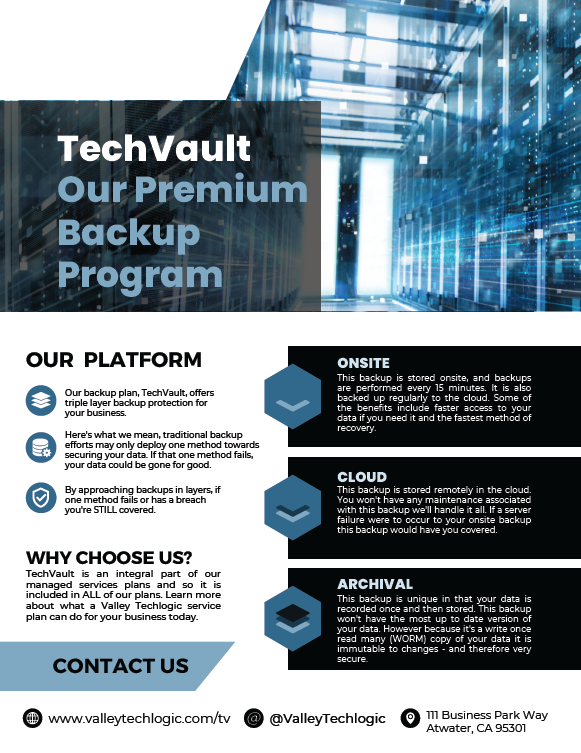
    With TechVault you not only have an onsite copy of your data, there’s also a cloud backup and what we call an archival backup.

    This archival backup is what makes this program we’ve created special, as it’s write once read many. Basically, the data can be copied back to you as many times as needed but once it’s on there, it cannot be deleted.

    This, in addition to the 24/7 monitoring we provide as well as firewall, antivirus and other protections means your data is virtually bullet proof.

    If you would like to learn more about what makes Valley Techlogic a cyber security leader in the Central Valley, schedule a consultation with us today.

    Looking for more to read? We suggest these other articles from our site.

    This article was powered by Valley Techlogic, an IT service provider in Atwater, CA. You can find more information at https://www.valleytechlogic.com/ or on Facebook at https://www.facebook.com/valleytechlogic/ . Follow us on Twitter at https://x.com/valleytechlogic.
  • October is Cybersecurity Awareness Month, now in its 18th year

    October is Cybersecurity Awareness Month, now in its 18th year

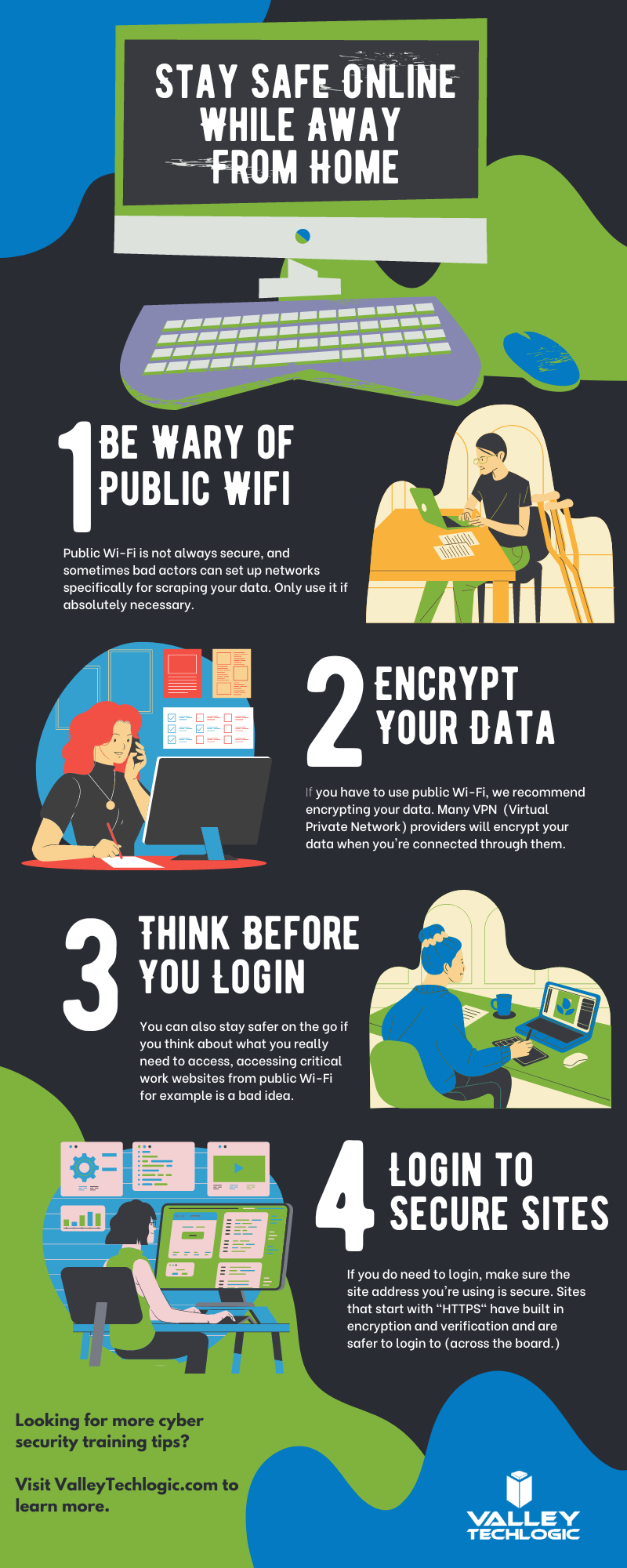
    We’re announcing this a bit late, but we did want to touch on this annual event (now in its 18th year). Every year CISA (Cybersecurity and Infrastructure Security Agency) releases new resources that are free to download and share for Cybersecurity Awareness Month. The theme this year is “See Yourself in Cyber” and we appreciate the effort to help everyone understand that cybersecurity measures are up to all of us to maintain.

    So many cybersecurity measures feel very passive, you’re protected by your anti-virus or firewall automatically. Your IT team helps you navigate any issues that make come up. For businesses, advanced cybersecurity threat protection can detect a threat just from activities that fall outside the norm (like your computer being online at three in the morning) and send you a warning.

    Unfortunately, hackers are always trying to circumvent these automatic measures no matter how advanced they become. The human element is still the biggest cybersecurity threat to your network and business. That’s why acknowledging we all have a role to play in preventing cyber threats is so important.

    CISA recommends four important steps we all need to take online:

    1. Think Before You Click: Before you click on that link in an email or download an attachment, do a little research. Is the sender who you expect it to be? Phishing emails are still the #1-way users are hacked.
    2. Update Your Software: This is good common-sense advice; most patches also include important security updates and it doesn’t take very long to install them (and for Windows devices you can even have them run automatically).
    3. Use Strong Passwords: This is another easy one and if you use one of our password manager recommendations, it’s even easier to create stronger passwords that you don’t have to manually remember.
    4. Enable Multi-Factor Authentication: This is CISA’s fourth tip for this year and lucky for you we have a guide for this too.

    These tips may seem simple, but they will be hugely beneficial to preventing a cyber threat for you, your business or your employees. However, you can take it a step further and engage with cyber security training.

    You may be wondering what that would look like, well you’re in luck. We have a sample training session right here for you to review with your employees:

    This is just a quick sample lesson; through our partner we have bite sized lessons that include video that you and your team can take to beef up your cybersecurity knowledge. They average 2-3 minutes long with a quick quiz at the end to make sure the knowledge was absorbed, and you can even see your employees average scores to see how everyone is doing.

    If you incentivize taking this training it will not only be a team building opportunity, it will also help your business stay safe from cyber security threats. If you’d like to learn more about cybersecurity training or stepping up your cybersecurity measures in your business (including the aforementioned advanced cyber threat detection) reach out today for a consultation.

    Looking for more to read? We suggest these other articles from our site.

    This article was powered by Valley Techlogic, an IT service provider in Atwater, CA. You can find more information at https://www.valleytechlogic.com/ or on Facebook at https://www.facebook.com/valleytechlogic/ . Follow us on Twitter at https://x.com/valleytechlogic.

  • 5 of the Most Important Cybersecurity Training Topics to Cover with Your Employees

    5 of the Most Important Cybersecurity Training Topics to Cover with Your Employees

    We’ve discussed cybersecurity training before and its importance in preventing the number 1 cause of cybersecurity disasters – human error.

    We offer cybersecurity training as a core feature in our tech care plans, but many topics you can (and should) cover yourself with your employees. There couple be rules that specifically apply to your business sector; like HIPAA for healthcare or CMMC for Department of Defense contractors.

    Maybe you’ve experienced a cybersecurity attack before and after the dust settled you came up with a game plan specifically to prevent it from happening again. If it hasn’t happened to you yet, it’s a mistake to assume it never will. In 2021 42% of businesses experienced a cyberattack. It’s a numbers game most won’t win without preventions in place.

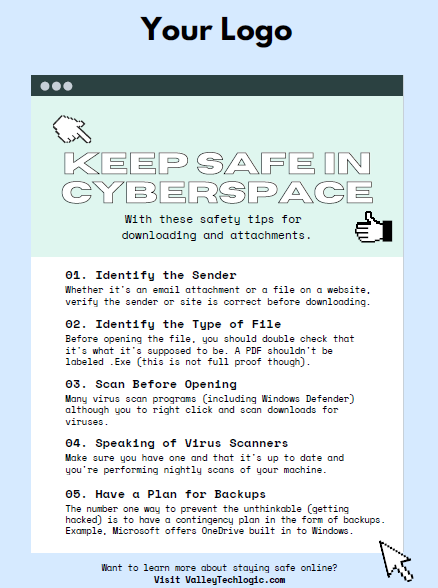
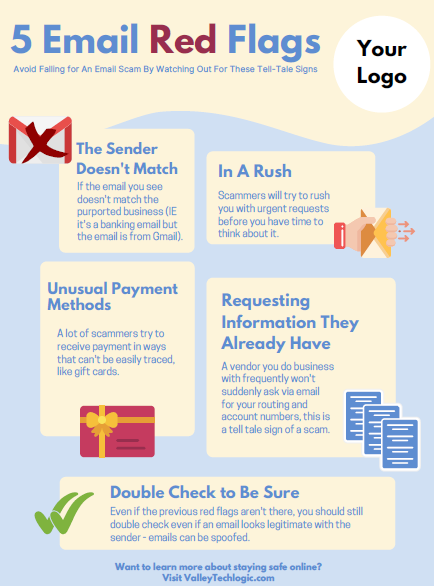
    To start, we want to offer these posters we’ve created on two common cybersecurity threat topics, email and malicious attachments. These posters are free for you to print and brand to use in your office or send as a reminder, and these are two excellent places to start when you’re looking to beef up your office security.

    Click to grab the full size version.
    Click to grab the full size version.

    Here are five more training topics all workplaces should also cover:

    1. Like our posters above, email security and having strict guidelines for attachments and downloads is one key thing to focus on in your cybersecurity training efforts.
    2. It’s also important to provide guidance for internet usage while at work. Many employers try to digitally lock this down, but these efforts are usually met with annoyance and disdain from employees and are often in vain. Instead of arbitrarily trying to block everything with software we suggest having guidance about what’s appropriate for work devices (and what Isn’t). We also suggest noting that even if a website looks legitimate it may not be, so they should be wary of sites that ask you to download something or enter private credentials.
    3. This comes to the next topic which is practicing good safety hygiene with work devices. Three easy steps are: Locking your computer when you walk away, only downloading software from work authorized sites, and keeping your device up to date with patching and software updates. They may need assistance with the third step so it’s a good idea to have your IT provider manage workstations if you’re able to (this is something Valley Techlogic providers for all clients).
    4. The fourth step is protecting company data. If you’re employees have to interact with documents that are confidential in nature you should have rules for the sharing of those documents, as well as a comprehensive plan for backing them up safety.
    5. Finally, you should provide guidance on passwords and multi-factor authentication. Having a rule in your workplace that for work accounts they must have multi-factor enabled (or have your IT team enable it across the board) will drastically improve your office’s online safety. We have guidance for this topic here.

    It can feel overwhelming to have all of these topics to cover with your employees, but we cannot overstate how important it is to cover these topics with your employees, even if you think they’re things they should already “know”.

    At Valley Techlogic we have partnered with a platform that not only provides cybersecurity training resources, but it also allows you the ability to create your own training modules. You can even cover topics that fall outside the cybersecurity spectrum. We can also work with your business to assist you in the creation of these training modules, if you would like to learn more schedule a consultation with our sales manager Annette today!

    Looking for more to read? We suggest these other articles from our site.

    This article was powered by Valley Techlogic, an IT service provider in Atwater, CA. You can find more information at https://www.valleytechlogic.com/ or on Facebook at https://www.facebook.com/valleytechlogic/ . Follow us on Twitter at https://x.com/valleytechlogic.
  • October is National CyberSecurity Awareness Month, Our Checklist Will Get You Started

    October is National CyberSecurity Awareness Month, Our Checklist Will Get You Started

    Every October the CyberSecurity & Infrastructure Security Agency (CISA) releases a list of resources and tips for National CyberSecurity Awareness Month – which is now in its 18th year.

    This year’s theme is “Do Your Part. #BeCyberSmart”. There has been an onslaught of news worthy ransomware attacks, DDoS attacks and data breaches (up 38% this year compared to last) in 2021 and there has never been a better time to address what the average person or business can do so they don’t end up as part of these statistics.

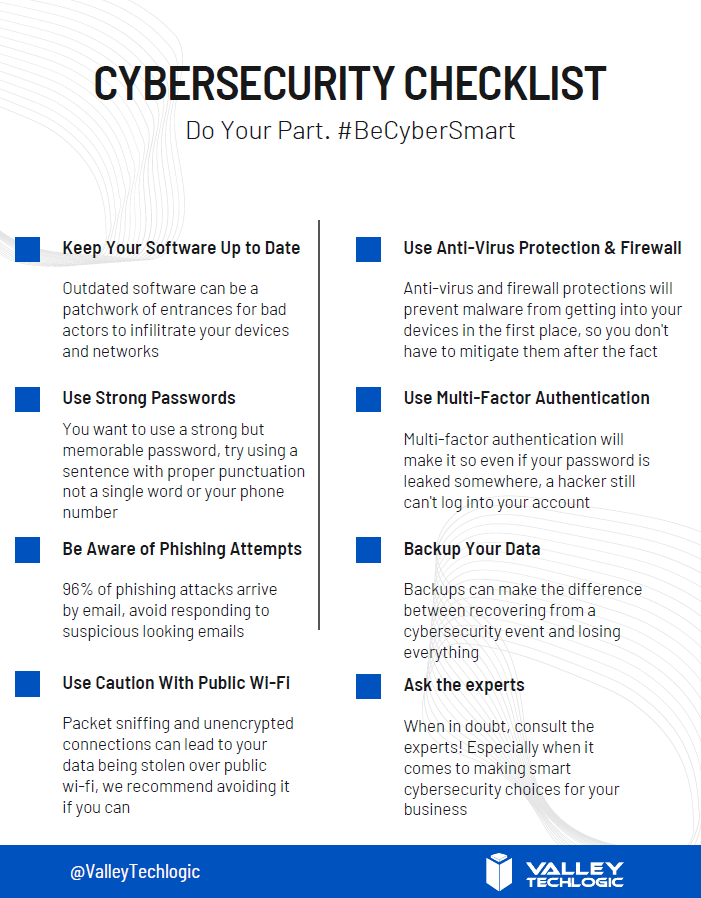
    We’ve created this checklist so you can see if you’re following the right path to keep your business safe from outside intruders.

    Click to download the online capable version.

    Cybersecurity requires ongoing maintenance to succeed. Following simple safety steps will help but it’s important not to disregard active threats to your business from the outside.

    Ongoing employee training is one way to combat those threats, cybersecurity training has evolved to include bite size doses of good advice for your employees that could make the difference between inadvertently falling for a phishing scam or attack attempt and reporting it to your IT team as they should. 95% of data breaches involve human error.

    It can also be important to have a team behind you making sure all of your company devices are maintained and updated, even if that outdated Windows 7 computer that sits in a corner is barely used it can still be a threat to your business. Older devices with outdated software can act as a gateway to allow bad actors into your business.

    More advanced maintenance such as enabling two-factor or multi-factor authentication on company accounts can be another important step to keeping threats out. If someone gets your password from another company’s data breach (which happens all the time) that phone pop up could prevent you from being hacked.

    Finally, having a comprehensive backup program for your businesses data is the final shield against cyber threats. We’re unique in that we offer not only active backups but archival backups as well. The archival backup is “Write once, Read many” which means you can look at the data as often as you like but it can’t be edited or deleted.

    A bad actor may find your unbacked up data, and they may gain access to your active backups, but that archival data is virtually bullet proof. For your important files, the ones that must not be deleted at any cost, having that backup there and ready if you need it is the peace of mind most of us would not want to be without (learn more about our backup program here).

    If this article has gotten you thinking about what you can do to improve your cybersecurity processes or even that you need to create a plan to get there, we’d love to help. Schedule a discovery call with us to learn more about how Valley Techlogic can help you be #CyberSmart.

    Looking for more to read? We suggest these other articles from our site.

    This article was powered by Valley TechLogic, adns, n IT service provider in Atwater, CA. You can find more information at https://www.valleytechlogic.com/ or on Facebook at https://www.facebook.com/valleytechlogic/ . Follow us on Twitter at https://x.com/valleytechlogic.