Tag: vpn

  • Traveling for the holidays? Take 8 tech tips from our experts with you

    Traveling for the holidays? Take 8 tech tips from our experts with you

    If you’re traveling the holidays this year, we have eight tech tips to help you stay safe while using your devices on the go.

    We’ve offered holiday themed tech advice before (here are a couple of our past articles on the top 10 Holiday Shopping Tips for Safer Online Shopping & 5 Holiday Tips for Your E-Commerce Business and 5 for Everyone Else). The holidays usually mean more time off which can lead to more time spent browsing the web or being able to work on things in your business you usually don’t have time for.

    It’s also a good idea to keep in mind that bad actors don’t typically take the holidays off, in fact ransomware attacks usually increase by 30% on the holidays. That’s because many people are keeping an eye out for sale emails or emails from relatives this time of year – giving more opportunities for scammers and bad actors to take advantage of folks just looking for a good deal or a message from their loved ones.

    Traveling especially can leave you more vulnerable, if you’re quickly scanning messages in-between flight connections, logging into public WiFi or any number of things that are a normal part of being on the go you can miss some obvious red flags.

    That’s why we’re going to divide up our advice into 4 tips that are related to being safer online while traveling, and 4 tips for improving your technology experience while traveling.

    First our safety themed tips:

    1. As we mentioned, be careful on public WiFi. Nowadays, even if you need to use your laptop the better option might be to use your phone as a hotspot. If you do need to connect to public Wi-Fi, consider doing it through a VPN. We can personally recommend Mullvad which is not subscription based, one payment will get you online through a secure connection without having to remember to cancel it later.
    2. Be careful about what you’re posting on social media. Posting travel photos for your friends and family to see can be really fun, but you should be wary about who else might be watching. It’s a good idea to make your social media profiles private but if you maintain a public presence, you can also think about posting those photos after your trip has concluded instead.
    3. Public charging stations can also pose a risk. Unfortunately, these stations can be tampered with and become an attack vector to everyone who uses them. Battery banks are pretty inexpensive these days and even more convenient when you’re on the go.
    4. Don’t leave your items unattended. Just as airport personnel will ask if your suitcases have been in your possession the whole time, it’s a good idea to keep track of your belongings from a tech standpoint as well. Someone with bad intent might not be after your device when your data is much more valuable.

    Now for our convenience themed tips:

    1. Keep track of your belongings on the go with an Apple Airtag, Tile Pro or other bluetooth based trackers. A misplaced bag can ruin your vacation, having one of these trackers inside it will prevent that from happening.
    2. Turn any audio jack into a Bluetooth wireless transmitter. Whether you rent a car without a Bluetooth adapter or you want to use your Bluetooth headphones on the plane, a wireless Bluetooth transmitter is a gamechanger. Best of all many options are on sale at the moment for Black Friday, we’ve personally used the Anker Soundsync. It’s small so it won’t take up much room in your bag and as 12 hours of run time per charge.
    3. We mentioned using your phone as a mobile hotspot up above, but if your data plan is not the best you can also purchase a standalone mobile hotspot (with a data package included). This can also be a gamechanger if your network Isn’t going to be stellar where you’re going, you can purchase a mobile data plan for a network that has coverage instead. T-Mobile, AT&T and more all have options for this.
    4. Having to work on the go but don’t want to drag your whole setup with you? Consider a portable monitor. If you’ve gone to two (or more) monitors at work you know there’s no going back, but sometimes travel includes doing some work out on the road and bringing your at home setup is not going to be an option. Portable monitors often come with a travel ready case and can be connected to your laptop via USB-C (both for power and display), bringing you the convenience or two displays without the headache of trying to travel with a full-size monitor.

    Technical advice like this is one of the advantages of being a Valley Techlogic customer, and for a limited time if you meet with us about our services, we will give you $100 cash just to hear us out.

    What do you have to lose? Schedule a consultation today.

    Looking for more to read? We suggest these other articles from our site.

    This article was powered by Valley Techlogic, an IT service provider in Atwater, CA. You can find more information at https://www.valleytechlogic.com/ or on Facebook at https://www.facebook.com/valleytechlogic/ . Follow us on Twitter at https://x.com/valleytechlogic.

  • Our top 10 safety tips for mobile devices

    Our top 10 safety tips for mobile devices

    There’s a popular misconception that mobile devices are somehow more resistant to hacking and cyberthreats than PCs (personal computers) or other standalone devices, this Isn’t exactly true.

    In today’s age, anything connected to the internet can be tampered with or hacked. The age of the “Internet of Things” (IoT) is here and there have even been cases of web connected devices like appliances being hacked and used to gain access to data within your household or office.

    Your cell phone or tablet are really just smaller computers. Whether you have an Android phone or tablet or stick to Apple products, you still need to take precautions when visiting websites or opening emails and attachments as you do with your laptop or desktop. Plus, because these devices are much more portable you even should take extra precautions when taking it out in public.

    Here are our top 10 safety tips for mobile devices:

    1. Always lock your phone when you’re not using it. Setting up a pin, facial recognition or fingerprint recognition will also add another layer of security.
    2. Keep your software up to date. Just like with computer updates, phone OS updates often include important security patches to keep your device safe.
    3. Only download applications from secure sources. Questionable applications can lead to your phone being compromised, and even with applications from a known good source (like the Google Play Store or the Apple Store) only give them as many permissions as they need to function and no more.
    4. Install an Antivirus on your phone. Many may not know antivirus software Isn’t limited to computers, but there are antivirus solutions for computers that will include a phone version bundled together.
    5. Be careful with public Wi-Fi. Open public networks are open to everyone – including hackers who are able to see everyone who’s connected. Only use them if absolutely necessary.
    6. Same goes for public phone charging. Hackers can tamper with or even setup fake cellphone charging stations in a scheme known at “juice jacking”, when you plug your phone in it installs malware on your device. If you need extra battery power, consider carrying a power bank with you.
    7. Just like with your PC, vary your passwords. It can be more difficult to create good passwords on your phone, luckily the same applications like LastPass (our recommended password manager) you use on your PC for password management also have mobile versions.
    8. On the upside 2FA is even easier on a phone than a PC. Many 2FA applications like Google Authenticator are cellphone based, making 2FA even easier to use on your phone.
    9. Be careful what data you save to your phone. Many of us save our payment information to our phones for easier checkout but if your phone is compromised (or stolen) than all that information is now in the hands of a bad actor. It’s might be worth reconsidering saving that information, especially details for something like your bank account or anything that can’t be easily changed.
    10. If you are going to take some risks (like using public Wi-Fi) consider a VPN. Virtual Private Networks (VPN) can encrypt your data, making it a little safer to use public Wi-FI.

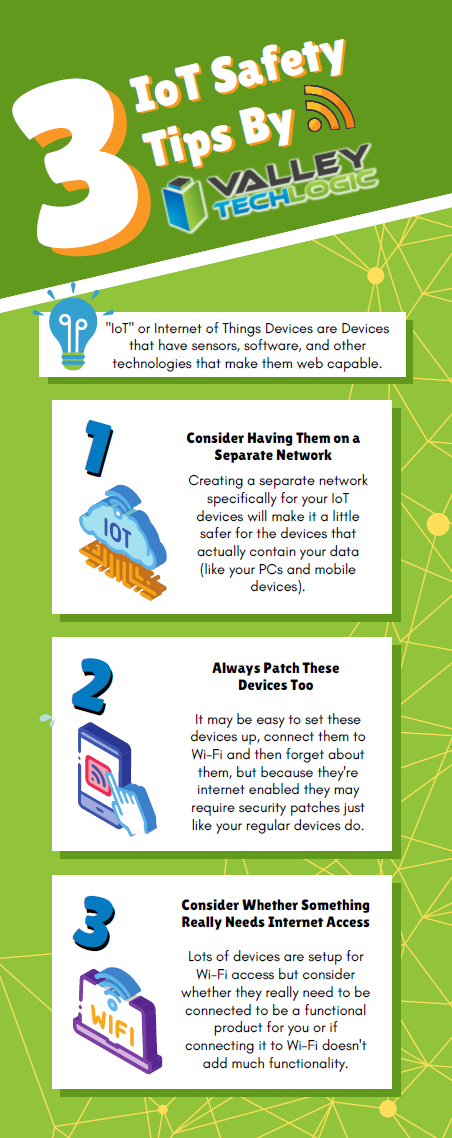
    We also have some safety tips for your IoTs devices in this chart:

    Click to view the full size version.

    If you have mobile devices connected to your business’s office network, it’s worth evaluating whether there is any risk involved for your business. There are network security solutions that will apply the same rules for mobile devices as it does for PCs, meaning even if a compromised cellphone connects you will still have protection from the rest of your network being infected. If you’d like to learn more schedule a consultation with us today.

    Looking for more to read? We suggest these other articles from our site.

    This article was powered by Valley Techlogic, an IT service provider in Atwater, CA. You can find more information at https://www.valleytechlogic.com/ or on Facebook at https://www.facebook.com/valleytechlogic/ . Follow us on Twitter at https://x.com/valleytechlogic.

  • When the business is you, how data brokers create and sell detailed information based on your browsing history

    When the business is you, how data brokers create and sell detailed information based on your browsing history

    This week, John Oliver of “Last Week Tonight with John Oliver” aired an eye-opening segment on the world of data brokers and how easy it is to create a very detailed profile about an individual simply from their online browsing history. We suggest watching that segment (which can be found on YouTube) but we also wanted to touch base on this topic ourselves and explain what happens, why this happens, and what you can do to browse safely (and privately) online.

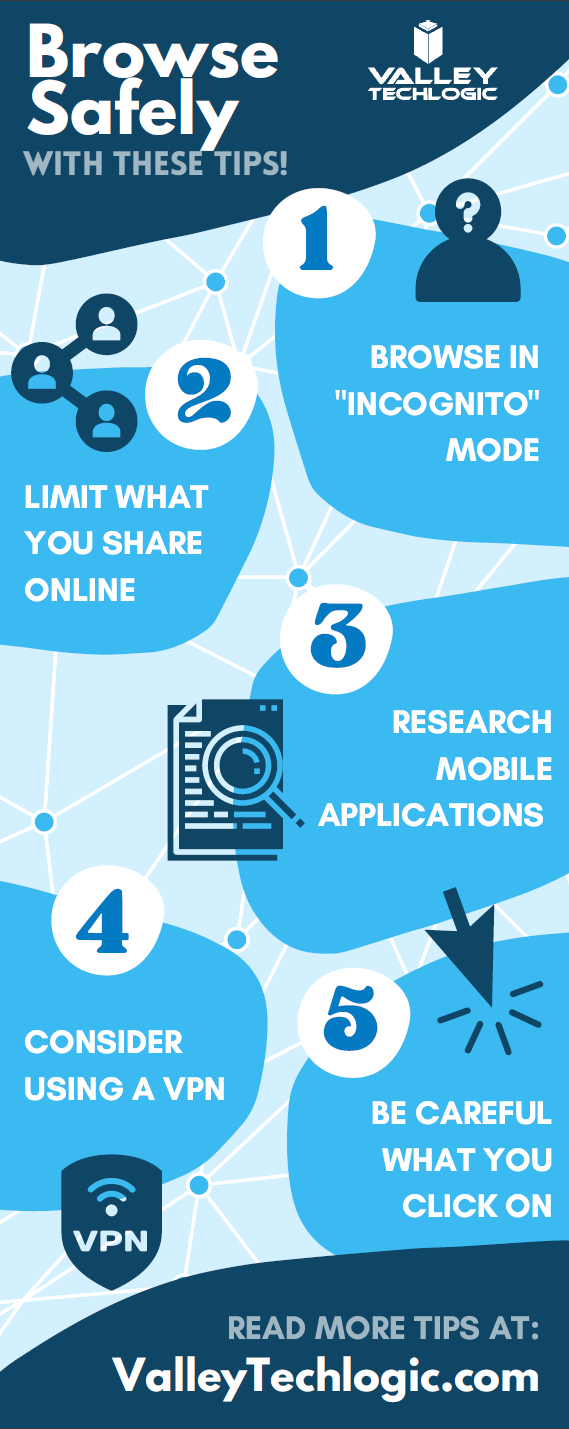
    There are really five clear ways data brokers capture your information online. The first is browser cookies. A cookie is a piece of information that a website stores on your device that it can than retrieve at a later time. Most websites you visit now ask you to give them permission to store cookies and most of us do so without thinking about it because the process of declining can be complicated (or perhaps you won’t be allowed on the site without doing so).

    Data brokers both buy these cookies and also place cookies on your devices themselves, which allows them to offer you highly targeted advertising. We have two solutions to this once, Chrome and Firefox both have “Do Not Track” options which will not allow the cookies to track you from site to site. There’s also a browser extension called Ghostery which gives you the option of blocking trackers.

    The second way data brokers are able to obtain information about you is through mobile applications. Many mobile applications that are “free” are not really free, you’re paying for them through the wealth of information that’s gained about you, such as your GPS data or even your private pictures and videos on your device (as many of these applications ask for “permission” for every service on your phone).

    The solution to this one is to always research the applications you download on your phone, and never give them more permissions than they need. That “white noise” application you downloaded does not need permission to your location data for instance.

    The third way may seem obvious if you stop to think about it, social media. Data brokers will scrape social media sites for information about you to “complete” their profiles on you. The easiest way to combat this is to think twice about what you’re sharing online, information such as your birthdate or where you work not only put you at risk for receiving very targeted spam – it’s also a cyber security hazard.

    The fourth way is just public records. Court documents, census data, property records, vehicle registration records, marriage and divorce records are all public and all available to data brokers at their leisure. The best way to combat this one is to address the other ones we’ve mentioned so they cannot use this information combined with the above to create a highly detailed information package on you (a singular piece of data is less useful than a full picture). You can also sign up for alerts from Google so if your name is mentioned on the web you’ll be notified.

    The fifth way may surprise you, but it’s your credit card company. Data brokers are able to buy your “anonymized” credit card data directly from your credit card company. They can then combine this data with receipts they may have accessed in other ways and your social media posts “Look at what I just bought!” and voila, data brokers now know how you’re spending your money (and what they should try to sell you next).

    There Isn’t a good way to combat the last one and it illustrates the point the best, we need more restrictions on how our data is used and who is allowed to collect it. Some states are leading the way with this, such as the California Consumer Privacy Act (CCPA) which gives consumers more control over their online data (and the ability to remove it).

    We’ve created this chart to give you five things you can do RIGHT NOW to protect your privacy online.

    Small Version of The Privacy Tips Chart
    Click to grab the full size version.

    While there are steps we can take to protect ourselves, more needs to be done to protect our privacy as we browse online. Privacy is also a concern for business owners and the businesses they run, if you would like to learn more about how Valley Techlogic can help schedule a consultation today.

    Looking for more to read? We suggest these other articles from our site.

    This article was powered by Valley TechLogic, an IT service provider in Atwater, CA. You can find more information at https://www.valleytechlogic.com/ or on Facebook at https://www.facebook.com/valleytechlogic/ . Follow us on Twitter at https://x.com/valleytechlogic.
  • Are Home Routers Safe?

    Are Home Routers Safe?

    We’re talked about router safety before, but are routers marketed to home users safe in general?

    Germany’s Fraunhofer Institute for Communication (FKIE) recently conducted a study on 127 routers from 7 different brands and the results were shocking.

    They found that 46 hadn’t had an update in over a year, and that many routers are affected by hundreds of known vulnerabilities.

    Many routers are powered by Linux, which releases security patches and updates throughout the year, but vendors are just not applying them. What’s worse is many routers are being shipped with known vulnerabilities and firmware updates that do not address them.

    With so many working from home using an unsafe router is one more risk that you shouldn’t have to take, especially with a brand-new router. As we mentioned in our last article on the topic, similarly to other technical products routers do reach an end of life period. However, this is typically not for at least 3 years.

    So which router brands performed the best in the study? They found that ASUS and Netgear routers performed better than other brands in the home market. There is also the option of going for a pro router which may have more features and better access to updates.

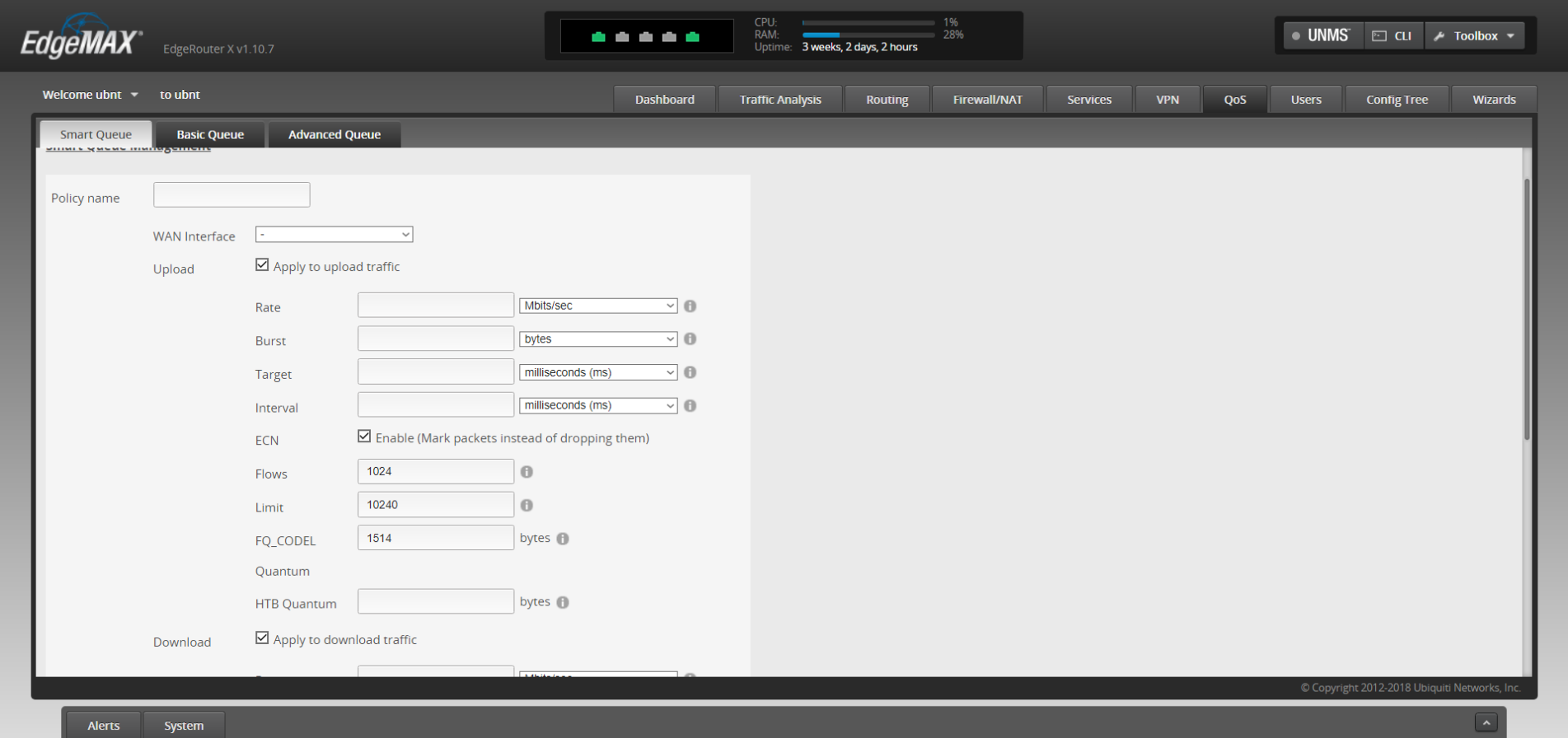
    Ubiquiti routers are one option in the pro market that we recommend. You’ll have the ability to customize quality of service rules which lets you prioritize certain kinds of traffic, like streaming video over HTTP downloads. Or it’s possible to have a guest networks so you can have a segregated LAN for guests, children or even your security cameras.

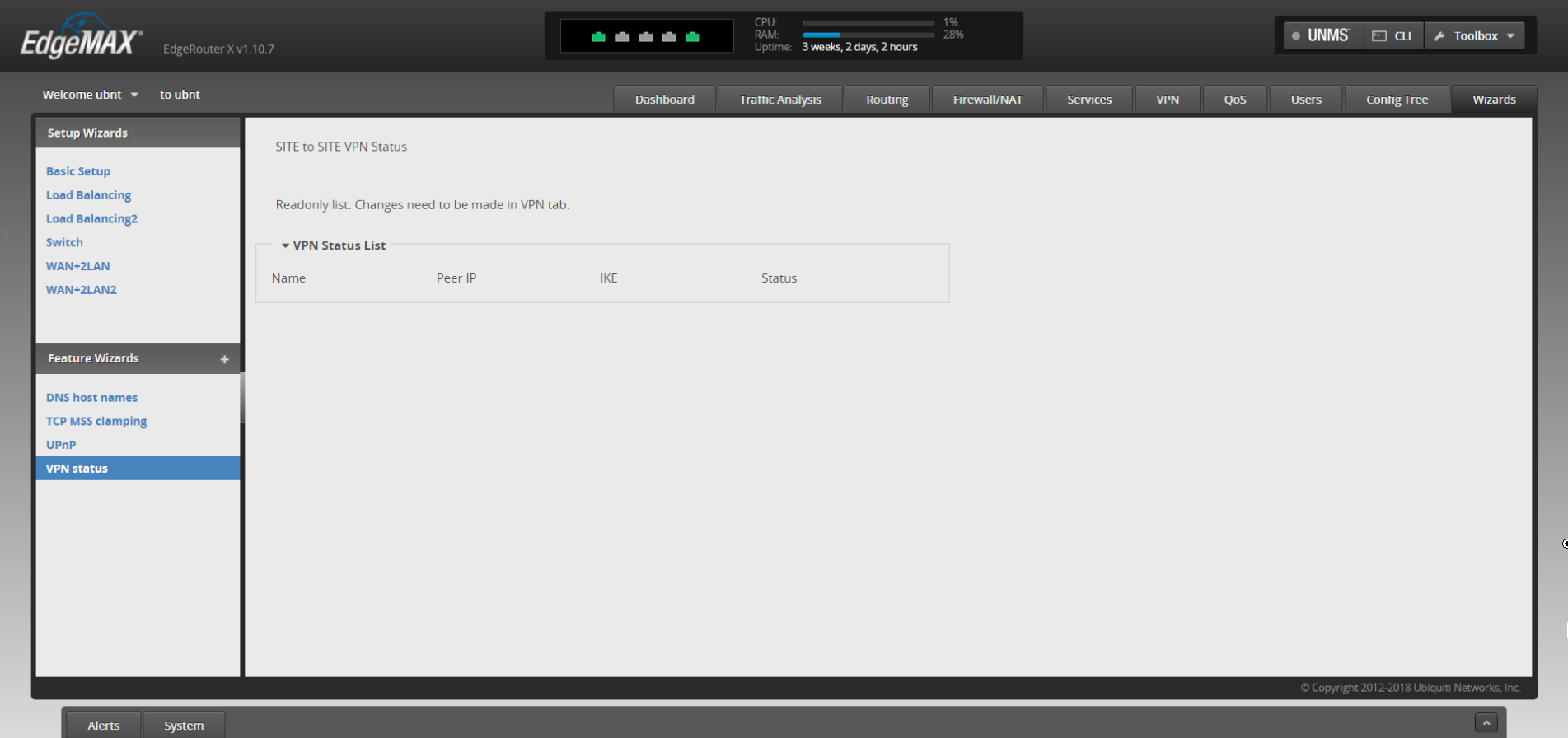
    It’s also possible to have site to site VPN, so you can access your office computer securely from home without using a third-party VPN or remote desktop service, it’s just router to router.

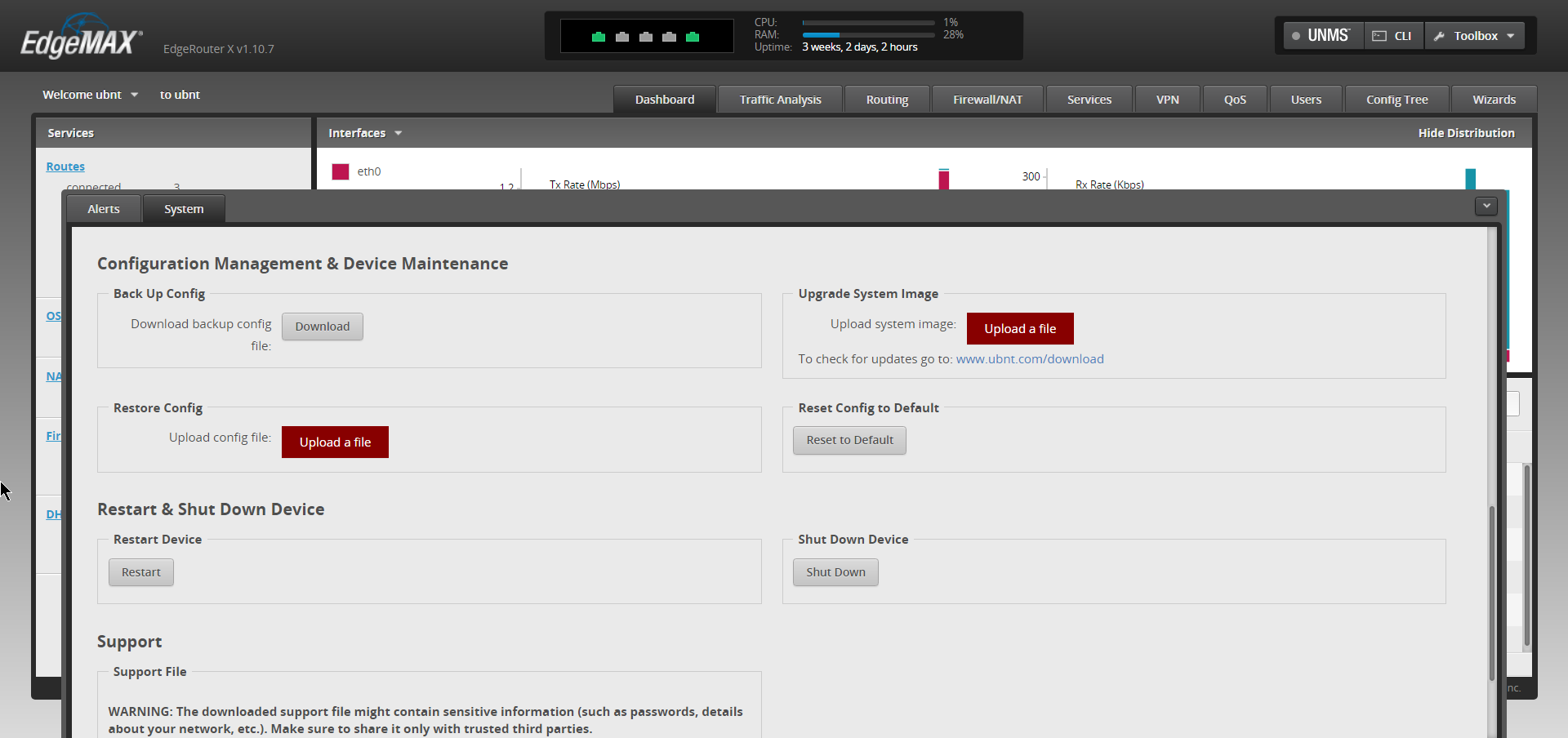
    There may be a sharp learning curve however when trying to implement these things yourself but updating the firmware shouldn’t be a different experience from what you’re used to from home routers.

    In general router brands need to do a much better job of securing their routers against vulnerabilities, both known and unknown – but there’s especially no excuse to leave known vulnerabilities unchecked.

    If you need assistance or have questions about routers or other technical topics, feel free to reach out! Our knowledgeable techs would be more than happy to answer your questions.

    Looking for more to read? We suggest these tech articles from the last week.

    This article was powered by Valley TechLogic, an IT provider in Atwater, CA. You can find more information at https://www.valleytechlogic.com/ or on Facebook at https://www.facebook.com/valleytechlogic/ . Follow us on Twitter at https://x.com/valleytechlogic.
    Looking for IT Services in Fresno, Modesto, Stockton, Ceres, Atwater, Merced, Visalia or Lodi? We cover all these areas and more!