Author: rory-admin

  • With Windows 11 out now, how many people are still using Windows 7?

    With Windows 11 out now, how many people are still using Windows 7?

    Windows 11 arrived this year to a somewhat muted response that mostly can be attributed to a tempered rollout – many machines that would have been eligible for a Windows software upgrade in the past were deemed not eligible for the enhanced requirements found in Windows 11. The end-of-life date for Windows 10 is still a way off (October 14, 2025) but a surprising number of people are still using Windows 7 which had it’s end of life event over two years ago now, on January 14th, 2020.

    Microsoft 7 EOL Tombstone

    However, according to GlobalStats Windows 7 still has an almost 12% operating market share. While many of those are probably unused machines that still equates to a large percentage of Windows 7 users over 2 years past it’s end of life date.

    When an operating system is discontinued by Microsoft that means they stop providing support and updates for it, including security updates that protect users from ongoing threats. Even the FBI has strongly warned against continuing to use Windows 7 as it can make you an easy target for cybercrime.

    It can be challenging to move away from a system you know well and at this point upgrading probably means also purchasing new hardware, which during the microchip shortages exacerbated by the pandemic could be no small task (or expense). However, there are deals to be had on hardware now in 2022.

    It can be also difficult to find software that’s supported on an older operating system as updates are made to make them compatible with the latest generation of operating systems.

    We know that for some of our clients it’s actually the reverse, they’re utilizing a line of business software that no longer is being maintained or updated by the provider, but it still functions for their business. The caveat being they must use it on an older machine that hasn’t been updated.

    There are several inherent risks to this, including the first one being that that machine is an obvious choice as a threat vector for would be bad actors. The tenuous relationship between that software and the hardware that deploys it is also ripe for failure the longer you wait to replace it. Securing older hardware to be able to continue to use a discontinued line of business software will also be a significant challenge as time goes on.

    We’ve touched on comfort and convenience between prime motivation to continue using an unsupported operating system, but there’s also the technology challenge of deploying new hardware and software within your business. A major rollout is best left to the experts who can smoothly retrieve the data from your devices and help you make the transition to newer hardware.

    At Valley Techlogic, we can even help you with procuring that hardware and making the best software choices for your business. This includes servers as well. Here is a list of the next 5 Windows end-of-life dates that you should be keeping an eye out for.

    Microsoft EOL Dates That Are Coming Up

    If for some reason you just can’t part with an outdated operating system at this time, here are three tips that will make it slightly safer until you are able to replace those devices:

    1. Make using an anti-virus and firewall a priority. This won’t offer you complete protection as many threats will seek to undermine the unsecured status of the device, but it’s better than being completely unsecured.
    2. Login to important accounts from another device if possible. We would not suggest logging into sites such as your banking website from a device this far out of date from updates.
    3. Utilize network-based mitigation strategies. This is again not foolproof strategy but separating your Windows 7 or other end-of-life devices from the rest of network will offer a slight buffer in the event the device(s) are compromised.

    Need assistance migrating away from devices that have reached their end-of-life date? Valley Techlogic can help, we’re a certified Microsoft partner and experts in all things Windows. Reach out to us today for a quick consultation to learn more.

    Looking for more to read? We suggest these other articles from our site.

    This article was powered by Valley Techlogic, an IT service provider in Atwater, CA. You can find more information at https://www.valleytechlogic.com/ or on Facebook at https://www.facebook.com/valleytechlogic/ . Follow us on Twitter at https://x.com/valleytechlogic.

  • Our UPDATED Guide to MFA (Multi-Factor Authentication)

    Our UPDATED Guide to MFA (Multi-Factor Authentication)

    Last year we had an article on our top picks for 2-factor authentication and we’ve touched on what makes a good password before. We thought it would be a good idea to refresh our advice on this topic and combine our tips into one easy to revisit guide.

    One thing that we surprising haven’t recommended often before but would like to now is implementing Microsoft 365 2-factor authentication on your account. We utilize Microsoft products heavily in our business and we find many of our clients are the same, Microsoft software solutions are deeply woven into their day-to-day business activities. You can find our quick guide to implementing it in last week’s article here.

    We’ve also touched on how implementing 2-factor on your Google account could decrease your odds of your account being hacked by half. In many cases it really is as easy as implementing the built in 2-factor settings in the accounts you utilize and you may not even need to install a 2-factor authentication software, you can simply have the codes texted to your mobile device.

    Since this is a guide though we still want to give you a recommendation on that though, for us we’ve utilized Microsoft’s authenticator program for the most part. We also found that Google’s Authenticator and Authy’s Authenticator mobile apps are very easy to use as well.

    It can be a little more convenient to have the 2-factor codes in one place, so you don’t have to request a code be texted every time you login (especially if you have a lot of different login’s you use throughout your workday).

    You may be asking yourself at this point, what’s wrong with just my plain old password? You may have typing it in down to muscle memory and you don’t have to retrieve a code from anywhere. Well, this chart on how long it can take a crack a password based on specific criteria will tell you why:

    How long would it take to break your password?

    Of course, the more complex your password is the greater the difficulty in cracking it, that brings us to our next bit of advice – utilize a password manager and have stronger (and varied) passwords.

    Across the board for Valley Techlogic our employees are using LastPass, we like that it’s cross device and cross platform and enjoy the warnings and alerts it gives us if a password has been possibly compromised or if we’re trying to reuse a password we’ve used before.

    However, any reputable password manager is going to be a big improvement over reusing simple passwords or trying to remember complicated ones.

    Even with a password manager, your passwords being compromised online is the main reason you should consider enabling 2-factor or multi-factor on your accounts. You can have strong varied passwords and your passwords may be leaked due a breach that’s outside your control. Webpages are hacked all the time, and if your banking password is part of a data breach it can then become available to bad actors on the dark web.

    With 2-factor enabled however, it won’t matter if they have your password as they would still need your authenticator program or your mobile device to login to the account. We think it’s worth the (very slight) inconvenience of a few seconds to have that level of security.

    If you’re security conscious and want to go even further, you can also use a security token to lock your device (highly recommended for sensitive work devices). That means the device is useless without the security token to be able to unlock it.

    Enabling multi-factor authentication across your business uniformly can be an uphill battle, but it is one we have experience with here at Valley Techlogic. As security regulations increase, this simple change will make a huge difference in your cybersecurity compliance level. Learn more today with a quick consultation.

    Looking for more to read? We suggest these other articles from our site.

    This article was powered by Valley TechLogic, an IT service provider in Atwater, CA. You can find more information at https://www.valleytechlogic.com/ or on Facebook at https://www.facebook.com/valleytechlogic/ . Follow us on Twitter at https://x.com/valleytechlogic.

  • Summer is Here and with it Comes Vacations – Our Top 10 Travel Tech Tips

    Summer is Here and with it Comes Vacations – Our Top 10 Travel Tech Tips

    As we approach Fourth of July weekend, reduced COVID era restrictions have made travel feasible (and desirable) for many across the US for the first time since spring 2020. We all might be a little rusty when it comes to internet safety on the go or maybe you’re looking for tech tips that will make traveling easier? Well, we have you covered.

    Traveling and using your devices away from your home or office network carries some risks. Here are 5 things you should do before you travel to protect your devices.

    1. While traveling sometimes you can’t avoid using a public network, but one good way to protect your device is to make sure it’s been fully updated. That way it will be slightly safer when using less secure networks (although it’s still a good idea to avoid it if you can).
    2. Another good bit of advice is to make sure you have strong passwords, and to have a password manager setup and ready to go on the device you’ll be traveling with.
    3. One tool for traveling and using risky public networks is to enable a VPN, a VPN will help shield your data.
    4. You should also avoid logging into websites that contain important data, like your email or banking website on a public network.
    5. Finally, another good tip if you haven’t done so already is to set up “Find My Phone” on your mobile device. This will allow you to remotely wipe your mobile phone if you were to lose it while traveling (or possibly even find it if it’s still nearby).

    If you’re already on the road or away from home, we also have these 5 tips for making your travel easier with technology:

    1. Power banks are a must have while on the go, having a fully charged power bank on you will make sure you can charge your phone if the battery is low while you’re out and about.
    2. RFID blocking bags can help protect your personal information from intrusive scanning, especially for things like your credit card.
    3. Save pictures you take with your mobile phone automatically to the cloud with a service like Google Photos or Amazon Photos (the pricing for these products is very reasonable as well).
    4. A tip specifically for iPhone users, you can update friends and family on your airline travels just by texting them the airline and flight information. Texting “American Airlines 425” will allow them to tap and automatically see a flight tracker with the flight information. Handy!
    5. Looking for more legroom in your return flight home? Search SeatGuru to find the best seat on a particular flight.

    Company travel is a different can of worms, especially when it comes to securing your office devices while on the road. At a minimum, we recommend enabling 2-factor or multi-factor authentication for company devices – especially those that are used on the go. For Microsoft 365 users, it’s easy to setup multi-factor authentication. Here are the steps:

    Enabling MFA on Microsoft 365

    If your office needs help setting up multi-factor authentication for remote and traveling employees, Valley Techlogic would be happy to assist. Tell us more in a quick consultation.

    Looking for more to read? We suggest these other articles from our site.

    This article was powered by Valley TechLogic, an IT service provider in Atwater, CA. You can find more information at https://www.valleytechlogic.com/ or on Facebook at https://www.facebook.com/valleytechlogic/ . Follow us on Twitter at https://x.com/valleytechlogic.
  • How a phishing scam swindled this Shark Tank host out of $400,000

    How a phishing scam swindled this Shark Tank host out of $400,000

    We’ve focused a lot of articles on phishing scams and how no one is immune, even major money moguls like Barbara Corcoran from ABC’s Shark Tank with a net worth estimated at over $100 million fell victim to a phishing scam that wound up costing her $400,000.

    Business owners are a particularly lucrative target for bad actors, and phishing emails continue to grow more sophisticated. In this instance Barbara reports receiving an email that looked like it came from her secretary going to her accountant authorizing the amount to go to a real estate deal.

    Barbara like many business owners has deals going on all the time so the amount and type of authorization wasn’t unusual, allowing it to fly under everyone’s noses and make the scammers involved $400,000 richer. It wasn’t until her accountant sent an email to her real secretary confirming the transaction one last time that the scam was uncovered – and by then it was too late the transfer had already been sent.

    This case proves that even with strong checks and balances in place, phishing scams can happen to almost anyone. While Barbara was able to absorb the hit without it hurting her business – many out there could not.

    While the amount of money lost in this instance is quite substantial, millions of dollars are lost every day to cyber crime. It’s estimated that $1,797,945 is lost per minute according to Risk IQ’s Evil Internet Minute Report.

    Even if you think your business is too small to be a target you would be wrong, scammers cast wide nets looking for victims to fall in. Here are 4 things you can have in place that could prevent this kind of scam from happening to you.

    Email Best Practices

    Even with these checks in place it can still be tricky to avoid, especially if your business has become a particular target for a scammer. Another famous example is how Facebook and Google were tricked out of $100 million due to an extended attack phishing attack organized by a scammer located in Lithuania. A little less than half of the money lost was recovered.

    Another famous attack in 2014 saw the early release of four movies produced by Sony Pictures when North Korean hackers, upset about a movie that was being released at the time, sent targeted phishing emails that appeared as if they were coming from Apple to a top Sony executive. The damage that incurred from this attack was estimated to be over $80 million.

    With both of these attacks it’s not just about the money lost either, these attacks are easily searchable to this day and had an untold effect on their reputation at the time. Massive companies like Google, Facebook and Sony can weather the storm, but could your business do the same?

    Education is just one piece of the puzzle, active protection is another crucial element to avoiding the lengthy damage that can arise from a successful phishing campaign. At Valley Techlogic cyber security is a core focus for all of our plans. Learn more today with a quick and easy consultation.

    Looking for more to read? We suggest these other articles from our site.

    This article was powered by Valley TechLogic, an IT service provider in Atwater, CA. You can find more information at https://www.valleytechlogic.com/ or on Facebook at https://www.facebook.com/valleytechlogic/ . Follow us on Twitter at https://x.com/valleytechlogic.

  • Windows 365 and the Pros and Cons of Virtualization in Cloud Computing

    Windows 365 and the Pros and Cons of Virtualization in Cloud Computing

    One of the big announcements that coincided with the news around Windows 11 was the arrival of Windows 365, Microsoft’s new cloud PC product.

    Windows 365 is an easy to use, cross device cloud computing solution. You log into a Windows 10 virtual PC (Windows 11 should be available soon) and it’s already pre-loaded with the Microsoft 365 suite of tools and ready to go.

    The best part is it’s not restricted to whatever device you’re logging into, the Windows 365 instance you log into from work is the same one you can log into from your home device.

    You can even access increased computing power. You can configure a Windows 365 instance that has more processing power than the device you’re logging in from. It also includes one of the main benefits of cloud computing, the ability to easily roll back to a previous instance. Accidentally deleted a file you’ve been working on all day?  Roll back to an earlier instance to easily recover it.

    It’s also beneficial to the security of your business, if you have employees that work from home it can be difficult to manage devices that aren’t under your office network. You can have these employees instead log into their Windows 365 instances and you know that the rules are the same across the board (and that they’re benefitting from the Microsoft 365 advanced security features).

    Pricing for Windows 365 starts at $28 per month for a setup that’s best for low intensity office work all the way up to $162 per month for an 8 Core model with 512 GBs of shortage. Pricing leads us to the discussion of the pros and cons to virtualizing your office.

    5 Pros of Virtualizing Your Office Are:

    1. Increased Availability: As we mentioned, your Windows 365 goes wherever you do. The beauty of the cloud is it’s available everywhere and as most cloud computing products have an uptime guarantee.
    2. Easy to Setup: With Windows 365, many of the applications you use are already preloaded. You can also have your IT team set up the instances ahead of time, so your new employees don’t have to waste a day installing the programs they need to use.
    3. Data Security: This one applies to servers as well but having a cloud backup for both your devices and office server increases your data security through redundancy.
    4. Disaster Recovery: On the same topic, if something happens to the device your employee logs in from or your office server, the data is still safe in the cloud which means little to no downtime.
    5. Efficient: You can apply policies and updates to all of your Windows 365 instances at once, no managing updates one computer at a time.

    The cons you may encounter are:

    1. Start Up Costs: Most of the costs around cloud computing is related to the storage you need, and some of these costs are ongoing. When you buy a device it’s usually a one time purchase, but you also have to think about the costs associated with maintaining the device. With cloud computing, maintenance costs are deferred.
    2. Availability: While most providers have a guaranteed uptime, there can be times where the service is down. Also, your internet connect will matter a great deal when it comes to connecting to your cloud instance. Backups may take longer if you have a poor internet connection at your office.
    3. Limitations: You can spec out any kind of machine you like to fit a specific purpose, but with virtualization you are limited to what’s available and setups for the most common use cases are going to be what’s highly available.

    Here are a few other ways you can use Windows 365 in your business:

    Additional Windows 365 Benefits

    Interested in learning how Valley Techlogic can help your business create a virtualization plan? Learn more today with a quick consultation.

    Looking for more to read? We suggest these other articles from our site.

    This article was powered by Valley TechLogic, an IT service provider in Atwater, CA. You can find more information at https://www.valleytechlogic.com/ or on Facebook at https://www.facebook.com/valleytechlogic/ . Follow us on Twitter at https://x.com/valleytechlogic.

  • 10 things you can do today (yes today) to make your business’s network safer

    10 things you can do today (yes today) to make your business’s network safer

    There’s an onslaught of information aimed at internet safety and most of it lets be honest, falls on deaf ears.

    Most people online today feel like they’re technology savvy enough to avoid the scams out there (unfortunately at least 1 out of 6 are wrong) and even if you acknowledge tech falls outside your scope of expertise you’re still at risk.

    The good news is we have a list of 10 things you can do today even if you’re technologically challenged that will make a major impact on the network safety in your office.

    1. Confirm your backups are working. Backups are one of your best defenses against ransomware, especially if you have an archival copy which is a backup copy that’s made once and then tucked away until you need it (usually behind layers of security, like with our TechVault solution).
    2. Security awareness training for you and your employees. When we know better, we do better. Many security awareness training programs are implemented in bite size doses that are easy to squeeze into your day. It’s easier to avoid a phishing scam if you’ve seen the obvious examples through training.
    3. Speaking of phishing scams, don’t open suspicious emails. We’ve talked a lot about this topic including how to spot a phishing email, but email scams are one of the top ways hackers can infiltrate your network.
    4. Upgrade software that’s reached End of Life (EoL). If your office computers are still on Windows 7 it’s definitely time for an upgrade and technically you can still upgrade to Windows 10 for free. While other upgrades may not be free, it’s still a good idea to get rid of software that’s no longer being supported by the vendor.
    5. You should also make sure all the software you need to stay safe online is installed on your devices. Programs can go missing or just not be reinstalled if a computer needs to be wiped for whatever reason, you should make sure important software such as anti-virus detection is installed on all of your office computers.
    6. While you’re at it, it’s time to serious think about Multi-Factor Authentication. We always hear a collective groan when this topic comes up, but password managers have become much easier to use and can even make logging into the various sites you use to work easier. Here are our top picks.
    7. Remove any devices you’re no longer using from your network. Besides being a waste of electricity, devices connected to your network that aren’t being used can be vessels for infiltration if they’re not being kept up to date via patching etc. Get rid of them!
    8. Have a plan for reporting suspicious activity. Do your employees know what to do if they receive a suspicious email or their computers acting “funny”? Having a plan documented somewhere (even if the only advice is “Contact our IT service team”) can mean a cyber threat event is recorded and dealt with instead of just ignored because they didn’t know what to do.
    9. Have an office password policy guide as well. It’s a good idea to have a guide for passwords available to your employees, especially if it covers what not to do such as having your phone number or any other PII (Personal Identifying Information) as your password.
    10. Know when to ask for help. This list is a good place to start but if your business has no IT help now (or possibly worse, inadequate help) it’s a good idea to call in the experts. Calling Valley Techlogic for a free consultation is another step you can take today to improve the safety of your office network.

    Here are 5 things all Valley Techlogic Plans includes:

    5 Things Included in Valley Techlogic Plans

    Want to learn more? Reach out today for a free consultation and learn how Valley Techlogic can specifically support your business’s technology.

    Looking for more to read? We suggest these other articles from our site.

    This article was powered by Valley TechLogic, an IT service provider in Atwater, CA. You can find more information at https://www.valleytechlogic.com/ or on Facebook at https://www.facebook.com/valleytechlogic/ . Follow us on Twitter at https://x.com/valleytechlogic.
  • It’s starting to feel like summer and that means rising temperatures and the potential for rolling blackouts – 3 ways to protect your devices during a power outage

    It’s starting to feel like summer and that means rising temperatures and the potential for rolling blackouts – 3 ways to protect your devices during a power outage

    While summer won’t officially start in the Northern Hemisphere until June 21st, Memorial Day week often marks the “unofficial” start of summer for many and May in general is when many states start to see rising temperatures – especially with the effects of climate changes causing record highs across the country.

    For California – and in particular the Central Valley where we’re located – rolling blackouts are a common occurrence as temperatures begin to rise, and these sudden unexpected power outages can damage expensive equipment that’s not properly protected.

    Sometimes power companies will give some notice of when an outage will be occurring in your area and in this case, we recommend unplugging what you can as that’s a surefire way to protect your equipment if an unexpected power surge were to occur.

    However, blackouts are often random and so we recommend the following preventative measures:

    1. Surge Protectors – A quality surge protector is a must have for every device on your office network, and not all surge protectors are created equal. Surge protectors always list a joule rating which tells you how much power they can absorb without failing, for computers we recommend a surge protector with a joule rating of at least a 1000.
    2. UPS (Uninterruptible Power Supply) – Next on the list is a UPS, this is a battery backup for your devices and for your office server in particular a must have item. When choosing a UPS, you want to ask yourself if you’re looking for something with enough power to let you safely turn your device off or if you wanted something that would keep your device online for days in an extended outage. We also created a short guide found below to what else you should look for when choosing a UPS.
    3. Power Generators – Finally power generators could be necessary for certain office scenarios, an automatic standby generator will be a big investment but if it’s mission critical your office power stay intact during a rolling blackout it could be worth it.

    Also here is our guide on what to look for in a UPS:

    UPS Choices Chart

    We’ve been talking about the power side of rolling blackouts and how an electric surge could potentially damage your devices but there’s also another thing to consider, your data.

    If a power outage occurs suddenly, anything that hasn’t been saved could be lost. If you’re a Microsoft 365 customer, you will have the benefit of the short-term backups they provide for your office documents (if you’ve ever had your computer restart while working on something and have experienced the profound relief seeing that “Recovered” documents bar you’ll know what we’re talking about).

    If you’re not a Microsoft 365 customer or you’re worried about data corruption or your service backups failing (or maybe your server Isn’t being backed up at all) we suggest talking to us about what your options are.

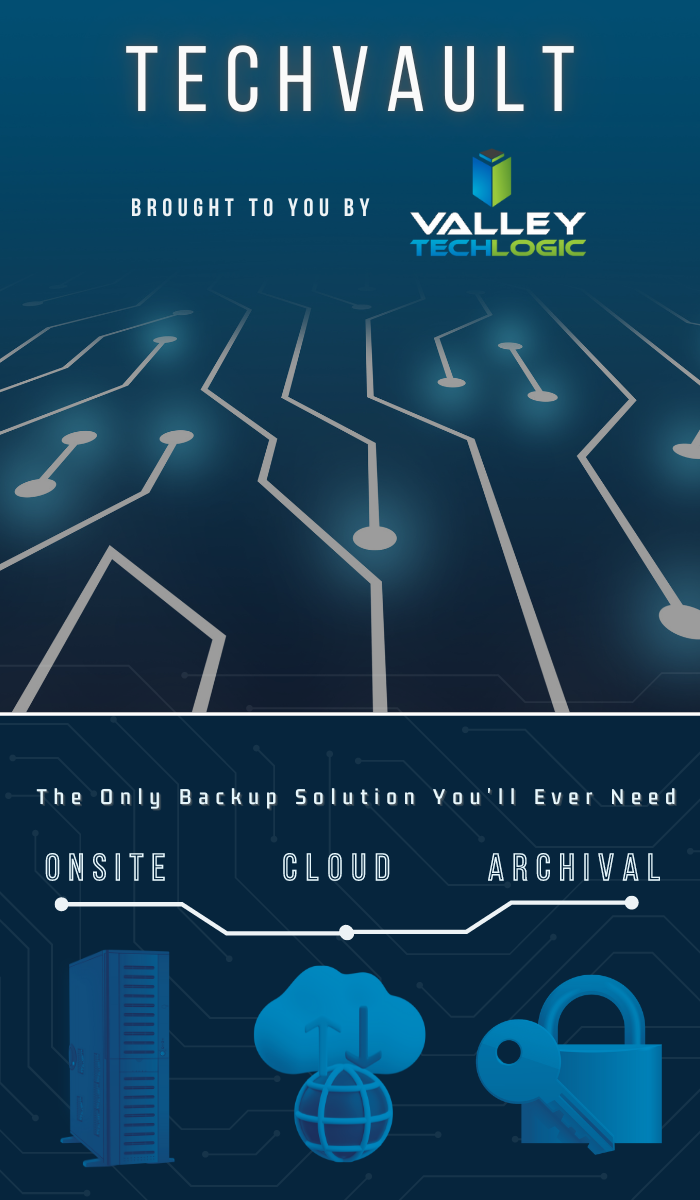
    We offer our clients our triple layer backup solution TechVault. Not only will we back up your onsite data, but we will also create a cloud copy that is updated every 15 minutes and an archival copy that is virtually impenetrable to bad actors.

    Want to learn more? Schedule a quick consultation with one of our sales representatives today.

    Looking for more to read? We suggest these other articles from our site.

    This article was powered by Valley TechLogic, an IT service provider in Atwater, CA. You can find more information at https://www.valleytechlogic.com/ or on Facebook at https://www.facebook.com/valleytechlogic/ . Follow us on Twitter at https://x.com/valleytechlogic.

  • Is it time to call in the reinforcements? 5 benefits to co-managed IT services

    Is it time to call in the reinforcements? 5 benefits to co-managed IT services

    For many small to medium sized businesses, they have one go-to person for their IT needs. This person knows the business inside and out and whether they were in IT to start or just discovered they had an affinity for it, they are a reliable resource the rest of your team depends on when something goes wrong.

    The downside is they’re just one person. It’s a minor disruption if they call out sick or take a vacation, if they were to quit that minor disruption turns major. It’s tenuous to rely on a single person for such an important task alone.

    Even if you ran your business for years without anyone being in charge of IT, how dependent were you on technology at that point compared to now? Year over year, spending on technology for small businesses continues to grow (the average being between $10,000 to $49,000 for per year).

    Technology spending is an investment you make in your businesses future and having reliable support to utilize that investment is key to making sure that the effort, time and money spent on it is not wasted.

    The employee you have in charge of technology for your business is also an investment, and they may have felt they needed more help and support as your business has grown but may have felt unsure how to make that request. It’s difficult for employees to let their bosses know they feel overwhelmed without worrying that it’ll lead to them appearing inadequate.

    The truth is for most businesses, technology has a lot of moving parts. You most likely have a team that relies on devices to do their job and if multiple things go wrong simultaneously, one single person can’t be in two or more places at once. That’s a lot of pressure for your IT person, and a lot of downtime for the employees stuck waiting for their turn.

    You also can’t expect one person to be good at all things, your IT person may be great at fixing the company website when it’s down or troubleshooting network errors, but you could be calling in reinforcements already (at an exorbitant rate) when something outside their wheelhouse is on the fritz.

    We’ve spent a lot of time talking about why you should consider co-managed IT without outright saying it, but here’s are 5 ways co-managed IT can help your business:

    1. Access to 24/7 emergency support. It’s unfair to expect your IT person to be on call around the clock 24/7 365, but with a co-managed solution emergency support is usually included.
    2. Access to a variety of skills. A co-managed solution will have a team of people who have a varied skill set, so when you call in for support, you’ll have the right person for the job the first time (minimizing your downtime).
    3. Access to software solutions. Your co-managed provider will have access to software solutions that would otherwise be too expensive to procure for your business alone, but because they’re providing it for many clients the cost for you is much more reasonable (or even free).
    4. More hands-on deck. As we said, your IT person can’t be in two places at once. If they’re knee deep in something, we can be that extra help that you need, and they’ll appreciate.
    5. Much less expensive then bringing on an additional person. Finally, the cost of a co-managed plan is going to be much less expensive than the cost of hiring an additional person.

    Co Managed IT Services

    In fact, at Valley Techlogic we have a plan tailored for co-managed situations. If many of the things in this article rang true for you and you’d like to learn more, simply book a consultation with us today.

    Looking for more to read? We suggest these other articles from our site.

    This article was powered by Valley TechLogic, an IT service provider in Atwater, CA. You can find more information at https://www.valleytechlogic.com/ or on Facebook at https://www.facebook.com/valleytechlogic/ . Follow us on Twitter at https://x.com/valleytechlogic.
  • On average, your information is shared 747 times a day according to a new study

    On average, your information is shared 747 times a day according to a new study

    We touched on data brokers and how they buy and sell your data in a previous article, but in an eye opening new study from the Irish Council for Civil Liberties (ICCL) they found that for US-based users their information is shared online with for marketing purposes on average 747 times per day.

    That means about 31 times an hour or once every two minutes your information is being sold or traded for marketing purposes so corporations can make an educated guess as to your buying habits when serving you advertising.

    The study used data from a 30-day feed from Google which can be accessed by industry specific entities but is not made available to the public. While the study was aimed at European internet users, who on average have their information shared 376 times per day, the figures they discovered are startling no matter where you happen to reside.

    The ICCL is pursuing legal action against online ad agencies, describing the real-time bidding (RTB) that’s occurring as a massive data breach and a violation of European data protection laws.

    There are a mishmash of laws aimed at protecting US consumers from having their information sold for online marketing purposes, however with no single comprehensive federal law in place any consumer looking to find recourse if they feel their data has been used illicitly will discover they have an uphill battle ahead of them.

    We all skim the lengthy TOS found when signing up for a service, while putting it out of mind that the cost of many “free” services in our data, but what if the data that’s being sold goes beyond what you’re posting on social media or what you purchased from an online retailer recently?

    With data breaches being a regular occurrence, you may not even be voluntarily opting-in to sharing the information that’s currently being traded about you on the internet and it may go beyond what you would want to have shared.

    Even your private medical data can be up for grabs and being sold by data brokers, for example every year Pfizer spends $12 million buying anonymized data for marketing purposes.

    So as with our article on data brokers we want to give you some tools to protect yourself and protect your data while using the internet. This time we want to give you 3 helpful ideas that will help you discover what’s out there already and how to close the gaps:

    1. Google Alerts : Create alerts with things like your name or social media handle, that way if you’re being mentioned on the internet, you’re instantly alerted to it.
    2. HaveIBeenPwned : You can use this site to see if your email or phone number have been involved in a breach and whether it would be a good idea to update or change that information.
    3. Credit Monitoring: While we don’t want to recommend a specific site as this choice can be somewhat personal, we think credit monitoring is a good idea for everyone these days. It’s so ubiquitous now that even your bank or credit card companies you already use probably have it built into their website.

    Opt out of targeted marketing

    You also can “opt out” of personalized marketing with your Google account, while that won’t stop your information from being shared and used to try and market it to you with, it will at least make it so those ads aren’t reaching you as often. You may also be shocked to learn what they’ve already compiled about your interests.

    List of interests
    The lists that are compiled on your interests can be quite comprehensive.

    Google Isn’t the only one who offers this option, iPhone users can also opt out as well as users of social media sites such as Facebook and Instagram.

    Concerns over data protection aren’t limited to just consumers, businesses should also take steps to protect their data and that of their employees. If you’d like to learn how Valley Techlogic can help you secure your data learn more with a quick consultation.

    Looking for more to read? We suggest these other articles from our site.

    This article was powered by Valley TechLogic, an IT service provider in Atwater, CA. You can find more information at https://www.valleytechlogic.com/ or on Facebook at https://www.facebook.com/valleytechlogic/ . Follow us on Twitter at https://x.com/valleytechlogic.

  • College shuttered after 157 years due to ransomware attack

    College shuttered after 157 years due to ransomware attack

    While ransomware wasn’t the only thing behind the decision to close Lincoln College, located in rural Illinois and established in 1865, it was the final blow after taking substantial financial losses due to the COVID-19 pandemic.

    The school, which had survived through the Spanish Flu, the Great Depression, two world wars and even a fire in 1912 will close its doors for good on May 13th, 2022.

    The ransomware attack which occurred in December 2021 crippled their recruiting and fundraising efforts for two months, not being resolved until March 2022 as a statement on the school’s website reads.

    “Furthermore, Lincoln College was a victim of a cyberattack in December 2021 that thwarted admissions activities and hindered access to all institutional data, creating an unclear picture of Fall 2022 enrollment projections. All systems required for recruitment, retention, and fundraising efforts were inoperable.

    Fortunately, no personal identifying information was exposed. Once fully restored in March 2022, the projections displayed significant enrollment shortfalls, requiring a transformational donation or partnership to sustain Lincoln College beyond the current semester.”

    The school made attempts to avoid the closure, but the efforts came too late, and we’re sorry to say they’re far from unique in being a school that was targeted by a cyberattack. According to this report over 1043 schools suffered ransomware attacks in 2021.

    Cyber criminals don’t think twice when targeting schools, hospitals, and infrastructure that’s needed by the community. We reported on the on Colonial Pipeline hack that created a major disruption at gas stations across eastern US last May.

    Schools and hospitals are appealing targets because investing in cyber security measures is not generally a priority and they often store large amounts of PII (Personal Identifying Information) in their systems.

    Many senators have taken note of this and have called on the Department of Homeland Security to instate measures that would bolster the security of our schools, especially K-12.

    A ransomware payment isn’t the only thing attackers stand to gain when they successfully infiltrate a network, here’s a chart with the way hackers “double dip” from during their attacks:

    Hacker Motivations Infographic

    In the end Lincoln College did choose to pay the ransom to gain control of their systems again, but it sadly made no difference in saving the college.

    60% of businesses close within 6 months following a ransomware attack, and only half businesses have a cyber response plan available to quickly respond to an attack. The slow response time will only add insult to injury as you try to get back on your feet and as we’ve seen in this case, it can be fatal to your business.

    Valley Techlogic can help you not only have a contingency plan in place, but also help you enact cyber security measures in your business that will prevent an attack from occurring in the first place. Learn more today through a quick consultation.

    Looking for more to read? We suggest these other articles from our site.

    This article was powered by Valley TechLogic, an IT service provider in Atwater, CA. You can find more information at https://www.valleytechlogic.com/ or on Facebook at https://www.facebook.com/valleytechlogic/ . Follow us on Twitter at https://x.com/valleytechlogic.